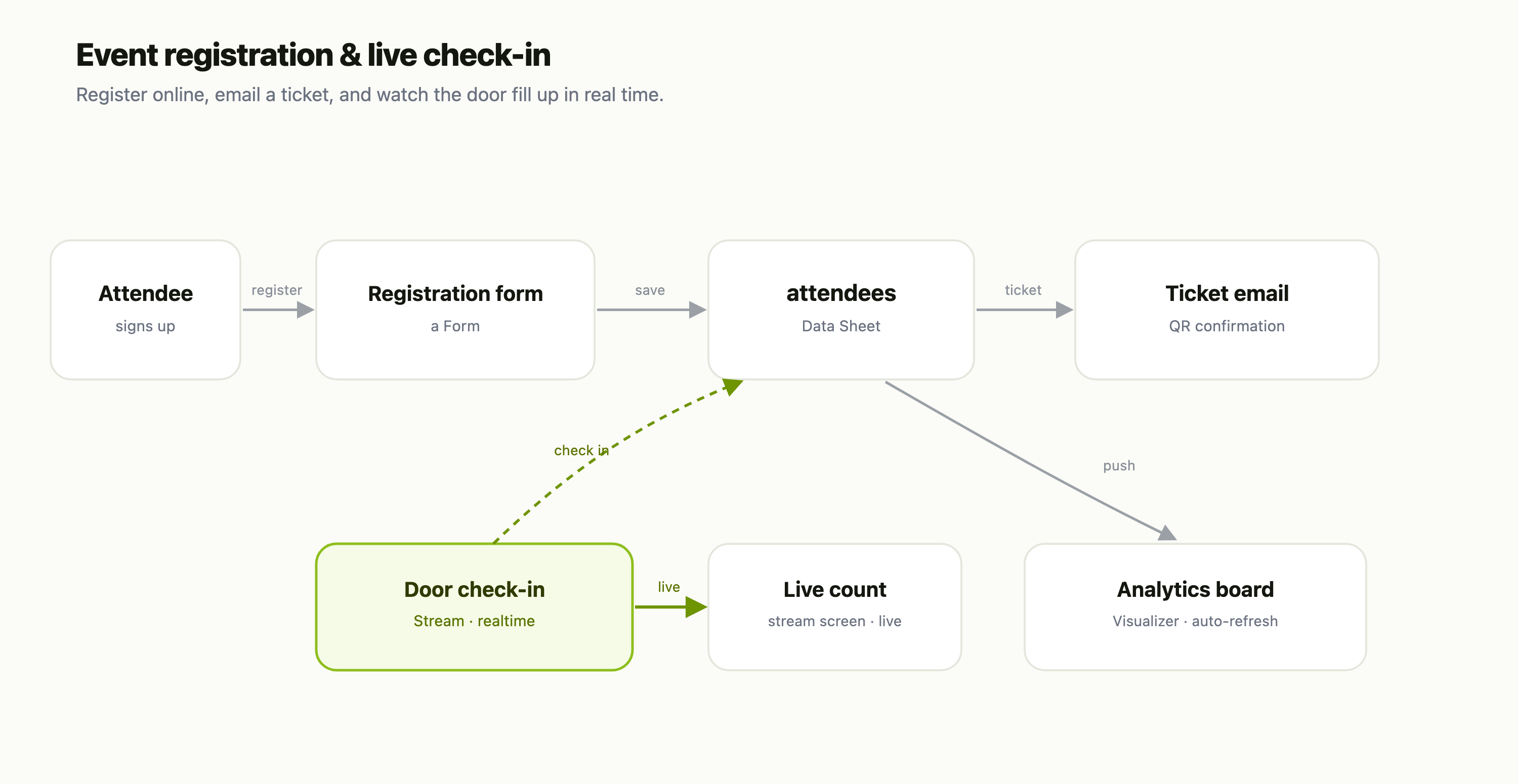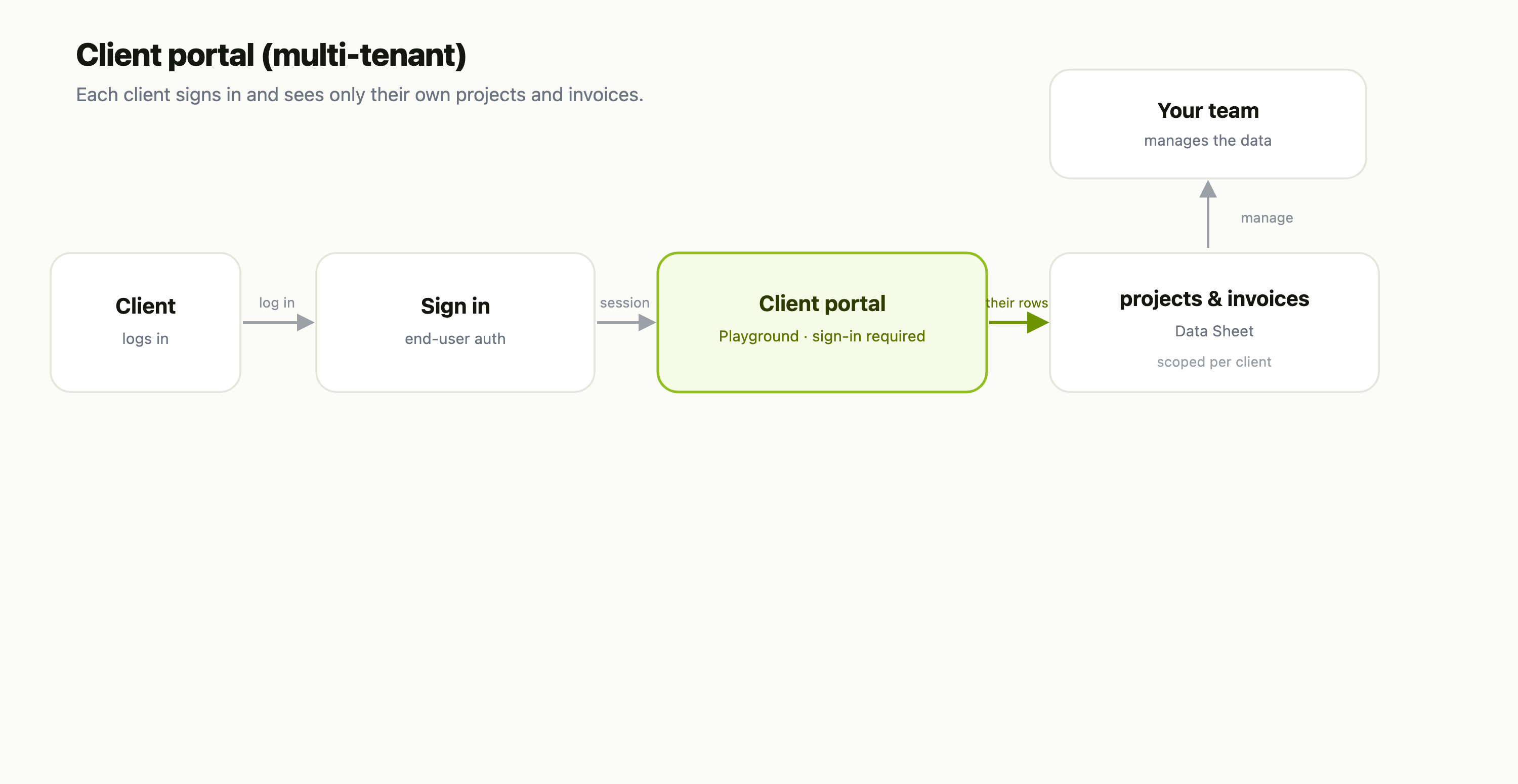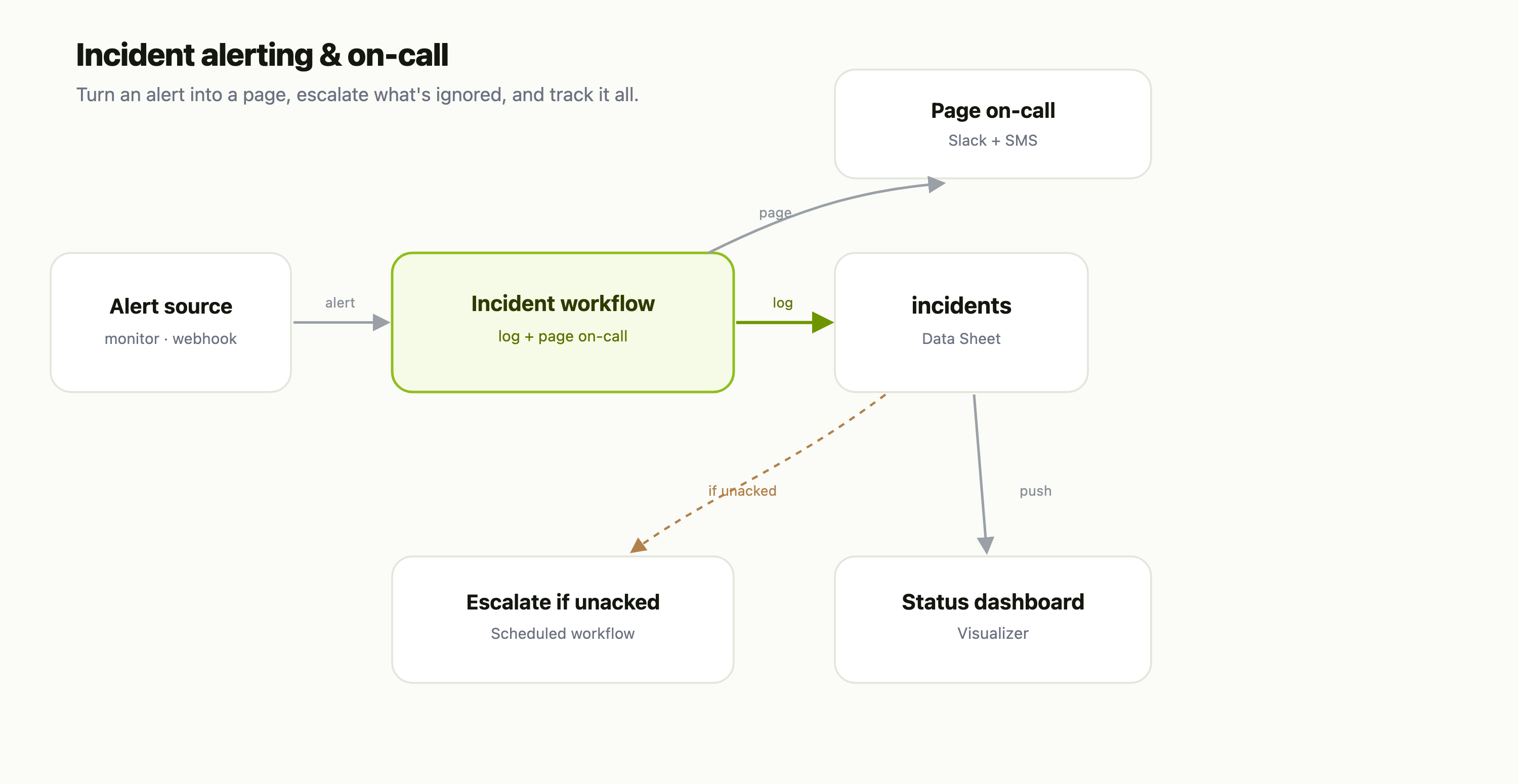
Realtime is the part of multiplayer that eats weekends: a WebSocket server, presence tracking, fan-out across instances, reconnection, rate limits, auth. FlowFn Streams gives you all of that as a managed surface. You define a stream in the dashboard — a set of named channels — and clients connect to a hosted gateway, join rooms, and publish/subscribe. Fan-out and presence ride Redis, so any number of gateway boxes serve any socket; you never touch the plumbing.
The twist that makes it more than "hosted sockets": a channel can carry a binding — publishing a message can run a workflow, call your stream's own server code, ask a streaming agent, or have your AI answer the room. To make it concrete, we'll build Trivia Live: a multiplayer trivia game where players buzz in answers, an AI host judges them, and a live leaderboard updates in real time.
Here's the payoff — the live view of the running game, across all gateway instances:
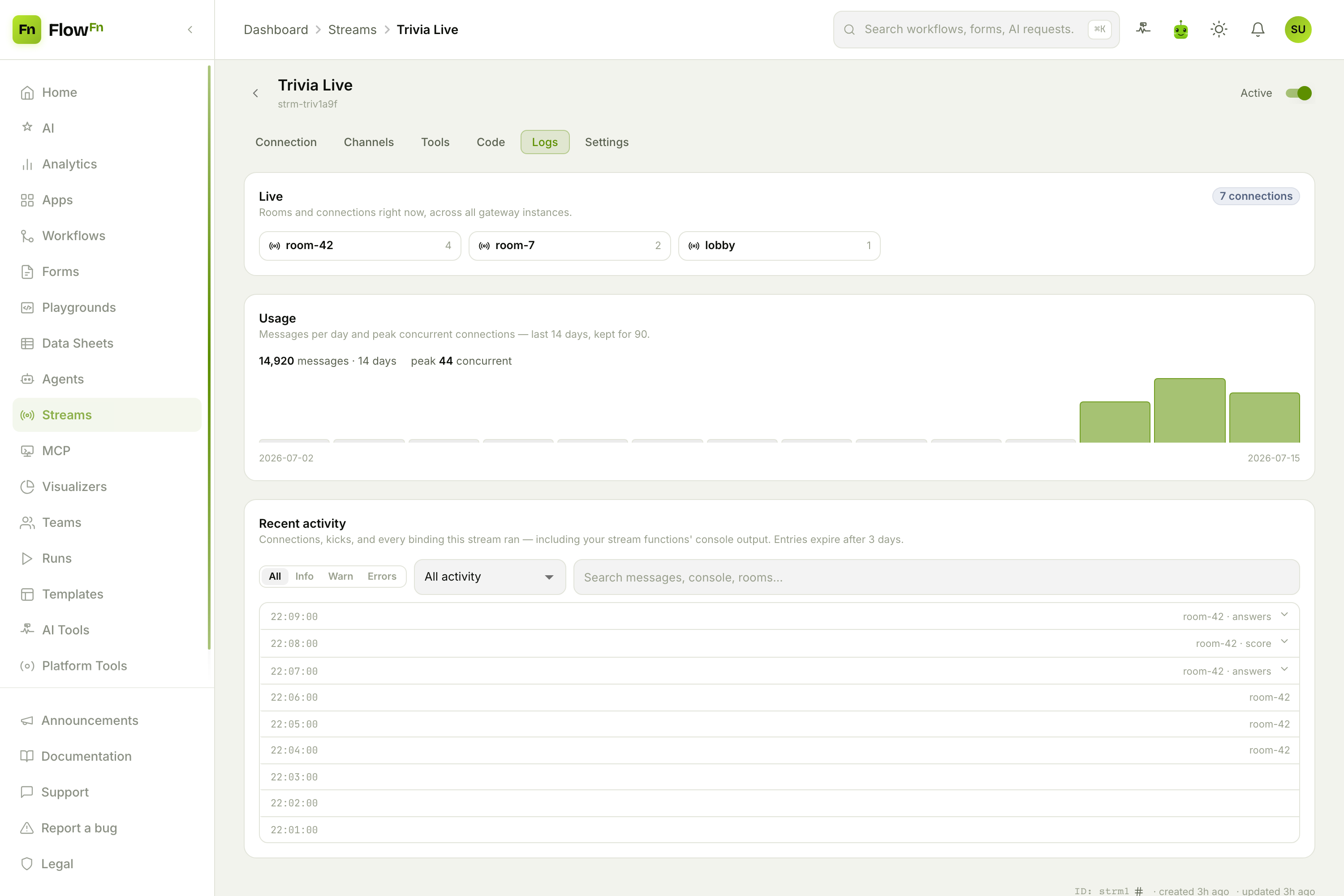
Three rooms live right now, a usage chart, and an activity feed showing the trivia session as it happens — players connecting, joining room-42, and each binding firing (answers, score). Let's build it.
Step 1 — Create a stream
Streams are an App-owned artifact. From Streams, hit New stream: name it, pick the App, and it seeds three starter channels you can edit any time.
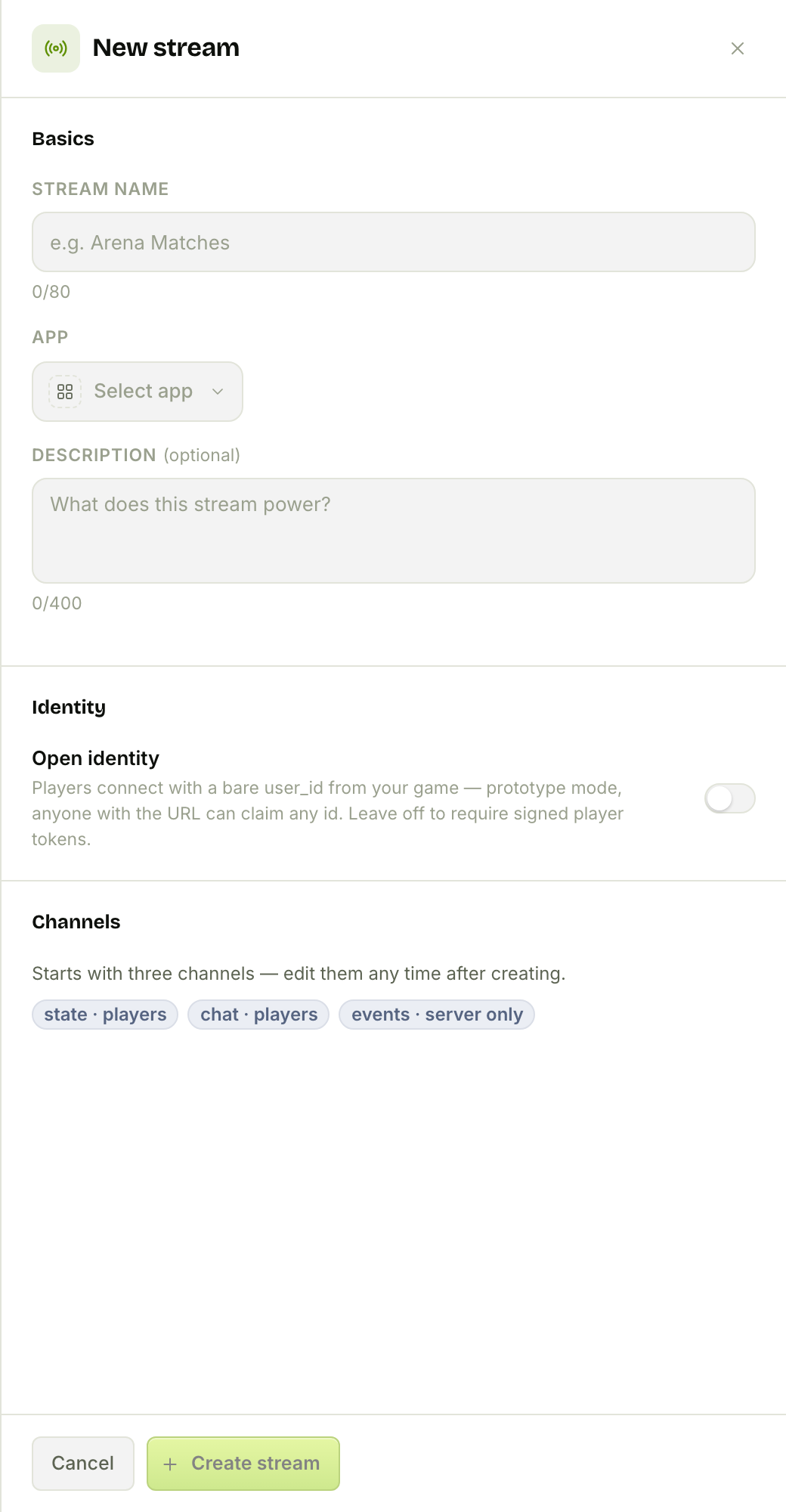
Note Open identity — leave it off and players must present a signed token (launch mode); flip it on for token-free prototyping. We'll come back to that.
Step 2 — Design your channels
A stream is really just named channels — typed pipes for kinds of messages — and each channel's authority controls who may publish to it.
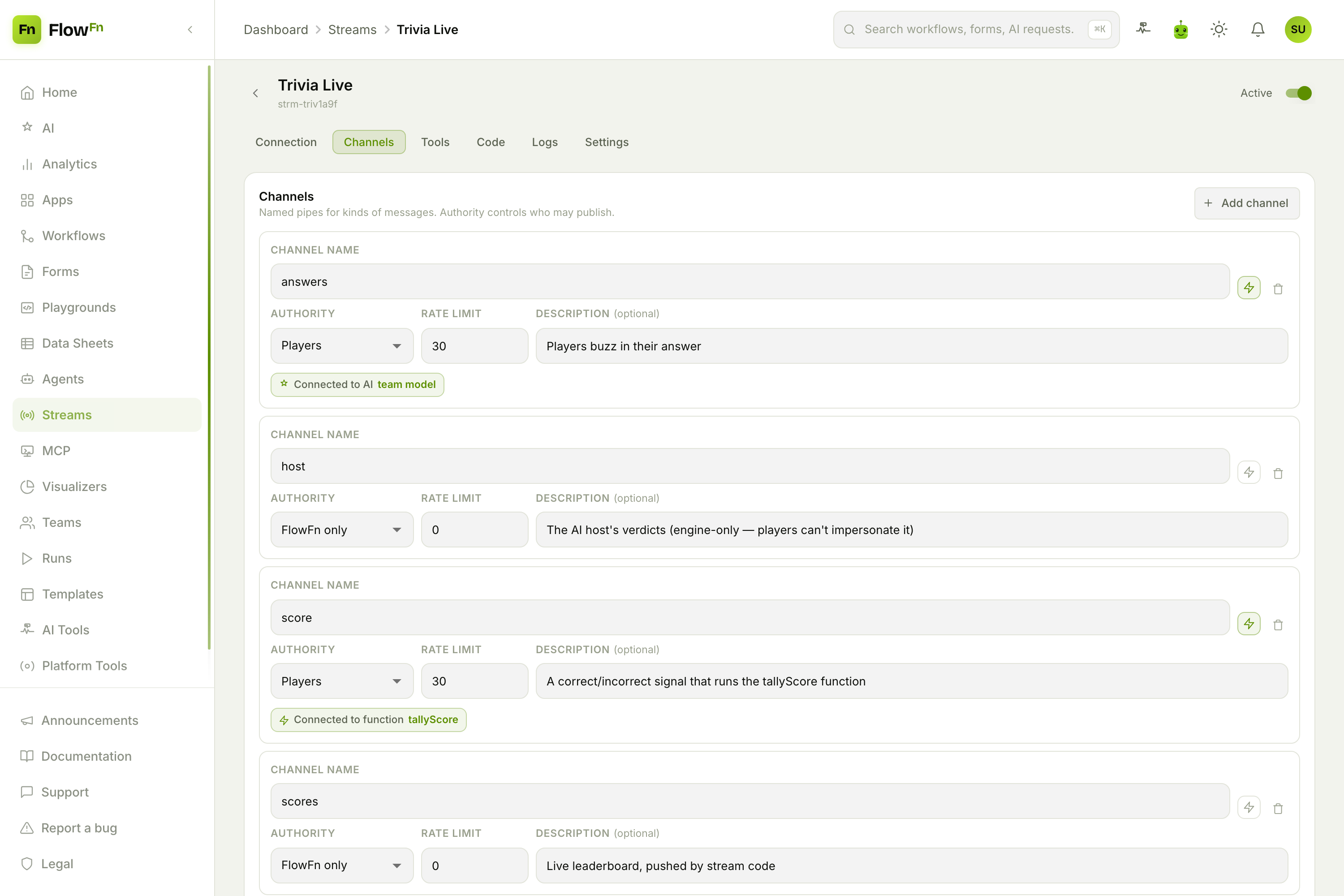
For Trivia Live:
answers(Players) — players buzz in their answer. Bound to Call AI (more below).host(FlowFn only) — the AI host's verdicts. FlowFn-only means no socket can publish here, so players can't impersonate the host — only the engine writes it.score(Players) — a correct/incorrect signal, bound to a stream function.scores(FlowFn only) — the live leaderboard, pushed by stream code.chat(Players) — lobby banter.
Everyone in a room receives every channel; authority only gates publishing. The three authorities are Players (players + your game server), Server only (server key only — for authoritative state clients can't forge), and FlowFn only (engine output — bindings and stream code).
Step 3 — Connect a client
The Connection tab is your integration guide: the WebSocket URL, your secret server key, and player-token minting.
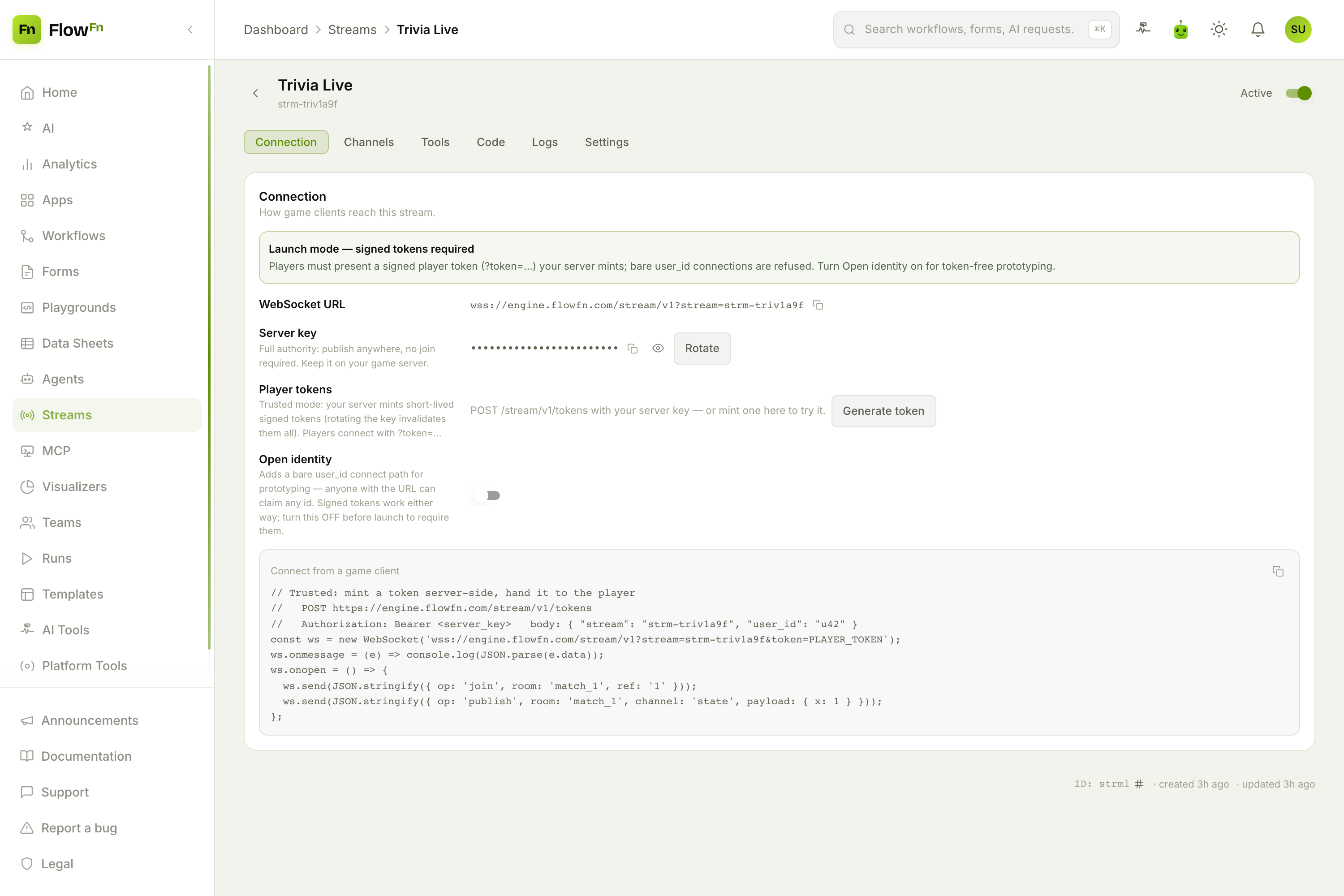
The model is simple and safe:
- Your game server holds the server key (full authority — keep it server-side) and mints a short‑lived signed player token per user via
POST /stream/v1/tokens. - The client connects with that token, joins a room, and publishes:
const ws = new WebSocket('wss://engine.flowfn.com/stream/v1?stream=strm-triv1a9f&token=PLAYER_TOKEN');
ws.onmessage = (e) => console.log(JSON.parse(e.data));   // welcome, ack, peer_joined, message…
ws.onopen = () => {
  ws.send(JSON.stringify({ op: 'join',    room: 'room-42' }));
  ws.send(JSON.stringify({ op: 'publish', room: 'room-42', channel: 'answers', payload: { text: 'Paris' } }));
};
Everyone in room-42 receives that message, and presence is automatic — a peer_joined frame and a member list arrive on join, no extra calls. (First-party Godot/Unity SDKs wrap all of this.)
Step 4 — Make a message do something (bindings)
This is where Streams stops being a dumb pipe. Click the ⚡ on a channel and you can bind it: every player message on that channel fires FlowFn work.
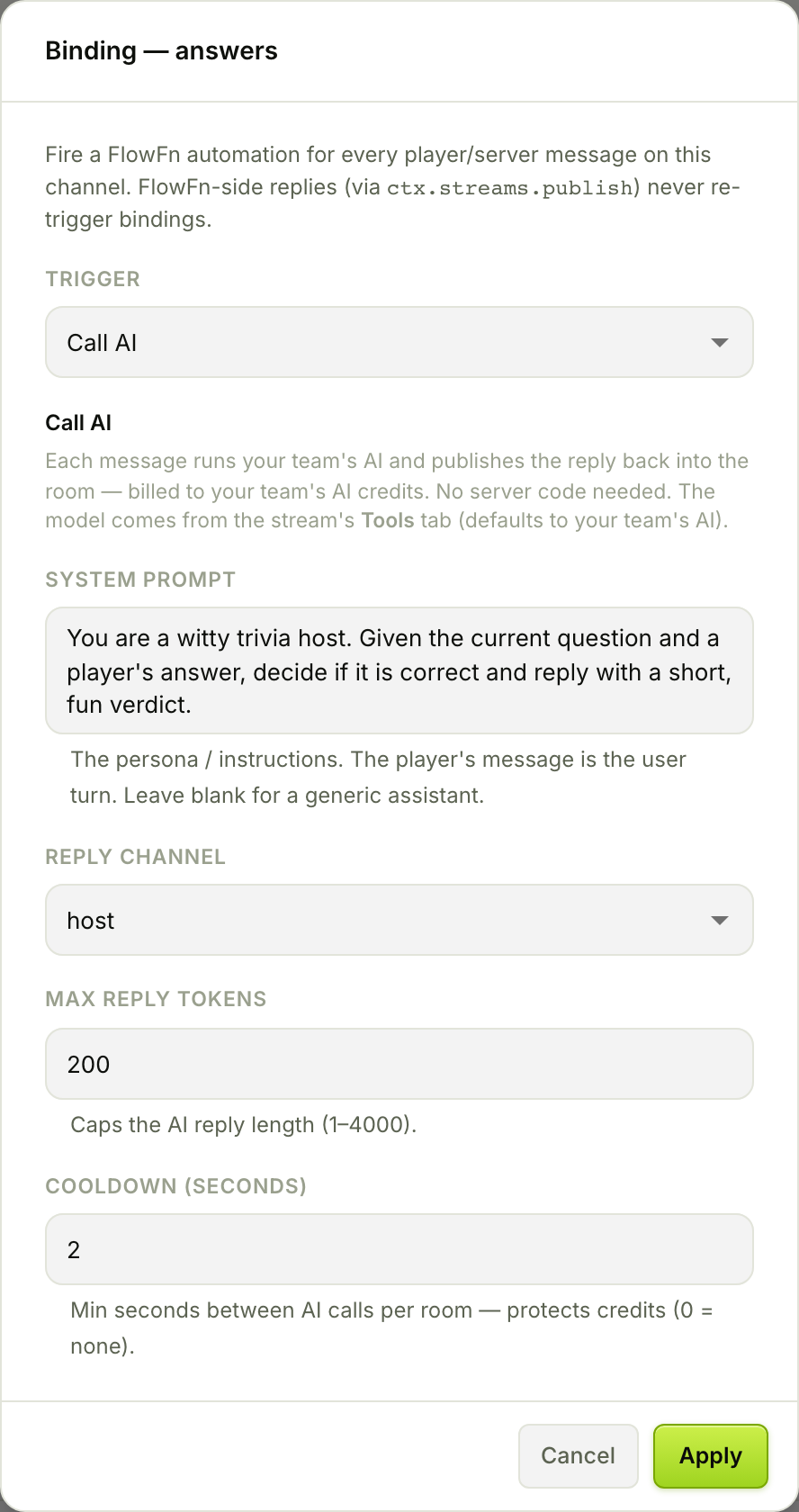
There are four kinds:
| Binding | What a message triggers |
|---|---|
| Run a workflow | a workflow run (e.g. record the match result) |
| Run a stream function | a function you wrote on the Code tab (synchronous) |
| Ask a streaming agent | a streaming agent that remembers the room |
| Call AI | your team's AI answers the room — no server code |
We bind answers to Call AI with a host persona ("decide if the answer is correct and reply with a short, fun verdict"), reply on the host channel, cap the reply, and set a 2‑second cooldown (each call spends real AI credits). Now every buzz-in runs one AI completion and publishes the verdict back into the room — a live AI game host with zero backend code. And because engine-side replies never re-fire bindings, there's no loop to worry about.
Step 5 — Write the backend (stream code)
When you need real logic — scoring, a leaderboard — the Code tab is a sandboxed backend that runs on FlowFn, no server to deploy. A function binding runs one of your exports per message.
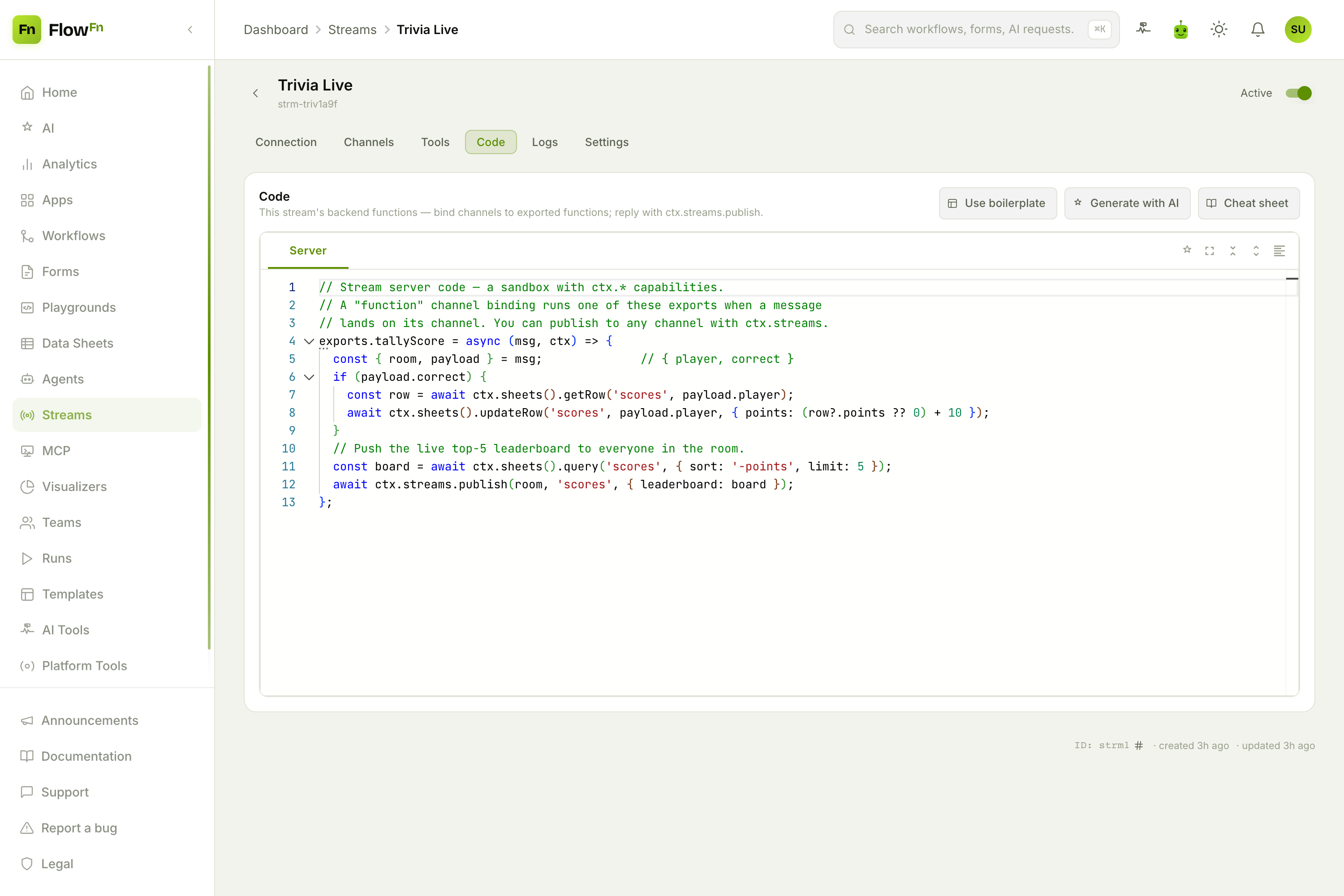
Our tallyScore bumps the player's points in a Data Sheet and pushes the fresh top‑5 to everyone:
exports.tallyScore = async (msg, ctx) => {
  const { room, payload } = msg;              // { player, correct }
  if (payload.correct) {
    const row = await ctx.sheets().getRow('scores', payload.player);
    await ctx.sheets().updateRow('scores', payload.player, { points: (row?.points ?? 0) + 10 });
  }
  const board = await ctx.sheets().query('scores', { sort: '-points', limit: 5 });
  await ctx.streams.publish(room, 'scores', { leaderboard: board });   // → the FlowFn-only channel
};
ctx is the whole toolbox — ctx.streams.publish (reply into a room), ctx.sheets (the linked database), ctx.ai.call (the same AI as the binding), ctx.http (SSRF‑guarded fetch), ctx.workflows.run / ctx.agents.run (allow‑listed), and ctx.env. It runs in an isolated sandbox — no require, no raw network — with a Generate with AI button and a cheat sheet for the full API.
Step 6 — Pick the AI and link data (Tools)
One place sets the stream's AI and its database: the Tools tab.
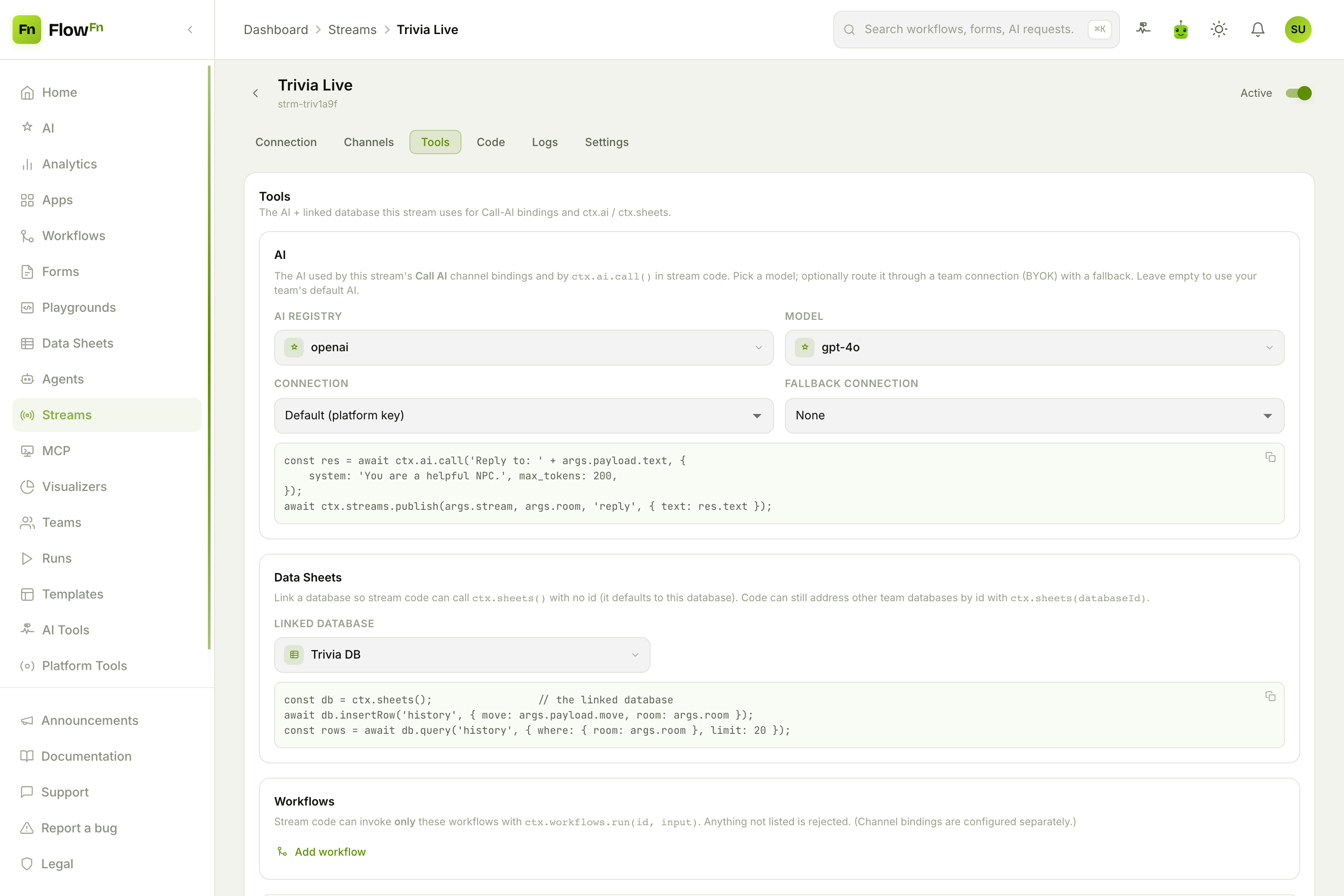
The AI here is what both the Call‑AI binding and ctx.ai.call use — a model on the platform key, or your own via a team connection (BYOK) with a fallback. Data Sheets links a database so ctx.sheets() needs no id. And Workflows / Agents are deny-by-default allow-lists — stream code may only invoke the ids you list here, so a hot game loop can't reach across your whole workspace.
Step 7 — Watch it run
Back to that hero shot — the Logs tab is your live window (that top image). The Live panel shows every room and connection right now, across all gateway instances; Usage tracks messages/day and peak concurrency; and the activity feed logs every connect, join, and binding — including your stream functions' console.log. It's also the first place to look when a binding doesn't fire: if the feed shows only connect/join and no binding_* row, the channel you published to has no binding.
The whole picture
| Piece | What it gives you |
|---|---|
| Channels | Named pipes + authority (who may publish) |
| Connection | Hosted WebSocket, server key, signed player tokens |
| Rooms | Ephemeral, presence built in, reaped when idle |
| Bindings | A message → workflow / function / agent / AI |
| Code | Sandboxed ctx.* backend, no server to run |
| Tools | The stream's AI + linked database + allow-lists |
| Logs | Live rooms/connections + usage + activity feed |
Scaling, presence, fan-out, reconnection, rate limits, and auth are all handled — gateway boxes are stateless behind Redis, so it grows without you.
Wrap-up
Streams collapse the hardest part of multiplayer — the realtime server — into a design-time object. Define channels, connect a client, and you have live rooms with presence. Add a binding and a message can run a workflow, your code, an agent, or your AI, right in the room. It's the connective tissue for the rest of FlowFn: the agent that hosts the game, the workflow that records the match, the Data Sheet that holds the scores — all reachable from a socket message.
Start with two channels and the connect snippet, watch the activity feed light up as you join a room, then bind a channel to Call AI and let the room talk to your AI. Build a room, join it, and watch it go live.