Across this series we built each FlowFn feature in isolation, and (not by accident) every one of them was for the same café. Now we snap the pieces together. Here's the whole thing on one page:
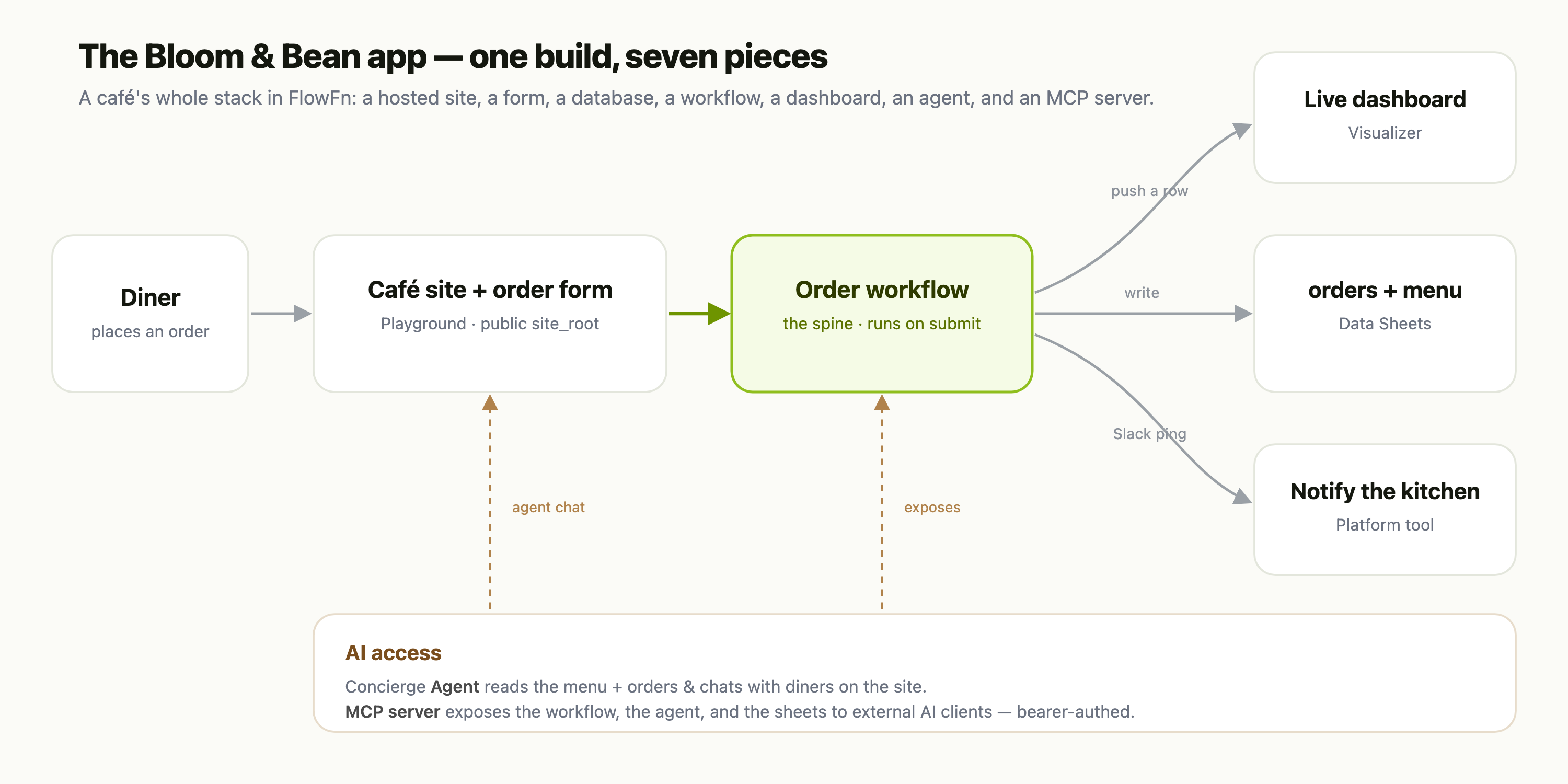
One diner, seven pieces. A diner opens the site, places an order through a form, which fires the workflow that writes the database, updates the dashboard, and pings the kitchen. An agent answers questions on the site, and an MCP server lets an external AI reach the whole thing. Every arrow in that diagram is a feature you've already seen. Let's build it in order.
Saturday, 9am — the data
Start where every app should: the data model. In Data Sheets we create a Bloom & Bean database with three sheets — menu, orders, and customers — and pick real column types (currency for price, a select for channel, a date-time for placed_at, a hashed column for the loyalty PIN).
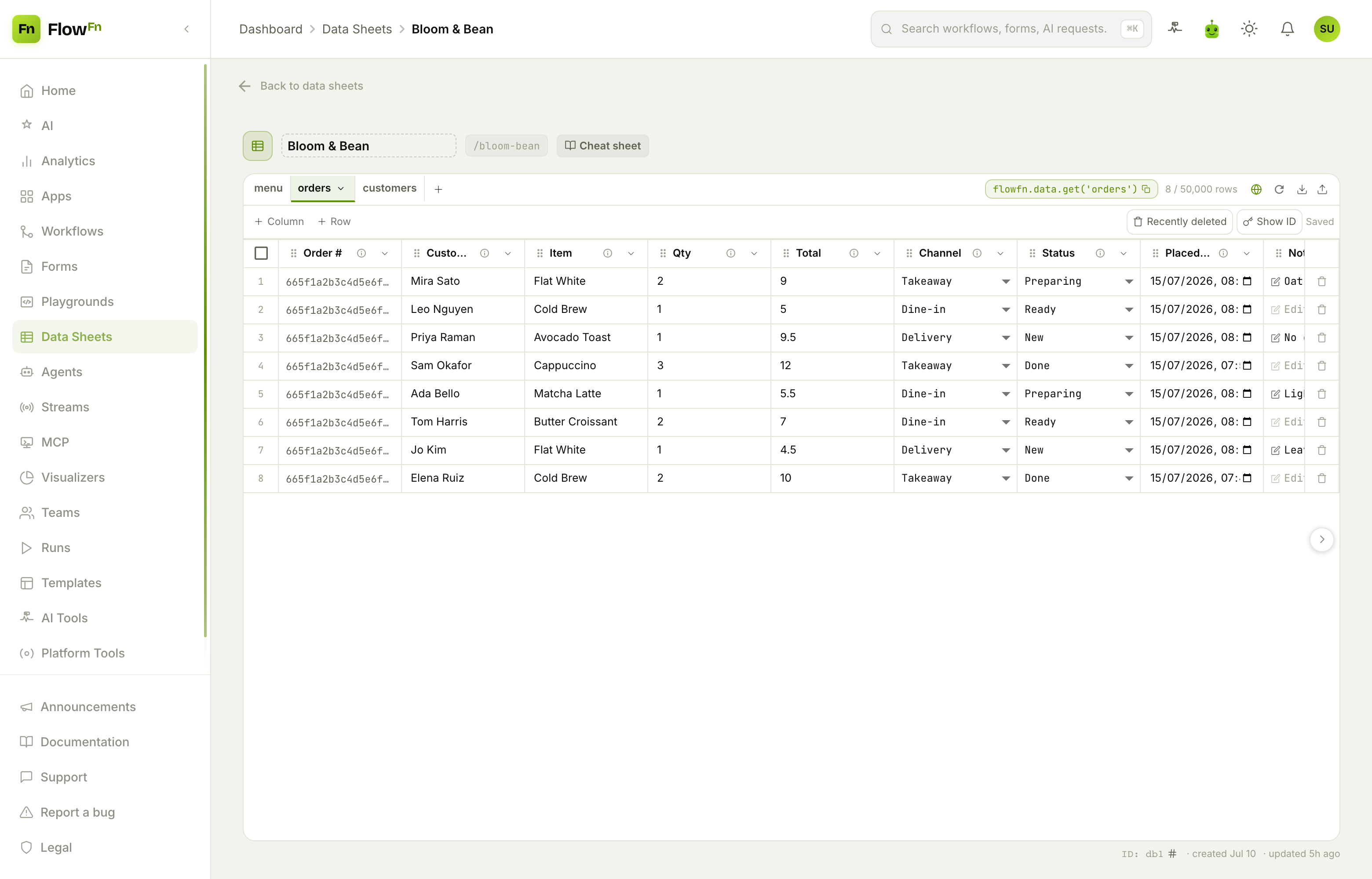
Fifteen minutes in and we have a typed, queryable store the rest of the app will read and write — no Postgres, no migrations. Everything downstream references it by database_id + sheet_slug.
Saturday, 11am — the storefront and the order form
Next, the front door. In Playgrounds we describe the café to the AI builder, tweak the generated code in a real editor with a live preview, attach the Bloom & Bean database, and publish. It becomes the App's public site_root:
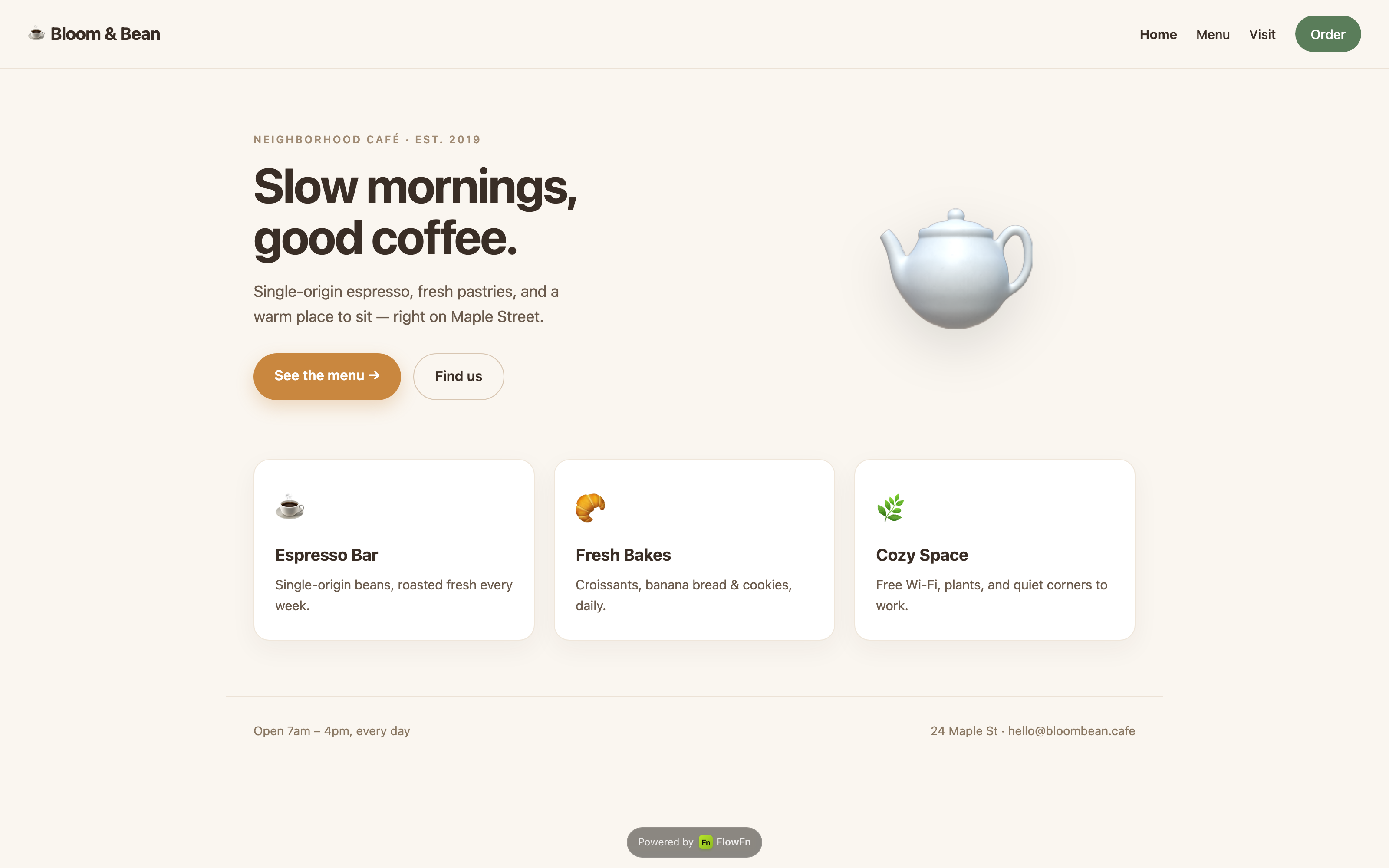
The Order button opens a Form — a few fields (item, quantity, channel, name) with a little conditional logic — hosted on the same domain. A form doesn't write to the database directly; it collects the submission and hands it to a workflow. Which is exactly what we build next.
Saturday, 2pm — the workflow (the spine)
This is the piece that turns a pile of features into an app. A Workflow, triggered on form submit, is the spine of the whole diagram. In a handful of nodes it:
- validates the order and looks up the item's price in the
menusheet; - creates a row in the
orderssheet (a Data Sheet task); - pushes the order into the live dashboard (a Data Visualizer task);
- notifies the kitchen over Slack (a platform-tool task);
- optionally branches — a big delivery order routes to a human for approval first.
Every downstream piece hangs off this one workflow. Change how an order is handled, and you change it in one place.
Saturday, 5pm — the live dashboard
With orders flowing through the workflow, the owner wants to see the business. In Visualizers we build Bloom & Bean — Sales: KPI cards, a revenue-by-item bar chart, an orders-by-channel donut, and a recent-orders table. Because the workflow's Data Visualizer task pushes each order here, the dashboard is live:
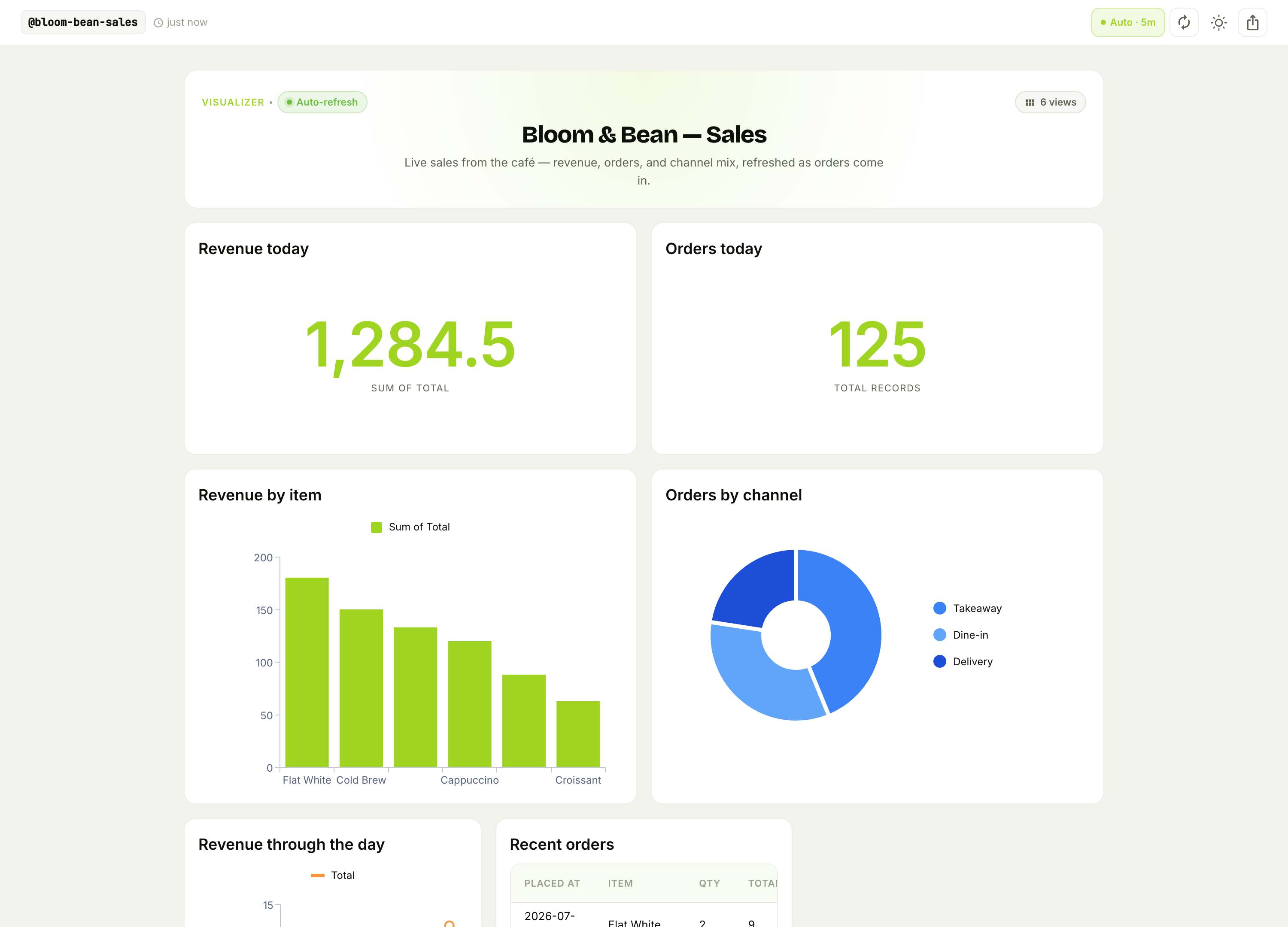
It's public, embeddable, and auto-refreshing — the kind of thing that would normally mean a BI tool and a warehouse connection. Here it's the tail end of the same workflow.
Sunday, 10am — the concierge
A café gets questions: "Are you open?" "Is the matcha vegan?" "Where's my delivery?" In Agents we build a Concierge agent that reads the menu and orders sheets (read-only), answers in the café's voice, and asks a human before doing anything sensitive. We embed it as a chat widget right on the café site — so the front door now answers back.
The agent shares the same database the workflow writes, so it always has today's real menu and order status. No syncing, no separate knowledge base.
Sunday, 2pm — open it up to AI
Finally, we make the whole café addressable by external AI. In MCP we host a Bloom & Bean Ops server that exposes exactly what we choose — the menu (read), orders (read-write), the "notify the kitchen" workflow, and the concierge agent — behind a rotatable bearer token:
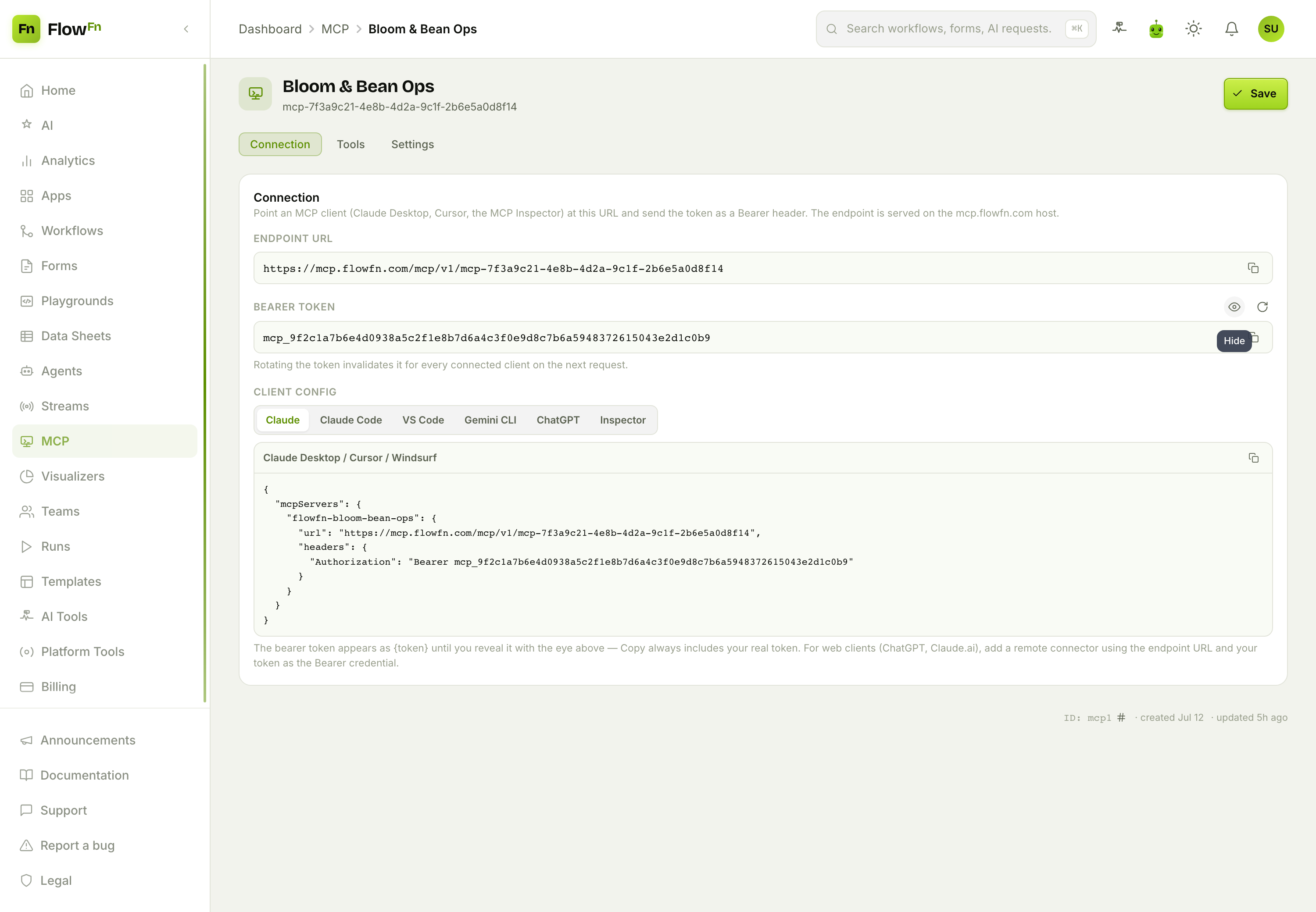
Paste the endpoint into Claude Desktop or Cursor and an assistant can ask "how many flat whites did we sell today?" or even place an order — using the tools we attached, billed to us, revocable in a click.
What you didn't have to do
Step back and notice everything that didn't happen this weekend:
- No database to provision, migrate, or back up.
- No web server, no container, no deploy pipeline.
- No WebSocket infrastructure (the Streams feature, if the café ran a live event, would be one more design-time object).
- No auth system, no BI tool, no MCP transport to implement.
- No glue code holding services together — the features reference each other by id.
You wrote a little code where it mattered (a workflow node, a playground page, a stream function) and clicked the rest. What you got is a real app with a public site, order intake, a database, automation, a live dashboard, an AI concierge, and an AI-facing API.
The whole series
Each piece has its own deep-dive — read them in any order, or in build order like we did here:
- Building Your First FlowFn Workflow — the automation spine and every node type.
- Creating a Form People Actually Fill Out — hosted, branded, embeddable intake.
- Your App's Database, Without the Server — Data Sheets: tables, types, and the query API.
- Build and Host a Website with Playgrounds — AI-built pages, a real editor, and hosting.
- Build a Live Dashboard with Visualizers — charts fed by your workflows.
- Building an AI Support Agent — an agent that looks things up and acts, with a human in the loop.
- Host an MCP Server — expose your app as a safe toolset for external AI.
- Build a Realtime Multiplayer App with Streams — live rooms and presence, for when your app goes real time.
Wrap-up
The point of FlowFn isn't any single feature — it's that they're all the same kind of thing: design-time objects, scoped to your App, that reference each other by id and run on managed infrastructure. That's why a café's whole stack fits in a weekend, and why changing it later means editing one object, not redeploying a system.
Pick the piece your app needs first — a database, a form, a workflow — and build just that. Then add the next one. Before long you'll look up and realize the pile of building blocks became an app. Start with one piece; the rest snap on.