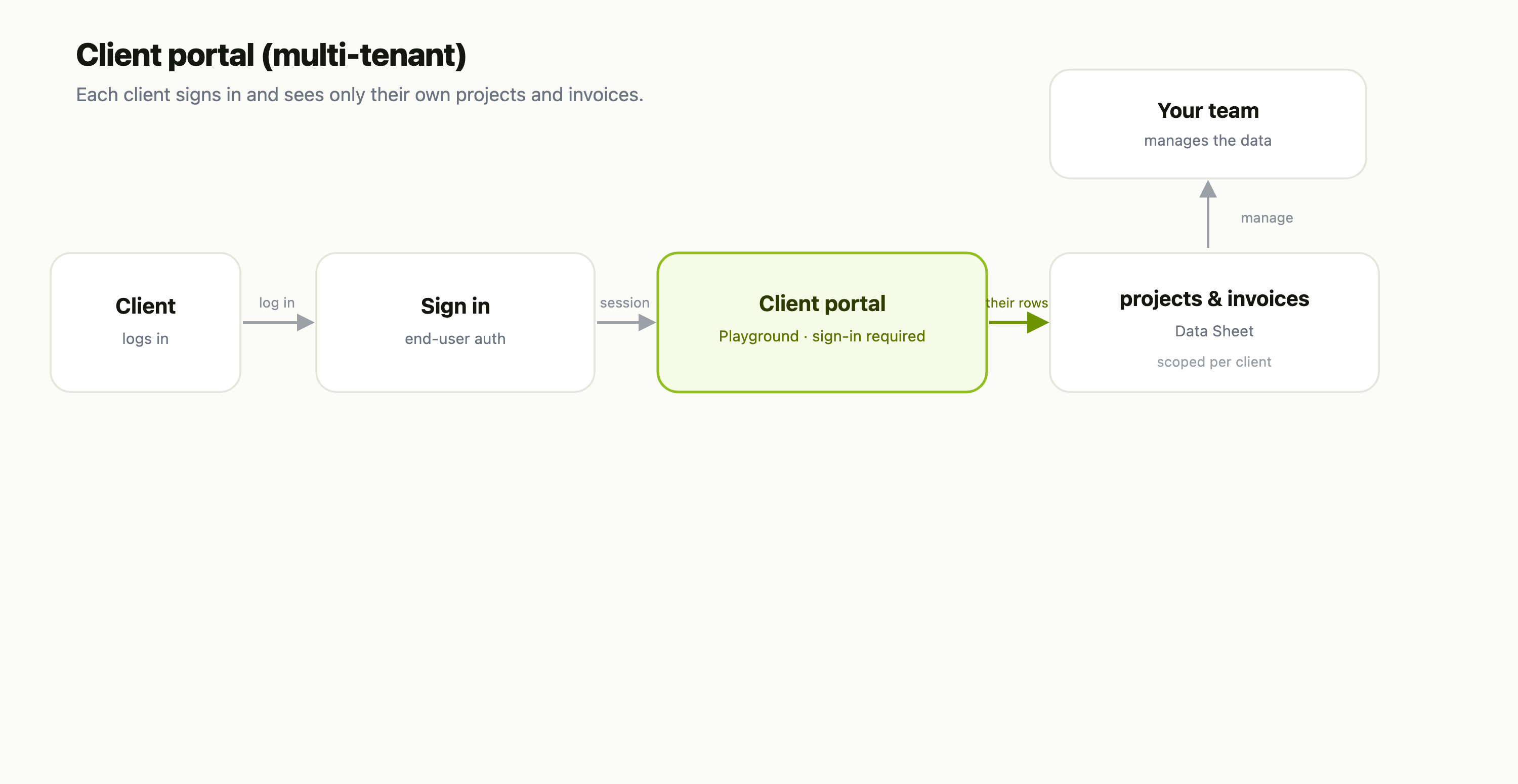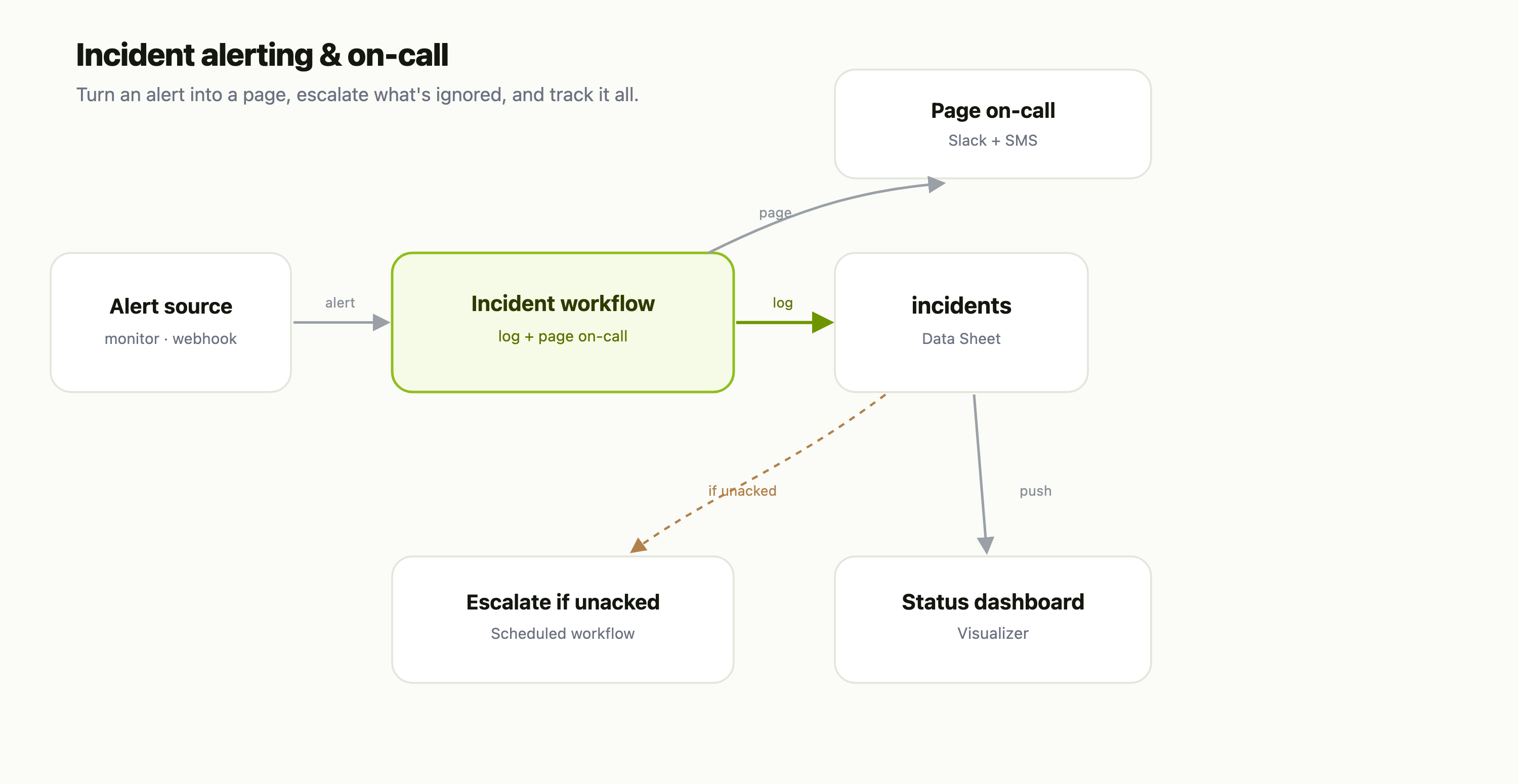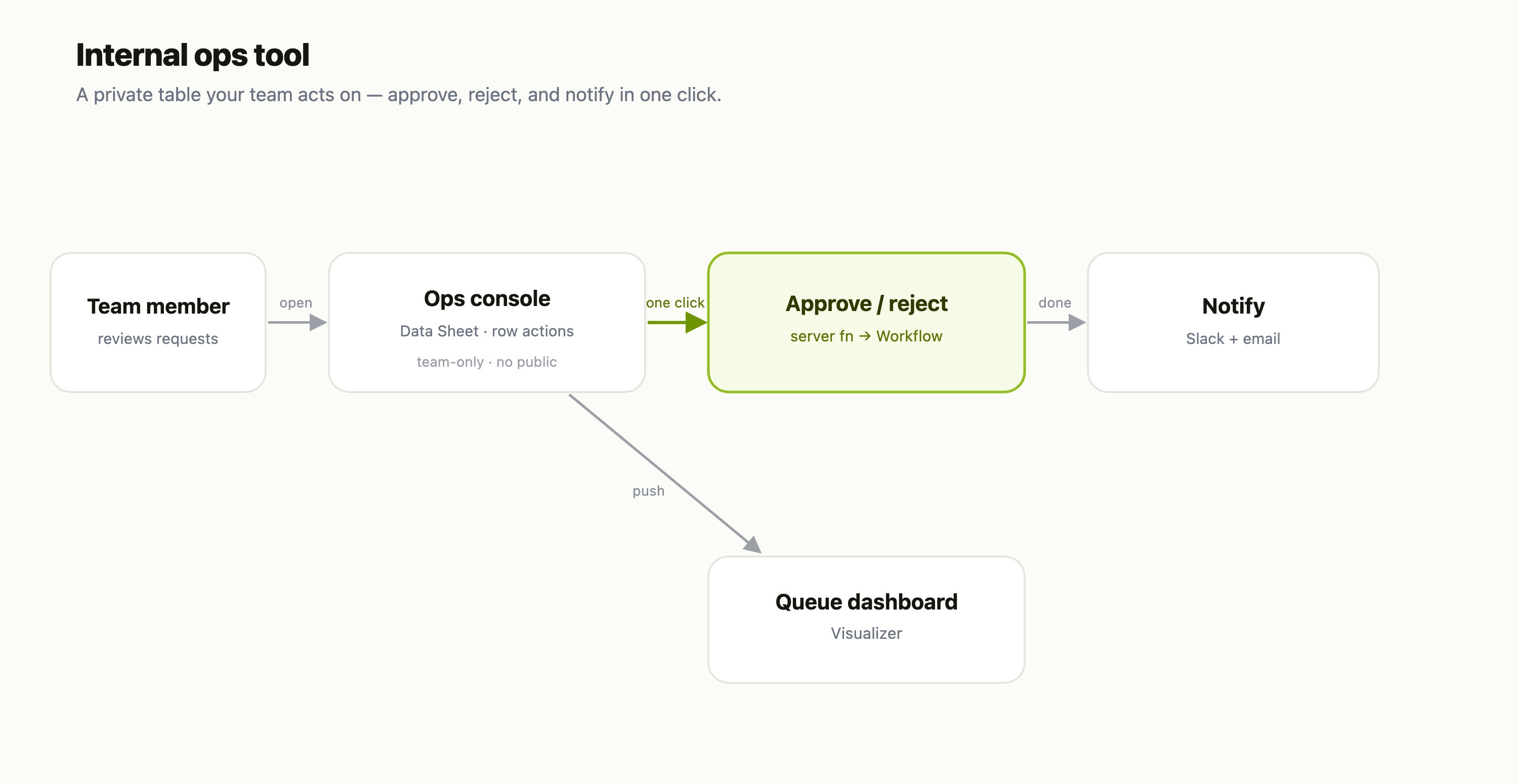
Most "app builders" hand you either a rigid drag-and-drop canvas or a blank repo and a deploy pipeline. A FlowFn Playground is neither. It's a full-screen editor where you write (or AI-generates) real HTML, CSS, and JavaScript; add server-side functions with ctx.* capabilities; attach a database; and publish to a public URL on your own domain — all without provisioning a single server.
To make it concrete, we'll build Bloom & Bean, a cozy neighborhood-café website: a landing page, a menu, an online-order backend, and a database — then ship it live. Here's the finished site, served at its public URL:
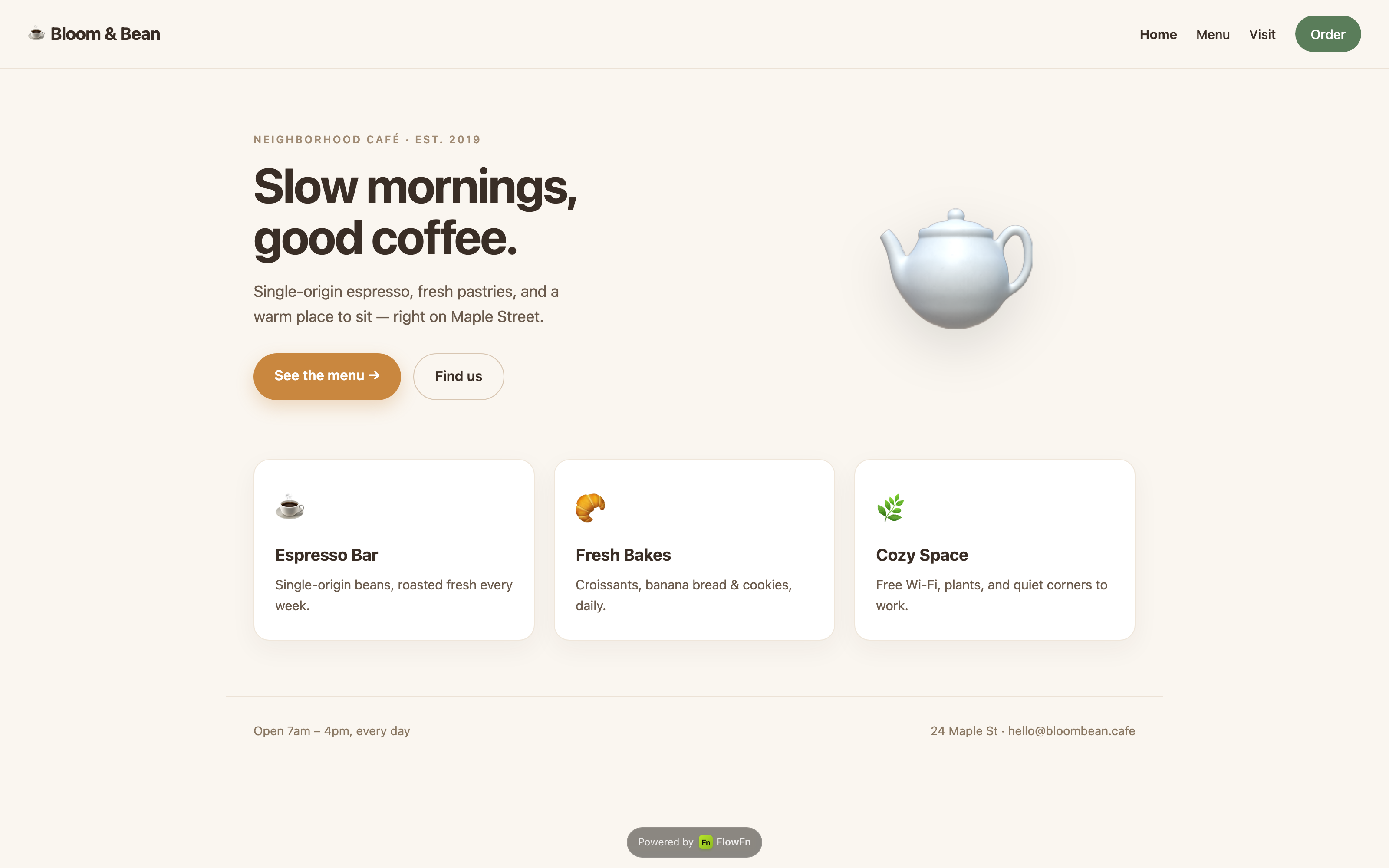
A real, hosted website — nav, hero, highlight cards, footer, responsive. Let's build it from scratch.
Where playgrounds live
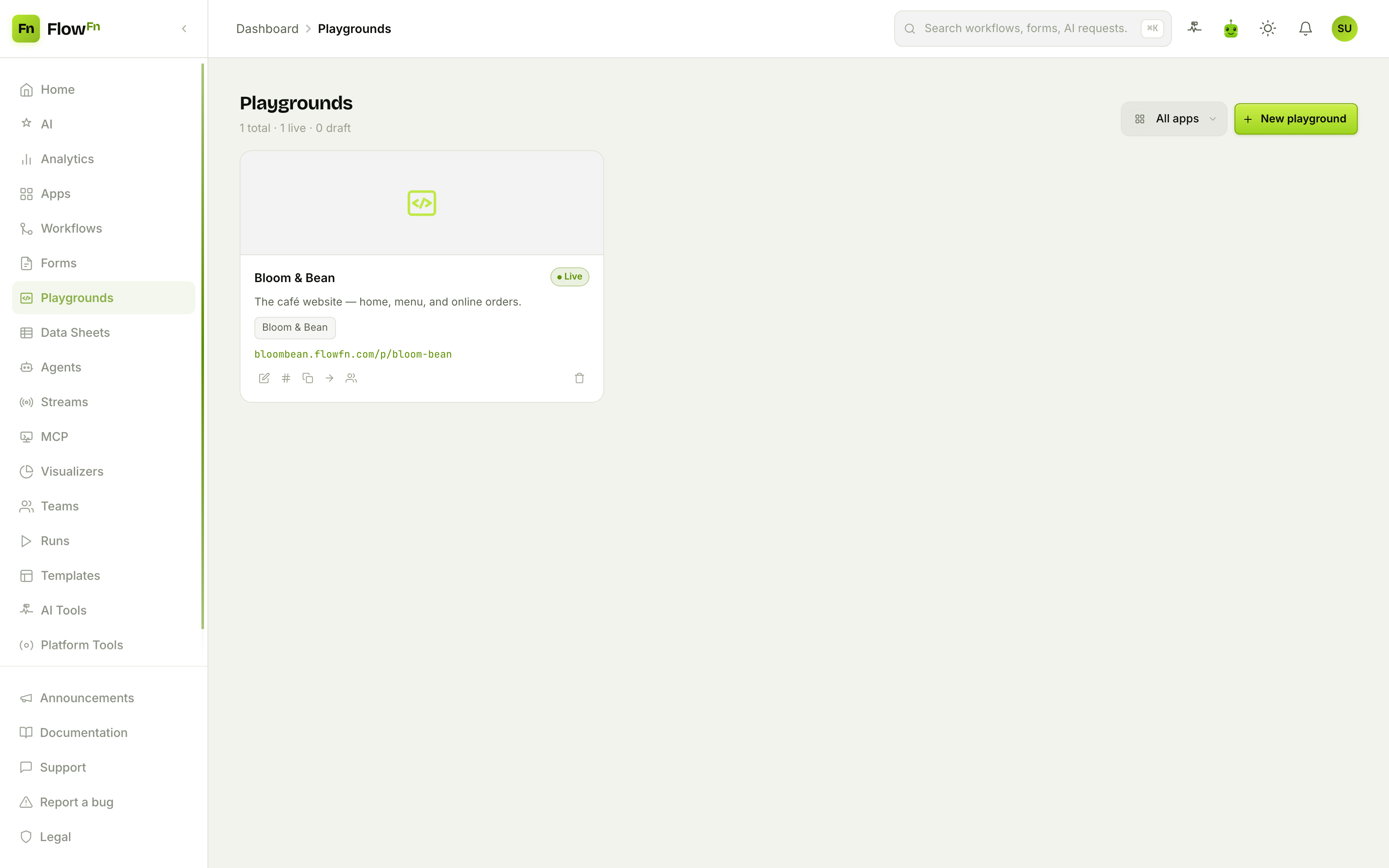
Playgrounds are an App-owned artifact (alongside Workflows, Forms, Agents, and Data Sheets). Open Playgrounds in the dashboard, hit New playground, and you drop into the editor — a full-canvas workspace with an AI chat rail on the left and, on the right, either the code editor or a live preview.
The top bar has the essentials: an editable name, a Draft / Published status, a view switcher (Code · Components · Preview · Assets · Data · Env), and a Save button.
Step 1 — Describe it, and AI builds it
The fastest way to start is to just say what you want. The chat rail — that's Fen, the in-editor assistant — takes a plain-English description and writes the HTML, CSS, and JS for you.
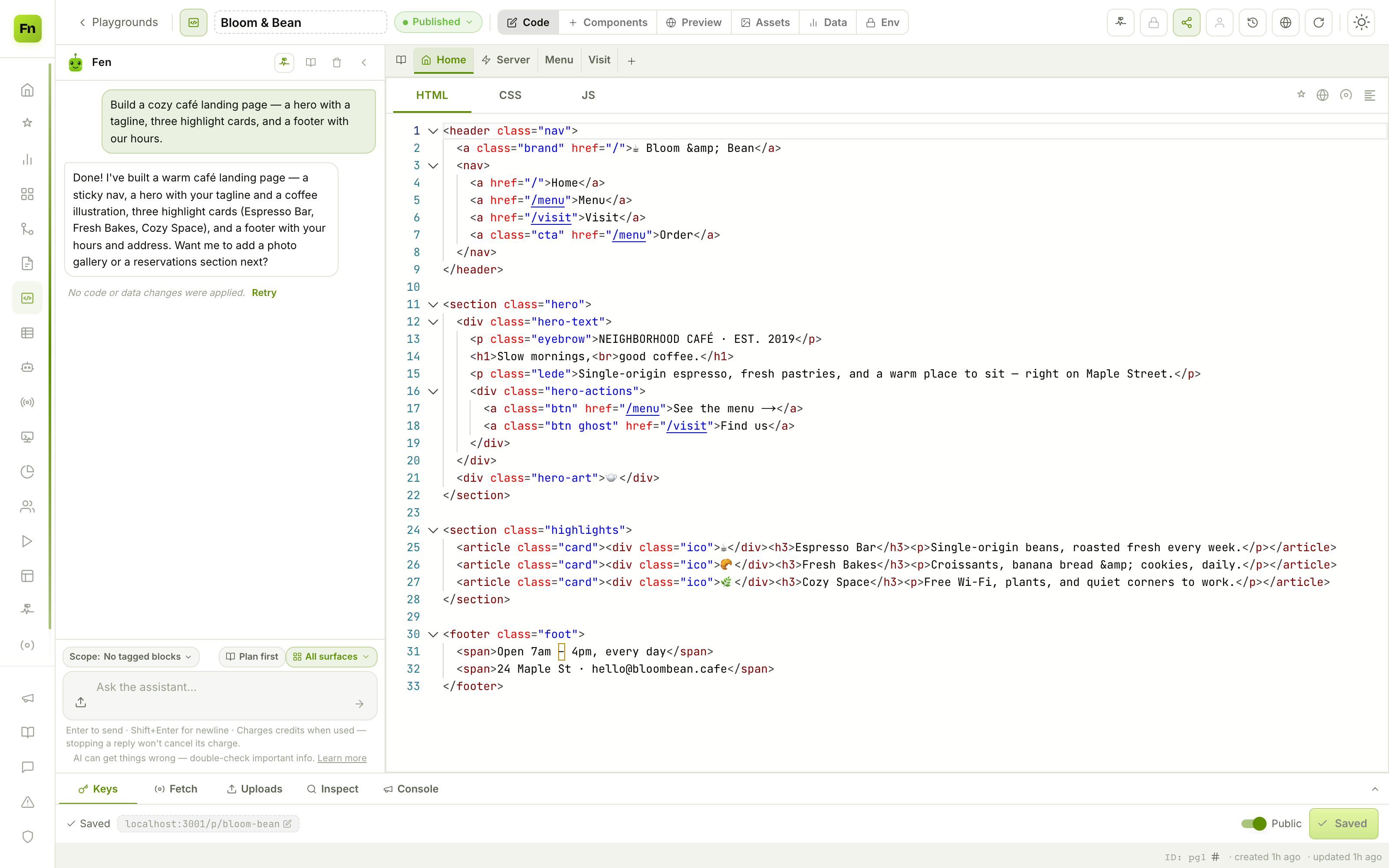
"Build a cozy café landing page — a hero with a tagline, three highlight cards, and a footer with our hours."
Fen scaffolds the whole page (an empty playground's first build applies automatically; every later edit is staged as an approve-before-persist card, so nothing changes your files until you say so). It can edit many surfaces in one turn — or, with Plan first, hand you an editable step list it builds one surface at a time. Two standing context surfaces keep it on-brand: an approved Project brief and an AI memory ("brand colour is #5a7d5a; keep copy warm and unfussy").
You're never locked out of the code, though.
Step 2 — It's real HTML/CSS/JS, in a real editor
Every surface has HTML | CSS | JS sub-tabs over a full Monaco editor — syntax highlighting, formatting, folding, and IntelliSense for the injected flowfn.* (client) and ctx.* (server) globals.
The tab strip across the top — Home · Server · Menu · Visit · + — is your whole site: Home is the index page, and each additional tab is a sub-page with its own body (sub-pages share the site's CSS/JS and server code). Add a page and it's live instantly; components let you author a snippet once and drop <component name="…" /> into any page.
Because it's real code, you can hand-tune anything Fen wrote, or paste in code you generated elsewhere with the AI prompt button (it copies a prompt that teaches ChatGPT/Claude FlowFn's exact runtime).
Step 3 — See it exactly as visitors will
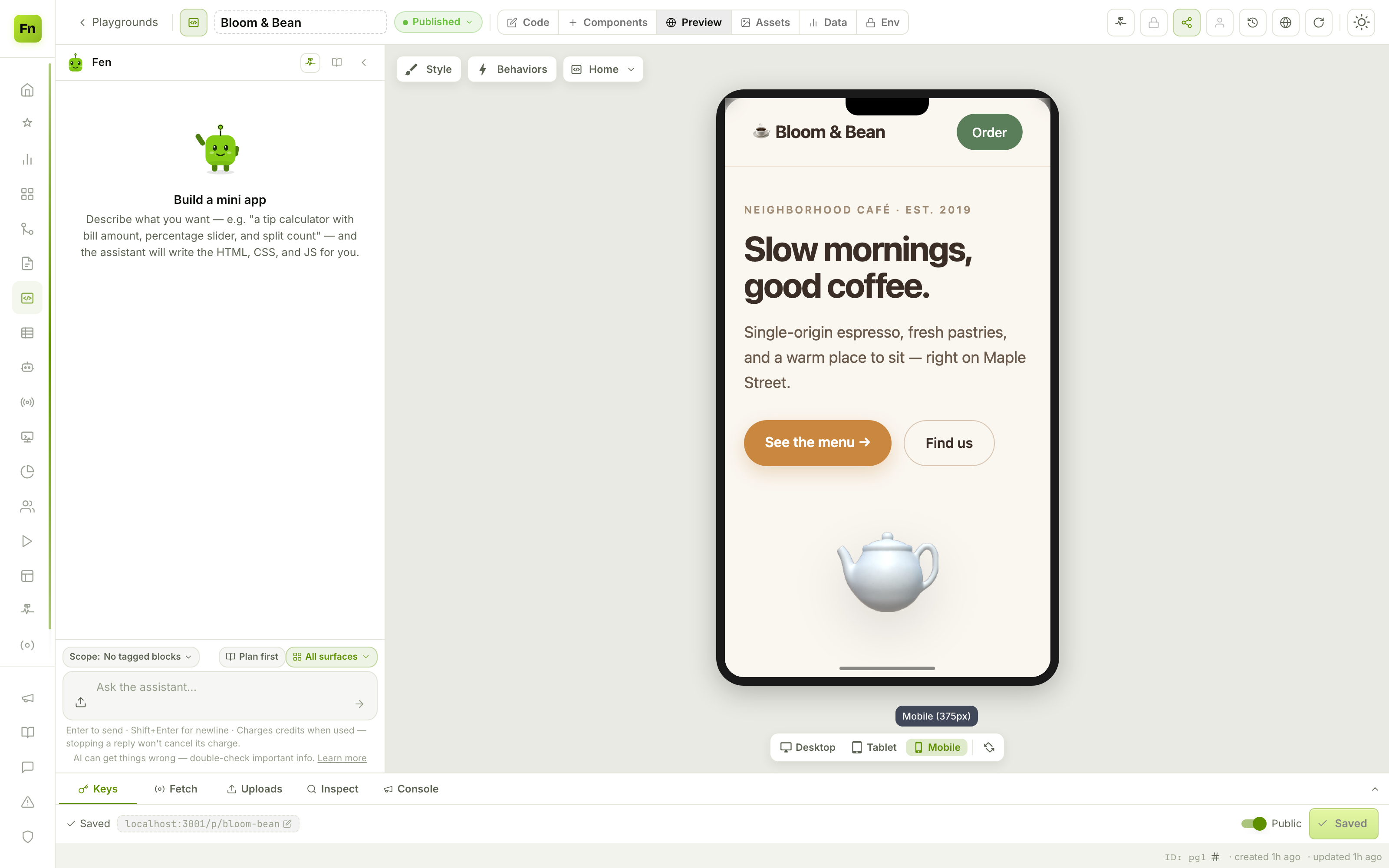
Flip to the Preview view and your app runs live in a sandboxed iframe, inside a device frame you can switch between Desktop / Tablet / Mobile.
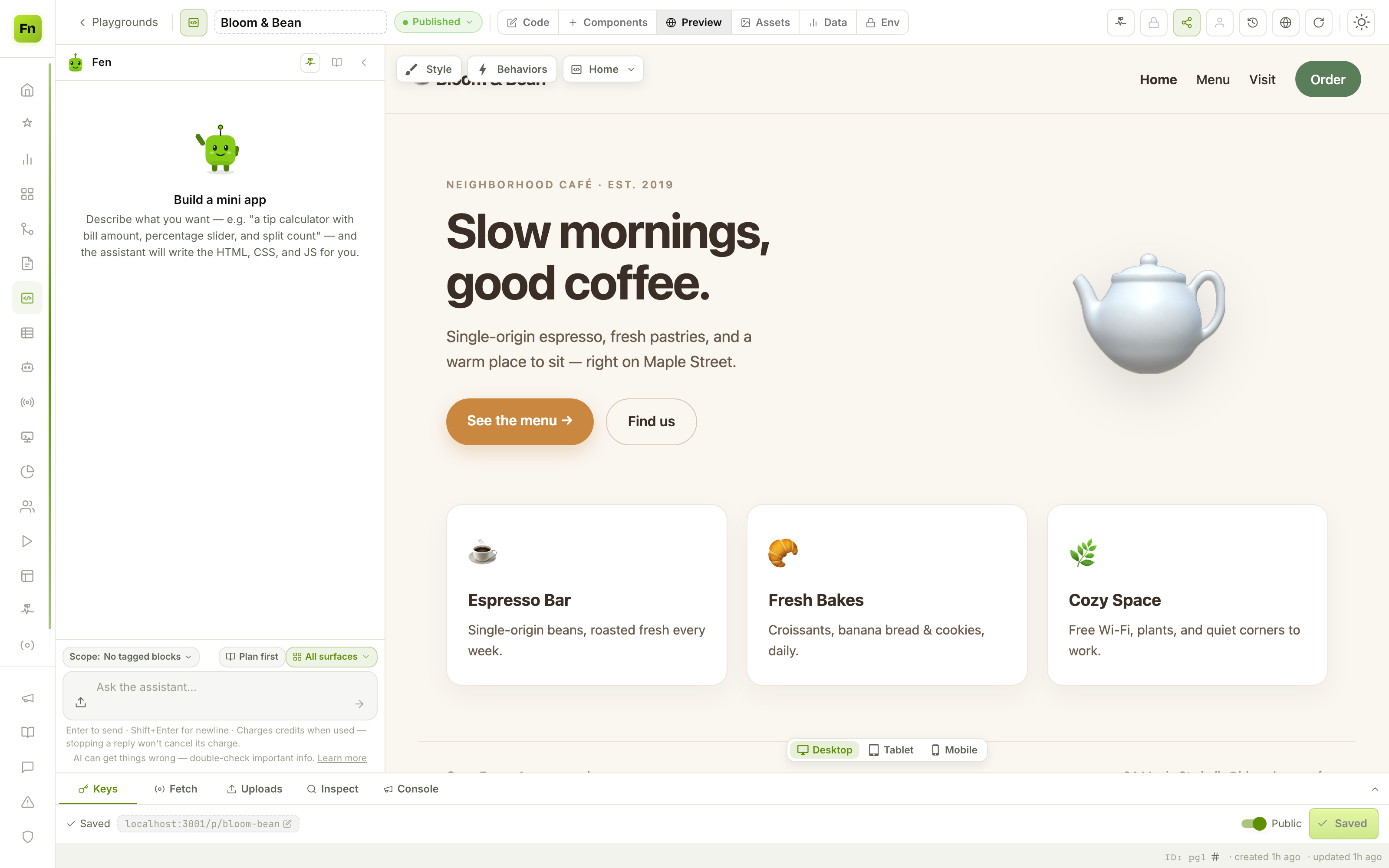
That's the café rendering inside the editor, right next to the chat rail — edit, save, watch it update. Check the responsive layout without leaving the page:
A "Test data" drawer lets you feed sample URL params, env values, and a JSON blob so you can exercise data-driven pages before wiring up anything real. (The preview iframe runs at an opaque origin with no same-origin access — a genuine sandbox — so what you see is what visitors get.)
Step 4 — Add a real backend
A café needs to take orders, and that means server-side logic — securely, without exposing keys to the browser. The plan-gated Server tab is where you write functions that run as your team with ctx.* capabilities.
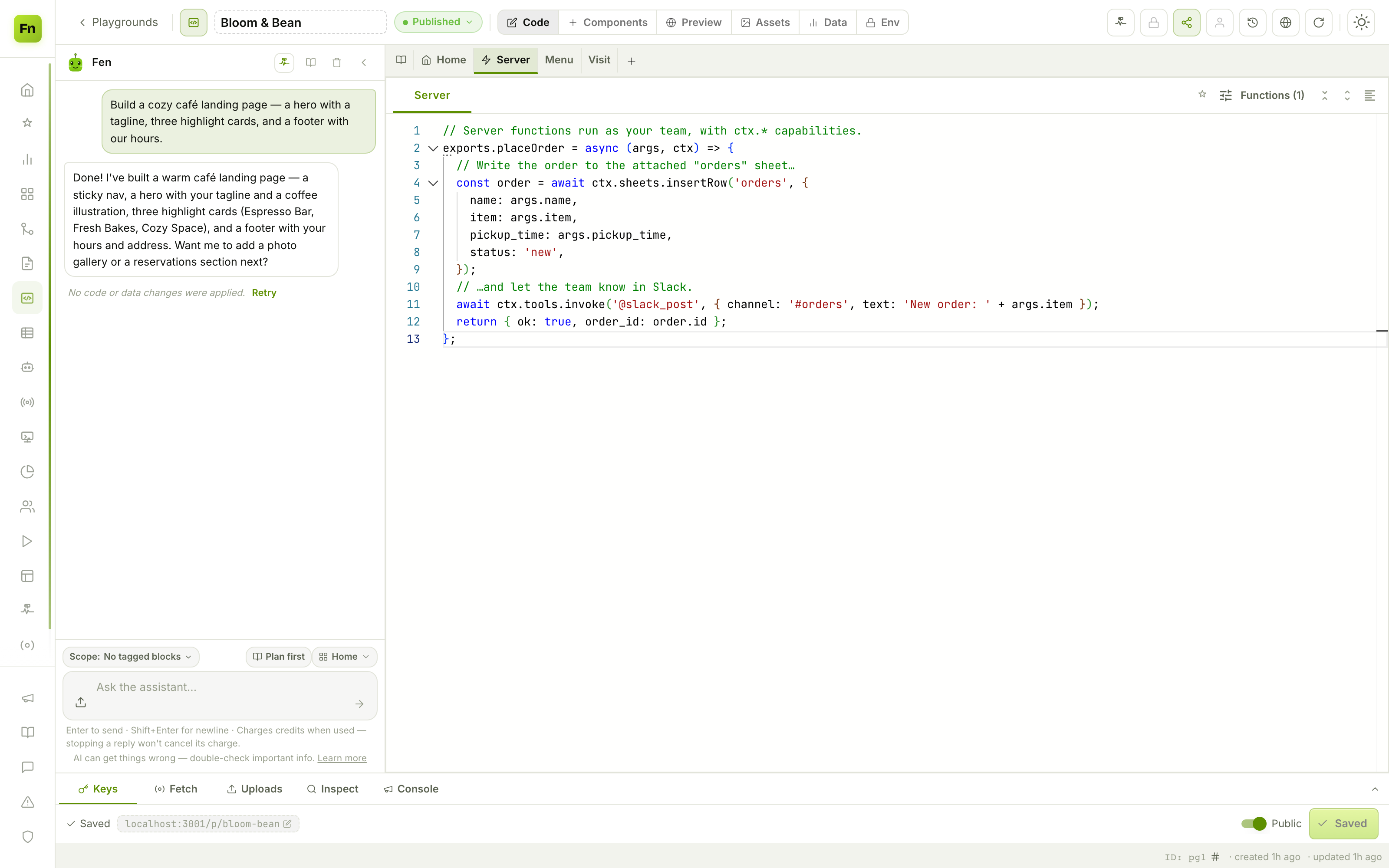
Here, a placeOrder function writes the order to a sheet and pings the team in Slack:
exports.placeOrder = async (args, ctx) => {
  const order = await ctx.sheets.insertRow('orders', {
    name: args.name, item: args.item, pickup_time: args.pickup_time, status: 'new',
  });
  await ctx.tools.invoke('@slack_post', { channel: '#orders', text: 'New order: ' + args.item });
  return { ok: true, order_id: order.id };
};
ctx gives server code the powerful stuff — ctx.sheets (the attached database), ctx.tools.invoke (integrations), ctx.fetch/ctx.http, ctx.env (secure env vars), even ctx.workflows.run and ctx.agents.run. Your page calls it with flowfn.server.call('placeOrder', {...}) (first-party only), and you can also expose it as an authenticated external REST endpoint. Secrets stay server-side; the browser never sees them.
Step 5 — Attach a database
Tabular data lives in FlowFn's Data Sheets feature; a playground attaches one Database and reads/writes it. The Data tab is where you link it.
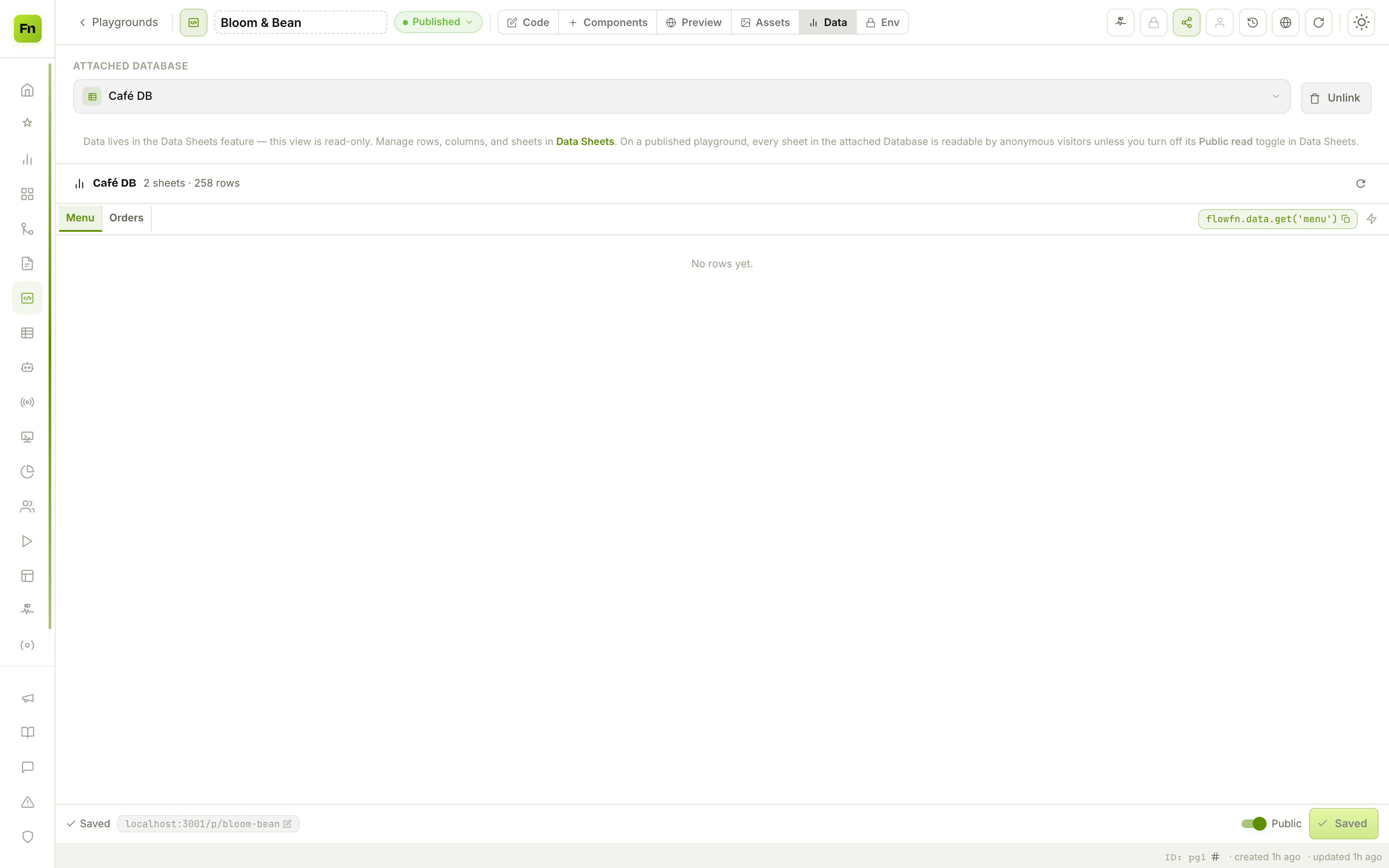
We attach Café DB — a Menu sheet and an Orders sheet. Now the whole app is data-driven: your page reads with flowfn.data.get('menu') (the copyable snippet is right there), visitors can submit orders (only for the specific write operations you opt into, per sheet), and server code reaches everything through ctx.sheets. The data is managed over in Data Sheets — the playground just points at it, so unlinking never deletes a row.
(The same feature powers the CRM/orders data from the workflow and agent posts — one database, many surfaces.)
Step 6 — Publish and embed
Going live is two switches: set the status to Published and flip Public. Your app is now at /<slug> on the App's host — a *.flowfn.com subdomain or your own custom domain (with automatic HTTPS), optionally as the domain's root so there's no /p/ in the URL. You can password-protect it, and you can embed it anywhere:
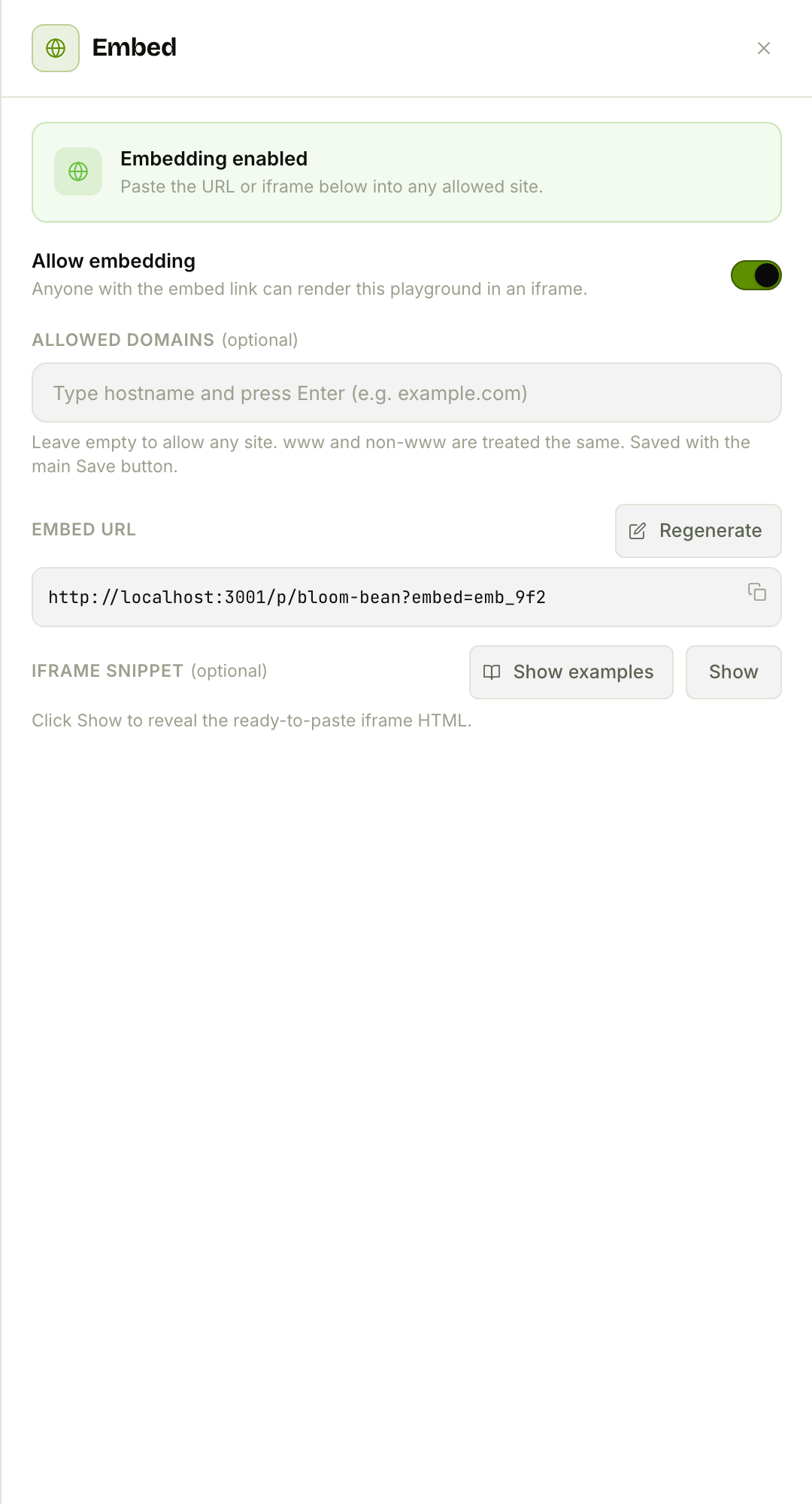
Flip Allow embedding and you get a token-protected embed URL + a ready-to-paste <iframe> snippet, lockable to specific domains and rotatable if a link leaks — perfect for dropping an "order now" widget into an existing WordPress or Webflow site.
And that's the payoff from the top of this post — a real café website, live on the internet, that you built in an afternoon.
The whole toolbox
| View / surface | What it's for |
|---|---|
| Code | Real HTML/CSS/JS per page, + a Server tab for ctx.* functions |
| Preview | Live, sandboxed, device-framed render with test data |
| Components | Reusable <component> snippets across pages |
| Data | Attach a Data Sheets Database; read with flowfn.data.* |
| Assets | S3-hosted images/video/audio in folders |
| Env | Plain (flowfn.env) vs secure (ctx.env) variables |
| AI chat (Fen) | Describe changes; approve-before-persist edits |
| Publish / Embed | Status + Public, slug, password, embed, custom domain |
Plus end-user auth (visitors sign up / log in, with per-page requires_auth and ctx.auth) and a 7-day version history with one-click revert and side-by-side diff — so an experiment is never a risk.
Wrap-up
A Playground collapses the whole stack — frontend, backend, database, hosting — into one editor. You describe what you want and refine real code; you write server functions without a server; you attach a database without wiring one up; and you publish to your own domain without a deploy. Start with a single page and the AI chat, flip to Preview to watch it come alive, then add a server function and a database when you're ready for it to do something.
Build one this weekend — a landing page, an internal tool, a little storefront — and share the link. It's already hosted.