Every AI feature in FlowFn resolves to a provider + model + key source, and you control all three from one place — My Account → AI assistant:
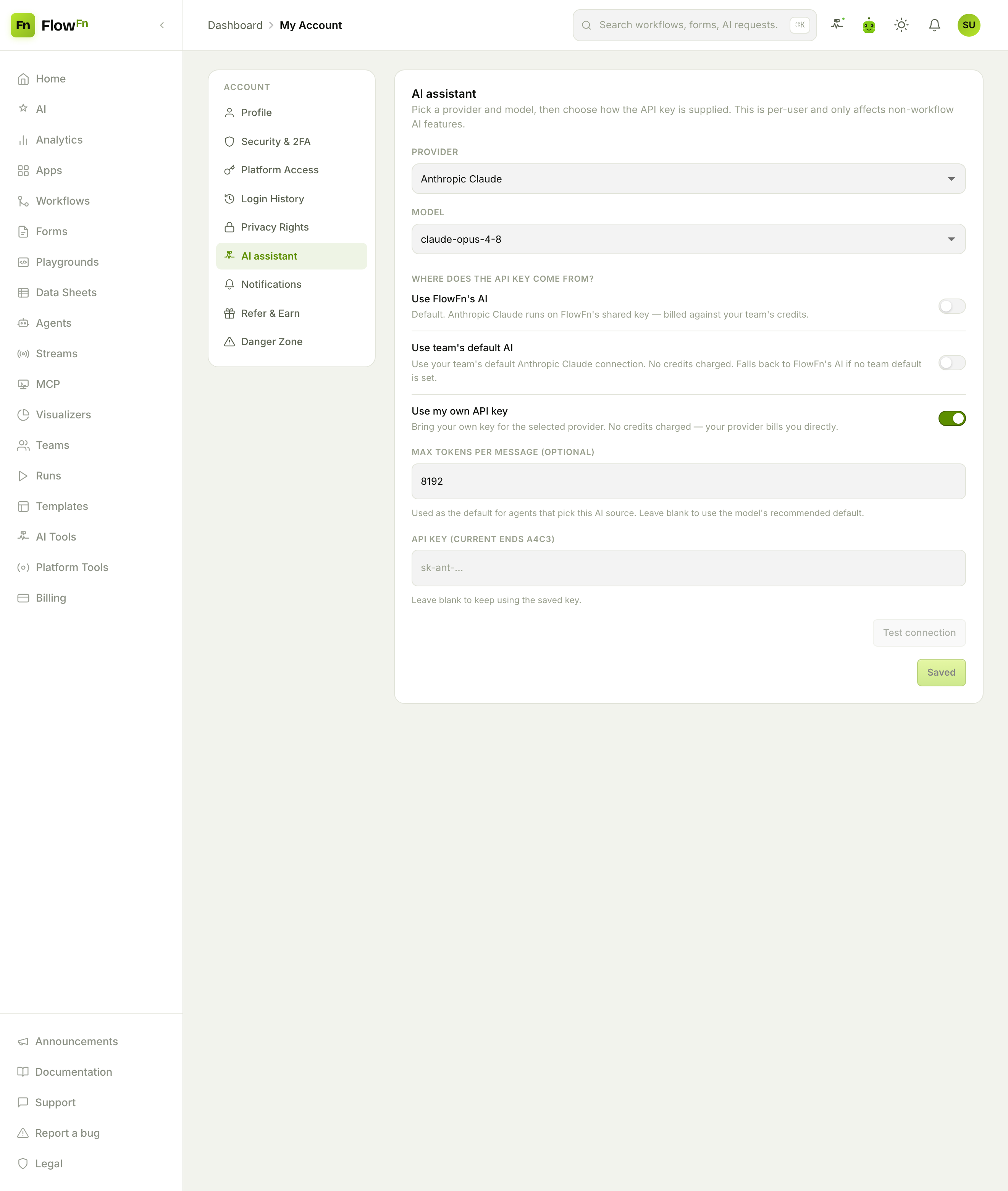
Pick a provider (OpenAI, Google Gemini, Anthropic Claude, or xAI Grok) and a model (the code-preferred one is flagged ★ best for code), then choose where the API key comes from — the crux of the whole feature:
- Use FlowFn's AI — the default. The model runs on FlowFn's shared key, and usage is billed against your team's credits. Nothing to set up.
- Use team's default AI — your team's connected key for that provider. No credits charged; it falls back to FlowFn's AI if the team hasn't set one.
- Use my own API key — BYOK. Paste your provider key and it runs on that. No FlowFn credits charged — your provider bills you directly. You can cap max tokens per message and Test connection before saving.
That's it: the same AI features, but you decide whether they run on FlowFn's key (convenient, metered) or your own (bring your own billing).
Why BYOK
Two reasons teams reach for their own key:
- Billing. BYOK usage doesn't consume FlowFn credits — your OpenAI/Anthropic/etc. invoice covers it. If you already have committed spend with a provider, this puts your FlowFn AI on it.
- Freedom. BYOK bypasses the plan's AI restrictions entirely — because FlowFn only governs what it pays for. Which brings us to governance.
Governance: what the plan controls
On the shared (FlowFn) key, a plan can restrict which providers and models are available — an allow-list of models, or an excluded-provider list. When a provider is restricted on your plan, the pane says so plainly:
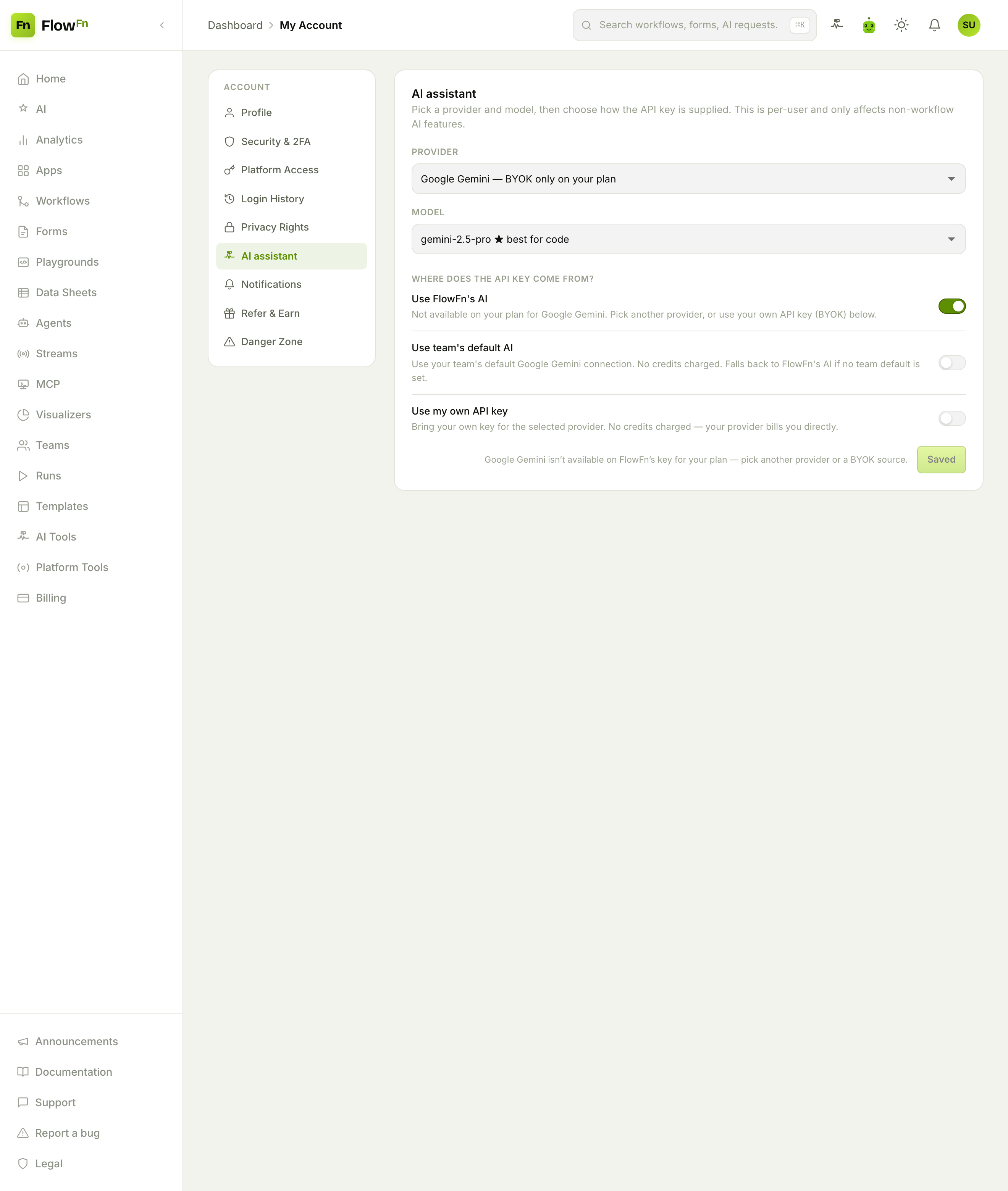
Here Google Gemini is "BYOK only on your plan" — the Use FlowFn's AI option is blocked for it, and the pane nudges you to pick another provider or bring your own key. The key thing to understand: these gates are system-key only. A model that's restricted on FlowFn's key still works the moment you switch that provider to your own key. You govern the shared key; BYOK is always yours.
There's also a global kill-switch an admin can flip to turn all AI off across the platform — and that one stops everything, BYOK included, since it's a hard "AI is off right now" at the top of the stack.
How billing works (the short version)
- FlowFn key (system): metered. Chat and code usage is charged by tokens (times your plan's AI multiplier); a workflow's AI-model task is charged a flat per-call credit. All of it debits the team owner's credits.
- Team or your own key (BYOK): for the AI assistant (chat, agent, "generate with AI"), not metered — your provider bills you, no credits, no plan model-gates. (A workflow's AI-model task on a BYO key still costs a small flat orchestration credit, but no token-based charge and no model tiering.)
So "should I BYOK?" comes down to: happy to spend FlowFn credits and stay on the models your plan allows → use FlowFn's AI; want your own billing and any model → bring your own key.
Wrap-up
FlowFn's AI meets you where you are: use its shared key and pay in credits, use your team's key, or bring your own and pay your provider directly — chosen per user, per provider, in one settings pane. Plan-level governance (allowed models, excluded providers, a global kill-switch) keeps the shared key in bounds, while BYOK stays entirely under your control — and off the meter for AI-assistant usage.
If you have a provider account already, set your AI source to your own key and hit Test connection — your agents and AI features keep working, now on your billing. Finally, we'll pull the money story together: Billing, credits & cost guards. Own the key, own the bill — and the model choice comes with it.