This is a recipe — each part is its own FlowFn feature, wired together into a working feedback loop:
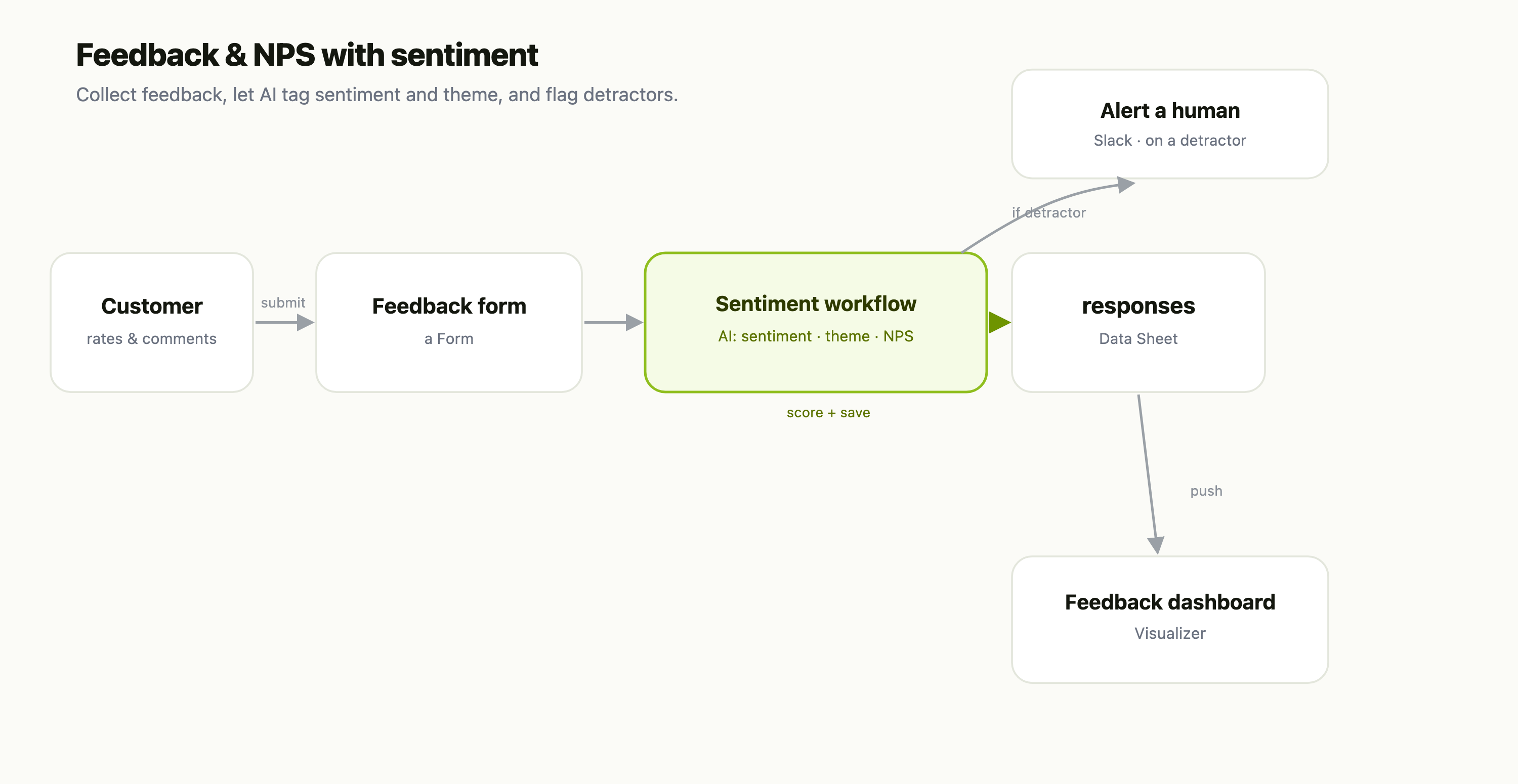
| Piece | FlowFn feature |
|---|---|
| Collect feedback | a Form |
| Score sentiment + theme | a Workflow with an AI step |
| The response store | a Data Sheet |
| Alert on detractors | a Slack Platform Tool |
| The trend view | a Visualizer |
Let's build it.
Step 1 — Collect the feedback
A Form with the classic NPS question — "How likely are you to recommend us, 0–10?" — plus an open comment box. Send it after a purchase, in-app, or by email; every submission starts the pipeline.
Step 2 — Let AI read every comment
The submission triggers a Workflow with an AI step that reads the free-text comment and returns three things:
- Sentiment — Positive / Neutral / Negative.
- Theme — Onboarding, Pricing, Performance, Support, Features (your own list).
- NPS bucket — Promoter (9–10), Passive (7–8), Detractor (0–6).
Then it writes the enriched response to the responses Data Sheet — and pushes a copy into the feedback Visualizer (a Data Visualizer step) for the dashboard. The AI does the reading and tagging you'd otherwise do by hand across hundreds of comments — and because it's a prompt, you refine the themes in plain English.
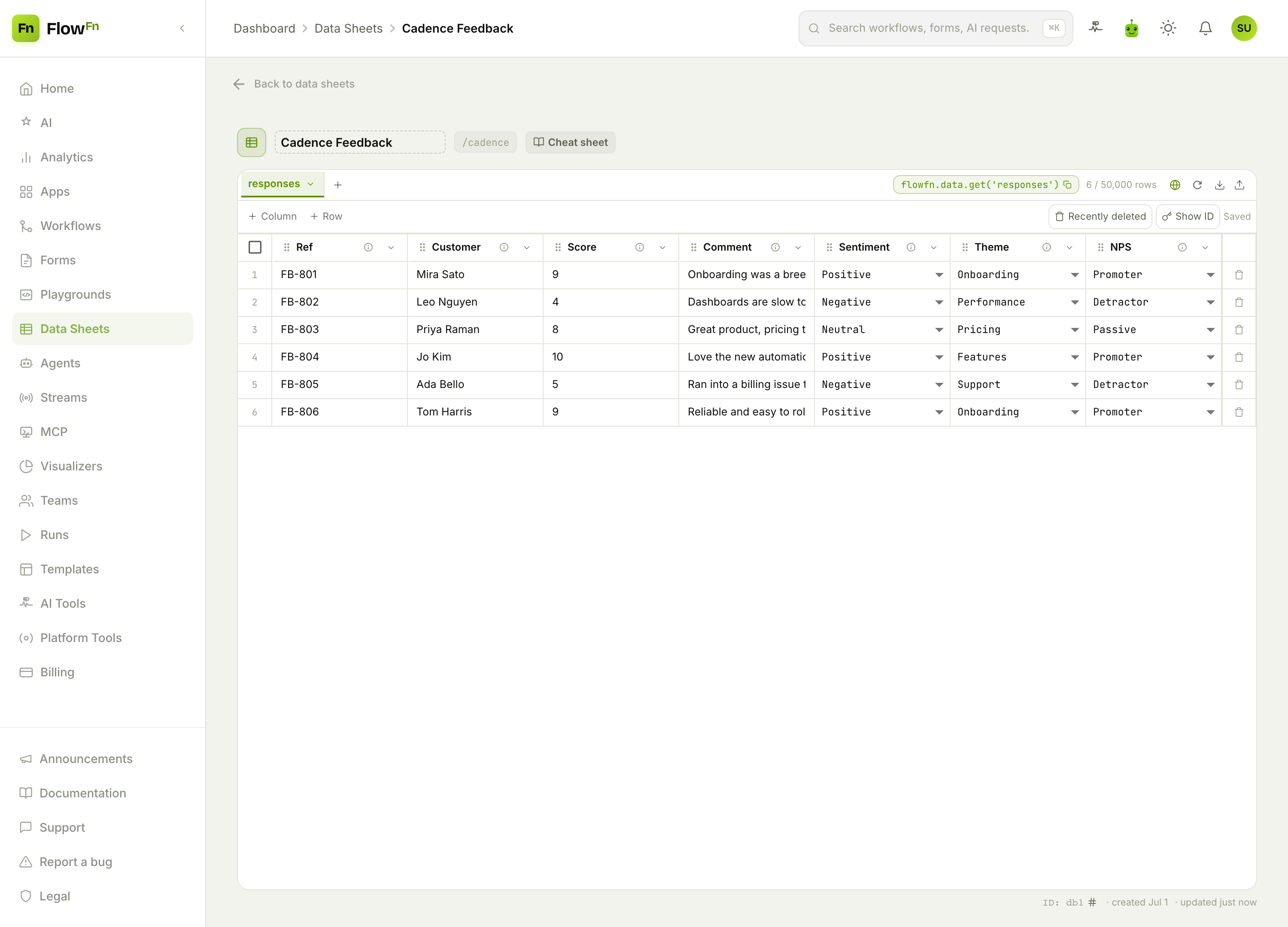
sentiment, theme, and nps are selects the whole dashboard groups by, and score is a number you can average.
Step 3 — Catch unhappy customers fast
Still in the workflow, a condition on the NPS bucket: a Detractor posts the comment and customer to #customer-success in Slack right away. A frustrated customer gets a human reply while it still matters — the single highest-leverage thing a feedback loop can do.
Step 4 — See the trend
Because the workflow also feeds a Visualizer, you get a trend dashboard:
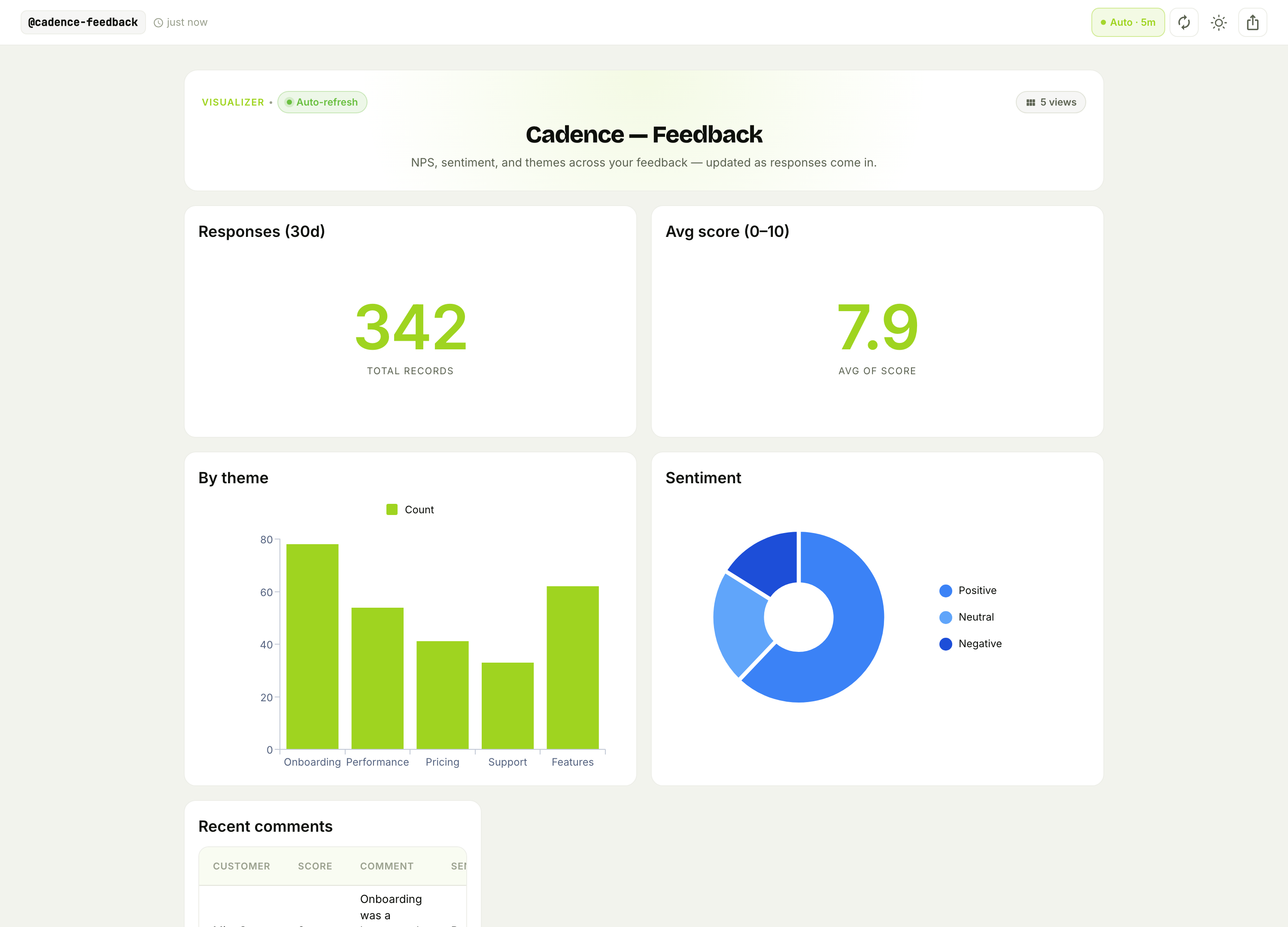
Response volume and average score, what people are talking about (themes), and the sentiment split — refreshing on its own. Now "are we getting better?" and "what's the top complaint this month?" are a glance, not a survey export you never open.
Why this beats a survey tool
- The comments get read — all of them. AI tags every response's sentiment and theme, so nothing is lost to "too many to go through."
- Detractors don't sit in a queue. The alert fires the moment a low score lands, not when someone next exports the results.
- It's your data to act on. The
responsessheet feeds other workflows — trigger a churn-save play, tag the account, or roll themes into a roadmap.
Wrap-up
A feedback pipeline is a survey Form → an AI sentiment/theme Workflow → a responses Data Sheet → a detractor alert → a trend dashboard. The AI reads and tags what humans can't keep up with, the alert protects your unhappiest customers, and the dashboard turns opinions into a trend you can manage.
Start with the NPS form and the AI-tagging workflow; even just "auto-tag sentiment and Slack me the detractors" beats a spreadsheet of raw scores. Then add the dashboard and the theme breakdown. Read every comment, and never miss an unhappy customer again.