Every piece here is a FlowFn feature you can build on its own — this post is the recipe that combines them into a working support desk. Here's the shape:
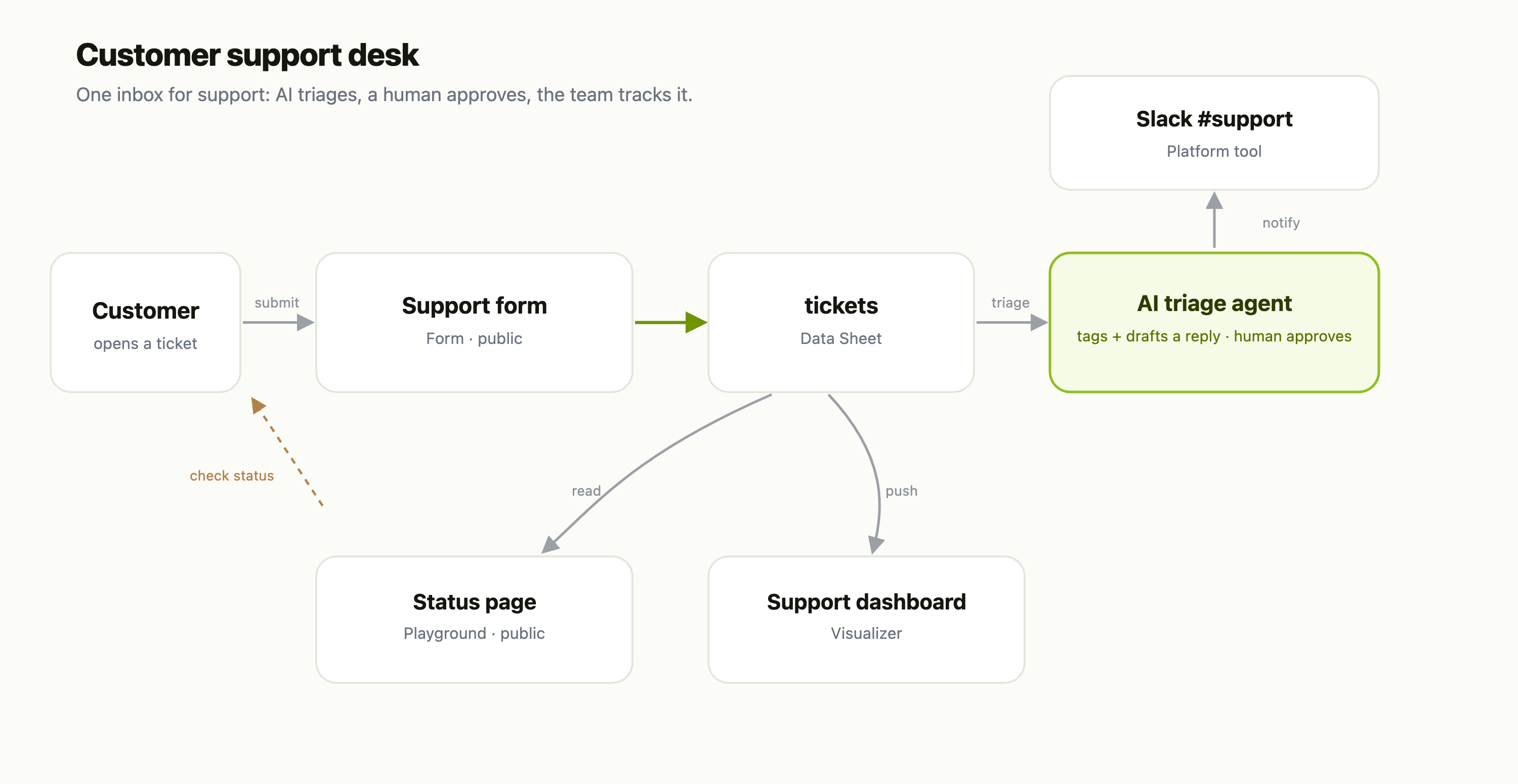
Six moving parts, each linking to its own deep-dive:
| Piece | FlowFn feature |
|---|---|
| Ticket intake | a public Form |
| The ticket store | a Data Sheet |
| Filing + routing | a Workflow |
| Triage + draft reply | an Agent, with a human approval |
| Team alerts | the Slack Platform Tool |
| Reporting + status | a Visualizer and a Playground |
Let's build it.
Step 1 — The ticket store
Start with the data. A Data Sheet called tickets is the spine of the whole system — every other piece reads or writes it:
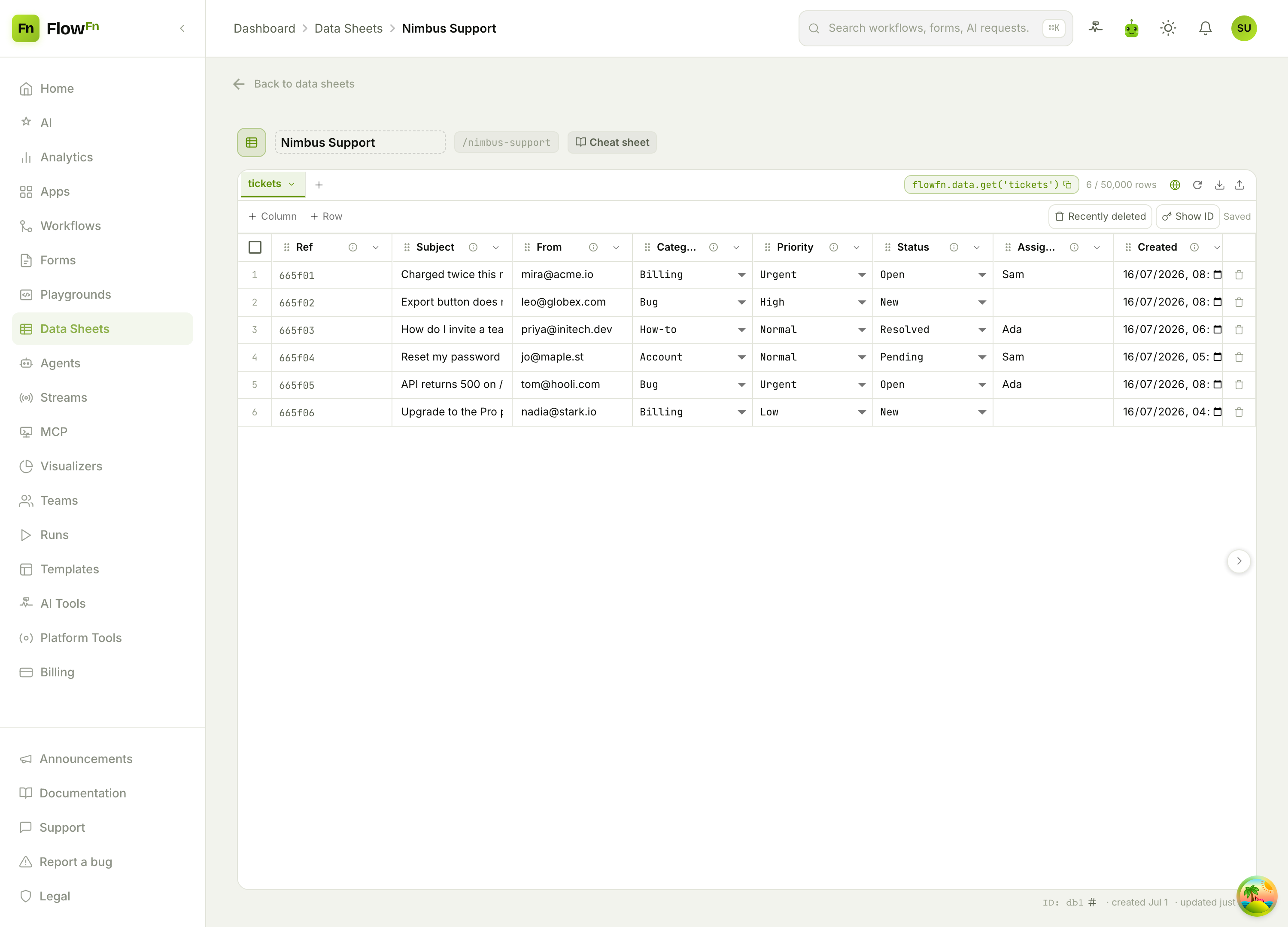
Typed columns do real work here: a select for priority (Low → Urgent) and status (New → Resolved) gives you a fixed vocabulary the form, the agent, and the dashboard all share; a primary_key Ref gives every ticket a stable id to quote back to the customer.
Step 2 — Intake: a form that files a ticket
Publish a Form — subject, email, a short description, maybe a category dropdown — on your support subdomain. A form doesn't write to the sheet directly; its submission triggers a Workflow, and a Data Sheet task in that workflow creates the tickets row (status New). Now every request lands in one structured place instead of an inbox.
Step 3 — Triage with AI (and a human in the loop)
Here's where it gets good. An Agent with read/write access to the tickets sheet does what a first-line rep does: reads a new ticket, sets its category and priority, and drafts a reply grounded in your policies. The key is the human-in-the-loop — the agent proposes; it doesn't send. Wire a before-send approval so a person clicks approve (or rejects, with a note back to the agent) before anything reaches the customer. You get the speed of AI triage with none of the "the bot said what?!" risk.
Step 4 — Ping the team
New Urgent ticket? The workflow's Slack task posts it to #support with the subject, priority, and a link. Connect Slack once as a Platform Tool and any workflow can use it — no bot to build.
Step 5 — See the whole queue
Feed a Visualizer from that same workflow and you have an ops dashboard:
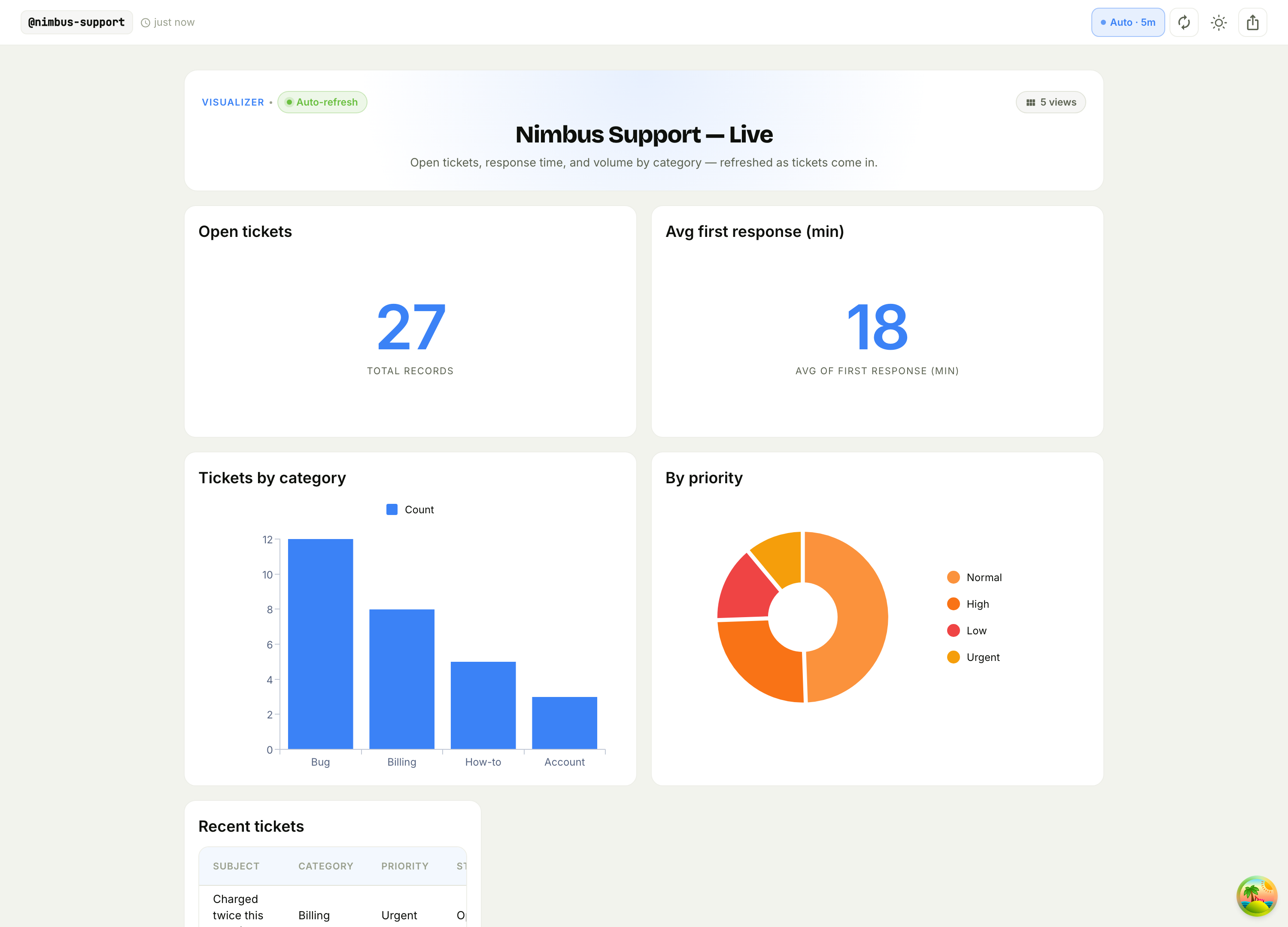
Open tickets, average first-response time, volume by category, and the priority mix — refreshing on its own, on a URL you can pin to a wall display. (The dashboard is fed by the same workflow that files the ticket — one Data Visualizer task pushes each ticket in.)
Step 6 — Let customers check status
Finally, a small Playground page — "enter your ticket ref, see its status" — served on your support subdomain. Gate it with end-user auth if you want customers to see only their own tickets. Now "where's my ticket?" answers itself.
Why this holds up
- One source of truth. The
ticketssheet is what the form fills, the agent reads and updates, and the status page shows — one structured record per request. (The dashboard is a Visualizer the workflow pushes each ticket into, so it's a derived view rather than a second copy you keep in sync by hand.) - AI where it helps, humans where it matters. Triage and drafting are automated; sending is a human decision.
- No servers. No queue, no database to run, no dashboard to host — it's all design-time objects on managed infrastructure.
Wrap-up
A support desk is really just a typed ticket store with a few things wired around it: a form to fill it, a workflow to route it, an agent to triage it (with a human approving), Slack to surface it, and a dashboard plus a status page to close the loop. Each is a small FlowFn artifact; together they're a system your team can actually run.
Start with the tickets Data Sheet and the intake form — that alone beats an inbox — then add the triage agent and the dashboard. Turn "who's handling this?" into a queue that answers for itself.