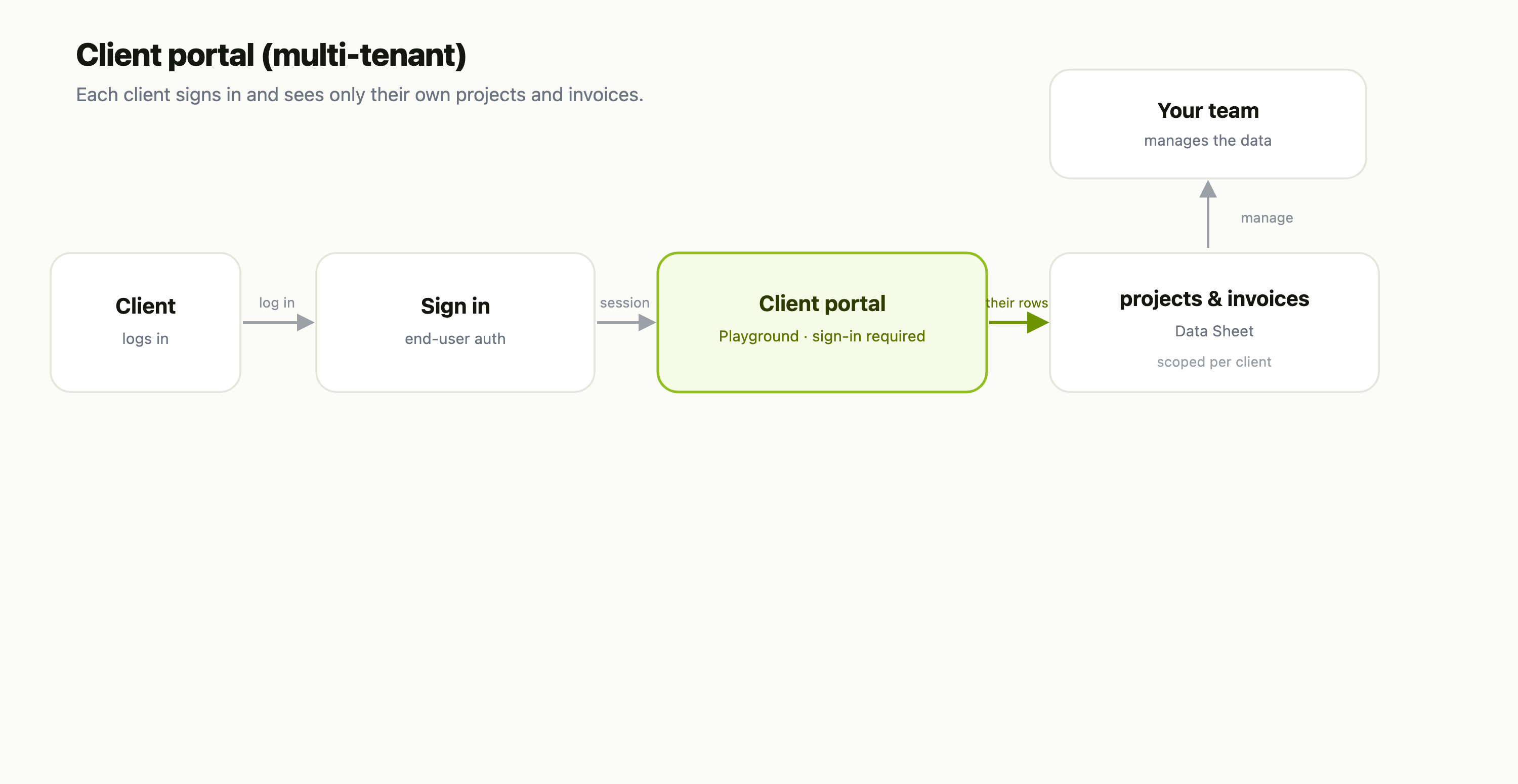
First, an important distinction. There are two kinds of "user" in FlowFn:
- Platform users — you and your teammates, who log into the FlowFn dashboard to build.
- End-users — the visitors of the app you published, who sign into your playground site.
This post is about the second kind. End-user auth is a completely separate identity layer: an end-user is a row in one of your Data Sheets, and their session is a sealed (encrypted) cookie bound to that row. FlowFn never mixes them up with platform accounts.
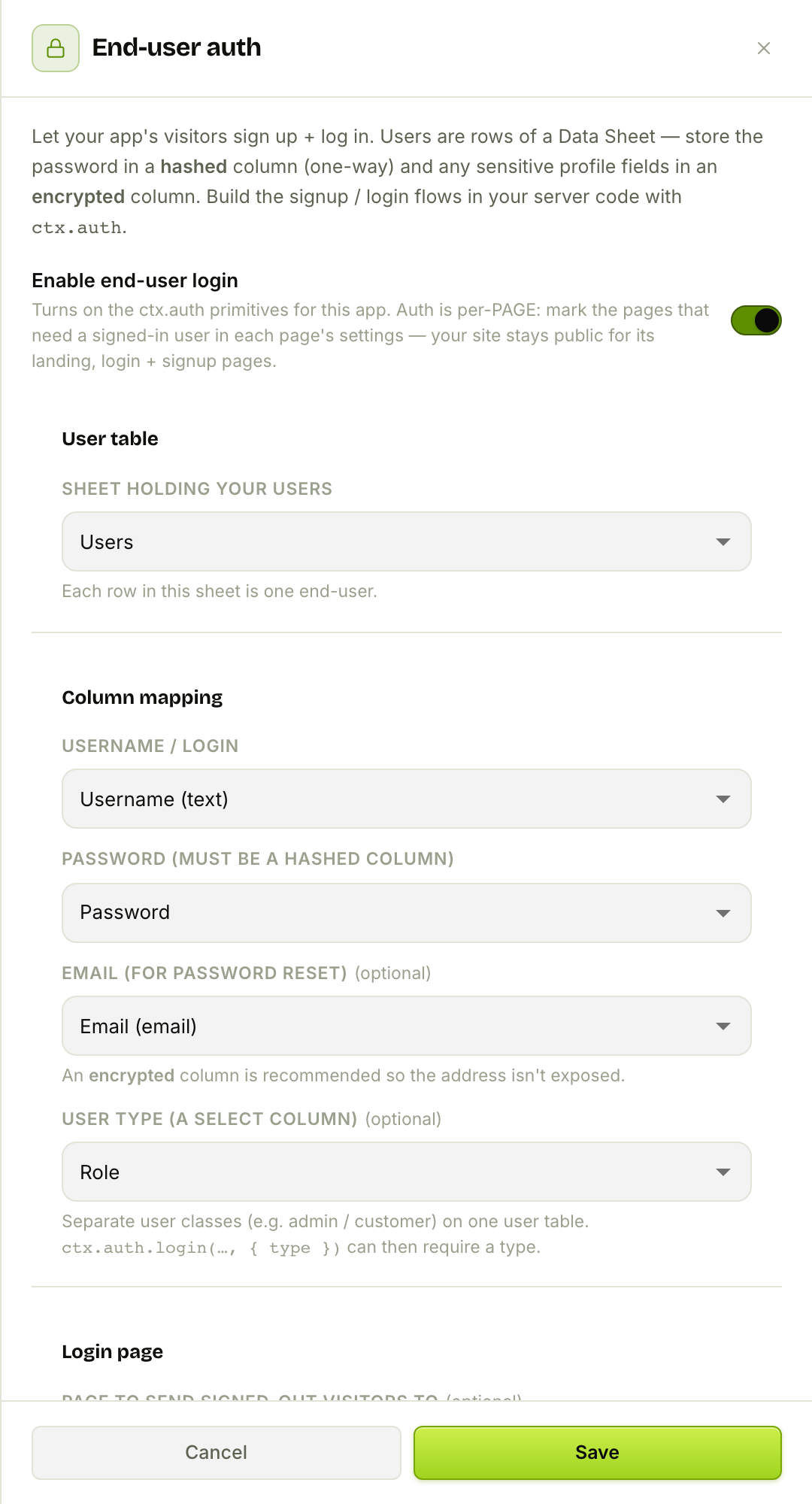
For Bloom & Bean, that's café loyalty accounts — members who sign in to see their points. Here's where you turn it on, in the playground editor's End-user auth drawer:
Step 1 — A user table
Because end-users are just rows, the first thing you need is a user sheet in the Database your playground is linked to. The one non-negotiable: the password lives in a hashed column (one-way scrypt), so even you can't read it back. Here's the café's Users sheet:
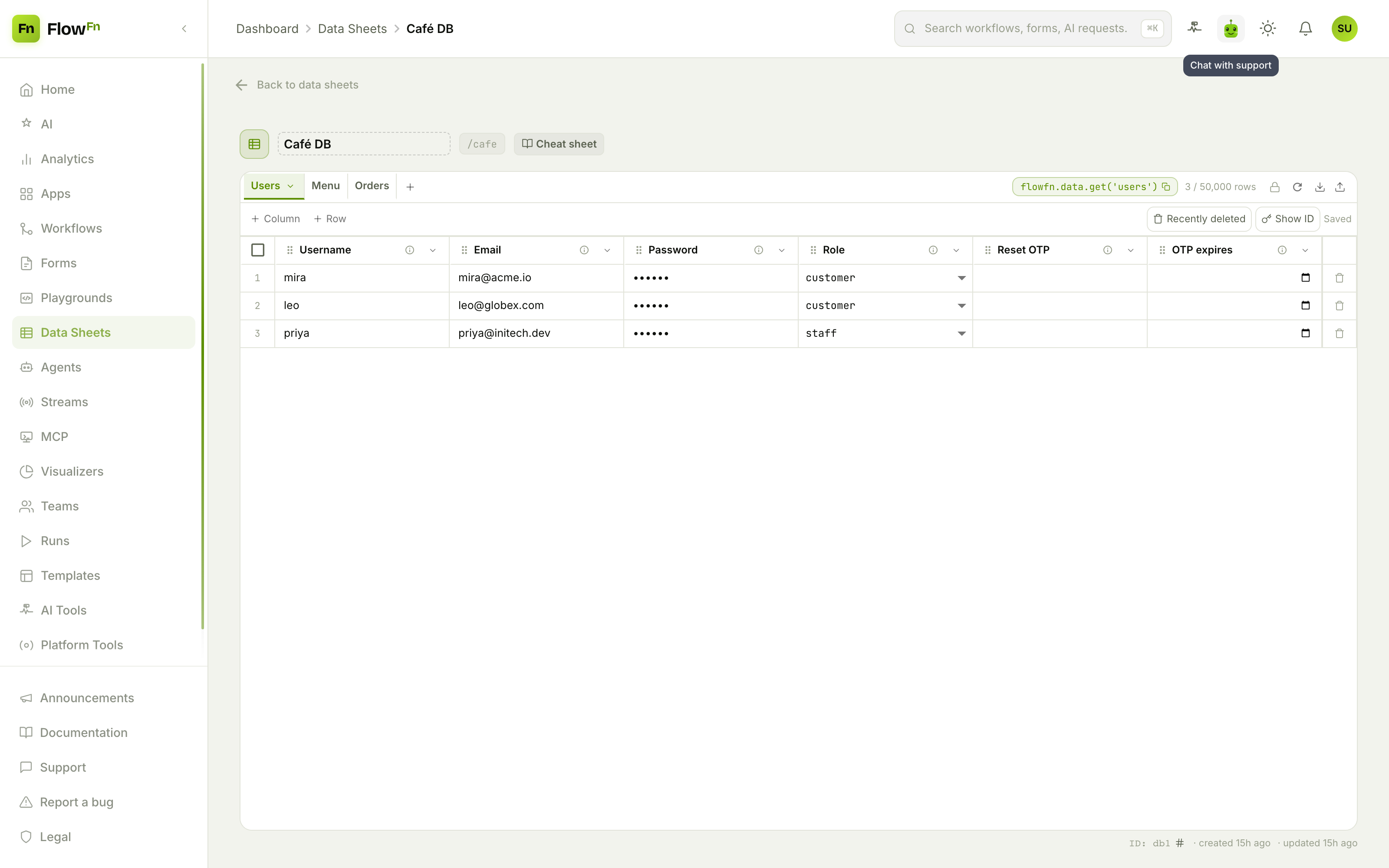
A username, an email, a hashed Password (masked to •••••• — never readable), a Role, and a couple of columns for password-reset OTPs. Sensitive profile fields (like the email) can go in an encrypted column so they're not exposed either.
Step 2 — Wire it up
Back in the End-user auth drawer (that first screenshot), you turn on Enable end-user login and map columns:
- Username / login — the column visitors log in with.
- Password — the hashed column (the drawer enforces this).
- Email — optional, for password reset (an encrypted column is recommended).
- User type — an optional
selectcolumn so you can separate, say,customerfromstaffand require a type at login.
You also set a login page (where signed-out visitors get sent) and a session length. Once enabled, and only then, your server code gains the ctx.auth toolkit.
Step 3 — Gate pages and build the flows
Turning auth on doesn't lock anything by itself — auth is per-page. In each page's settings you flip Require sign-in: a visitor without a session hitting that page is bounced to your login page (with a ?next= return URL), while your landing, login, and signup pages stay public. For the café, the home and menu are open; the My account page requires sign-in.
The login and signup pages themselves are ordinary playground pages that call your server code, and the server code uses ctx.auth:
// signup page's server function
exports.register = async (fields, ctx) => {
  const { userId } = await ctx.auth.signup(fields, { autoLogin: true });  // hashes the password
  return { userId };
};

// login page's server function
exports.signIn = async ({ username, password }, ctx) => {
  const { userId } = await ctx.auth.login(username, password);  // constant-time verify, sets the session
  return { userId };
};

// any gated page
exports.myPoints = async (_args, ctx) => {
  const me = await ctx.auth.currentUser();      // null when signed out
  const row = await ctx.sheets().getRow('members', me.userId);
  return { points: row?.cells.points ?? 0 };
};
ctx.auth gives you the whole flow — signup, login, logout, currentUser, changePassword, and OTP-based requestPasswordReset / resetPassword — with password hashing, rate limiting, and constant-time verification handled for you. On the client, your page reads flowfn.userId (null when logged out) to show or hide UI, and calls those server functions with flowfn.server.call(...).
Plan gate and the safety rails
End-user auth is a plan feature (allow_playground_auth). A few rails worth knowing:
- The password column must be hashed — the editor won't let you point it anywhere else.
- Your login page must stay public (never require sign-in) or you'd create a redirect loop.
- Sessions are sealed and rotatable — the cookie is AES-256-GCM encrypted (the client can't read the row id inside it); "Rotate key" quietly re-issues, and "Log everyone out now" invalidates every session instantly.
- Secured columns never leave the server — the raw password hash and encrypted values are only ever handled inside
ctx.auth; the client sees neither.
Wrap-up
End-user auth turns a published FlowFn site into a real app-with-accounts: visitors sign up into a Data Sheet, their passwords are hashed, sessions are sealed cookies, and any page can be gated behind a login — all without standing up an auth service. Store users in a sheet, map a hashed password column, gate the pages that need it, and build the flows with ctx.auth.
Start with one hashed-password user sheet and a login page, gate a single "account" page, and you've got members. Next, we'll look at starting faster — FlowFn Templates. Give your app its own users, and it becomes their app too.