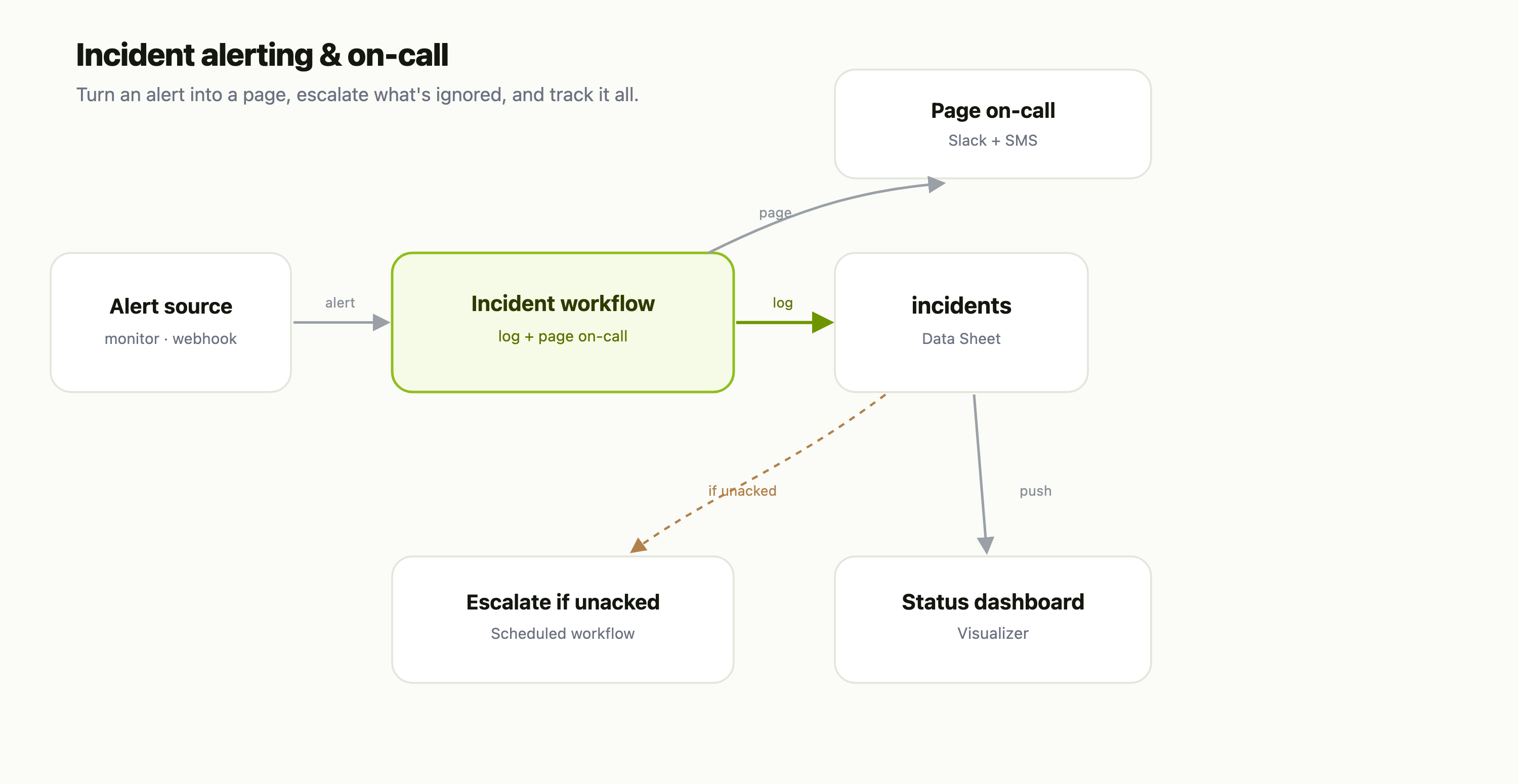
This is a recipe — each part is its own FlowFn feature, wired together into an on-call system:
| Piece | FlowFn feature |
|---|---|
| Ingest the alert | a Workflow with a webhook trigger |
| The incident log | a Data Sheet |
| Page on-call | Slack + SMS Platform Tools |
| Escalate the ignored | a scheduled Workflow |
| Status board | a Visualizer |
Let's build it.
Step 1 — Catch the alert
Any monitor that can fire a webhook — uptime checks, error-rate rules, a health endpoint — POSTs to a Workflow's webhook trigger. That's the front door: whatever your alerting stack is, it just needs to hit one URL.
Step 2 — Log it and page on-call
The workflow does two things immediately:
- Writes the incident to the
incidentsData Sheet — service, title, severity,status = Firing, and who's on call. - Pages the on-call engineer through Slack and an SMS Platform Tool, with the severity and a link.
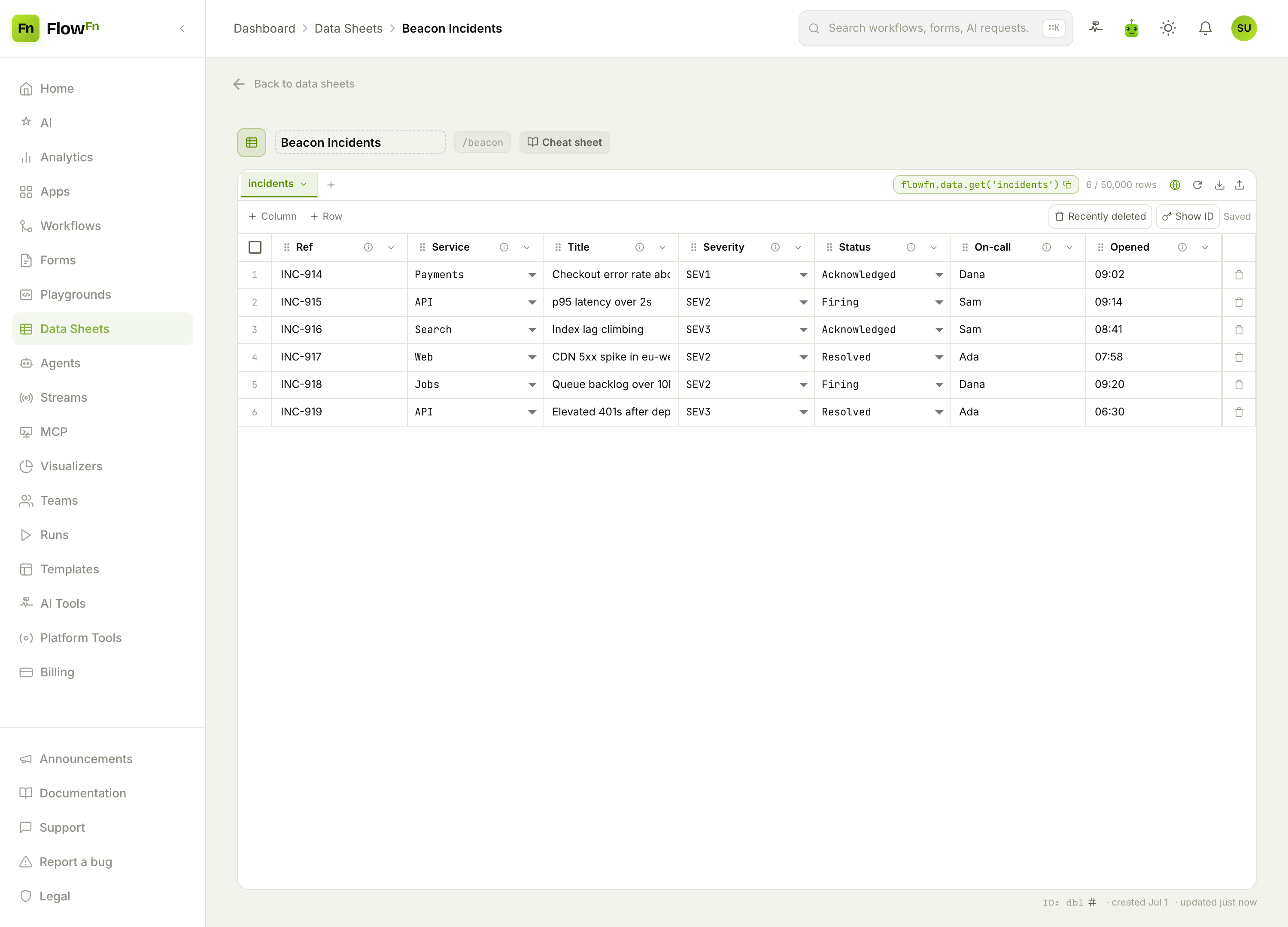
severity and status are selects the board groups by, and because the incident is a row, acknowledging or resolving it is just a status change — from a row action, the workflow, or an API call.
Step 3 — Escalate what's ignored
A page that goes unanswered is worse than no page. A scheduled Workflow runs every few minutes, finds incidents still Firing past their acknowledgment window, and escalates — the next person in the rotation, or the whole channel for a SEV1. Nothing sits unacknowledged just because one phone was on silent.
Step 4 — Show the whole team
Have the incident workflow also feed a Visualizer (a Data Visualizer step, pushing each incident and status change into it), and put it on the wall:
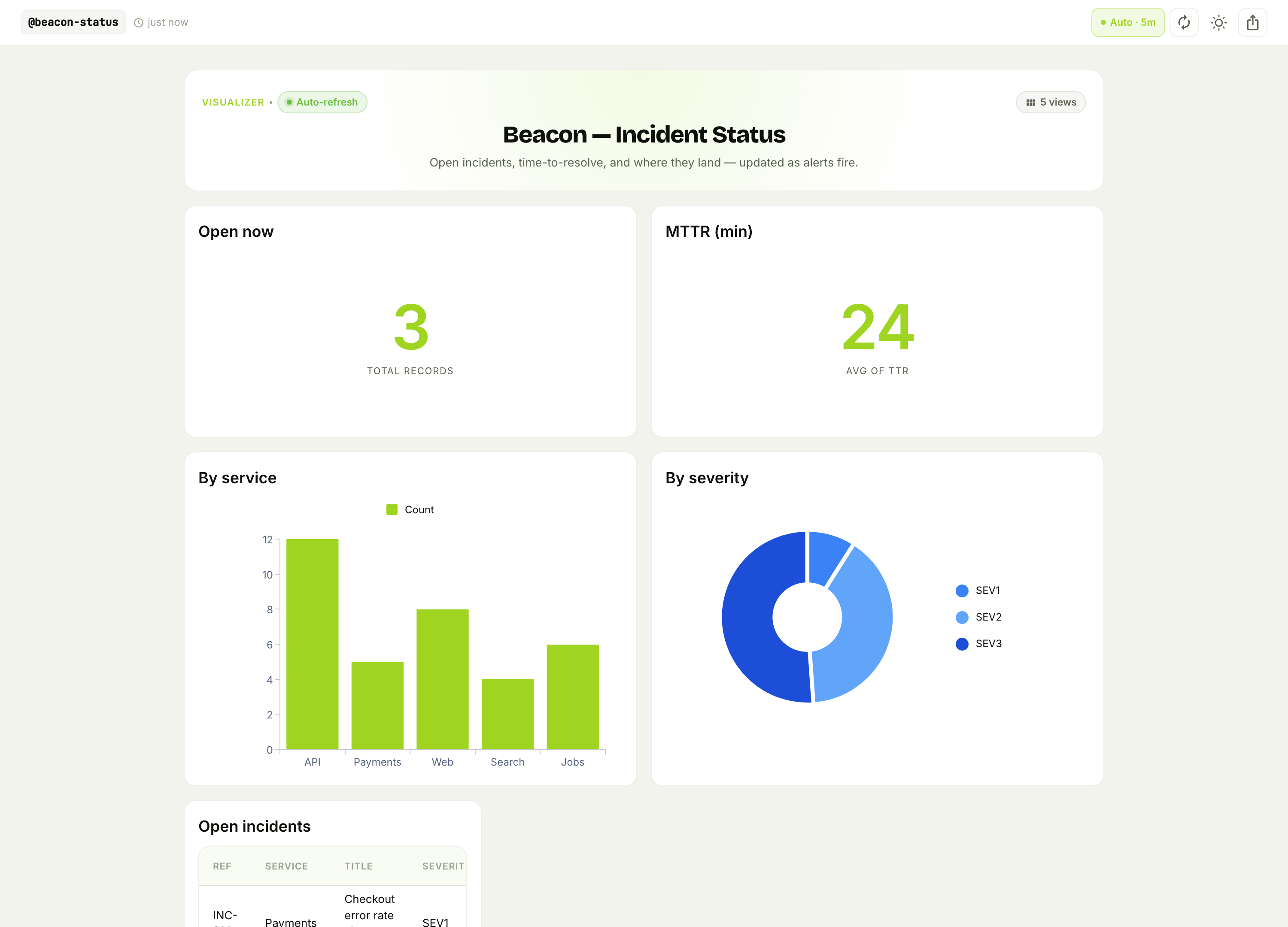
Open incidents right now, mean time to resolve, which services are noisiest, and the severity mix — refreshing on its own. It's the board that answers "are we on fire?" without anyone asking in the channel, and the MTTR trend that tells you whether your response is getting better.
Why this beats a big incident platform
- It ingests from anything. A webhook trigger accepts alerts from whatever monitors you already run — no vendor lock-in on the source.
- Escalation is your policy, in plain steps. The scheduled workflow encodes exactly how your team escalates — not a rigid template you fight.
- The incident log is yours. Query it for post-mortems, MTTR trends, or a public status page — it's a Data Sheet, not a walled garden.
Wrap-up
An on-call system is a webhook Workflow → an incidents Data Sheet → a Slack/SMS page → a scheduled escalation → a status board. The workflow turns an alert into a page, the schedule makes sure it's never ignored, and the board keeps the team oriented — no incident-management subscription.
Start with the webhook workflow and the page-on-call step; even "any alert texts the on-call engineer and logs an incident" is a real on-call system. Then add escalation and the status board. Make sure the right phone always buzzes.