This is a recipe — each part is its own FlowFn feature, wired together into a working booking system:
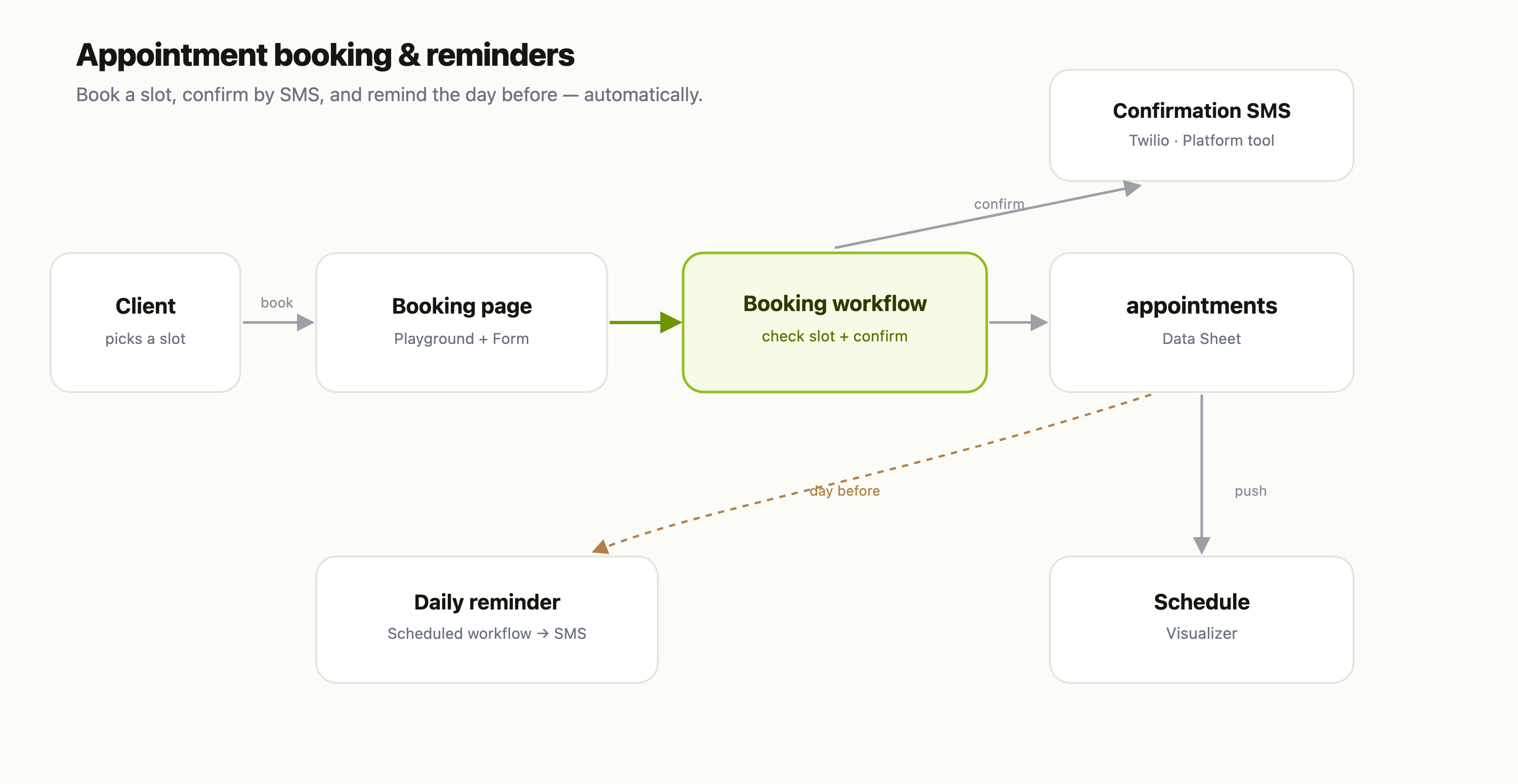
| Piece | FlowFn feature |
|---|---|
| Booking page | a Playground + a Form |
| Confirm the booking | a Workflow |
| The appointments store | a Data Sheet |
| Confirmation + reminder SMS | a Twilio Platform Tool |
| The day-before nudge | a scheduled Workflow |
| The schedule board | a Visualizer |
Let's build it.
Step 1 — The booking page
A Playground page with a Form: name, phone, the service, and a slot. Publish it on your subdomain (or embed it on your site) so a client can book without calling. Every submission starts the flow.
Step 2 — Confirm it (the workflow)
The submission triggers a Workflow that:
- Checks the slot is still free against the
appointmentsData Sheet. - Writes the appointment as a new row,
status = Booked. - Texts a confirmation through a Twilio Platform Tool — "You're booked for a Cleaning on Jul 17 at 9:00."
The client has a confirmation in their pocket seconds after booking — no staff time, no callback.
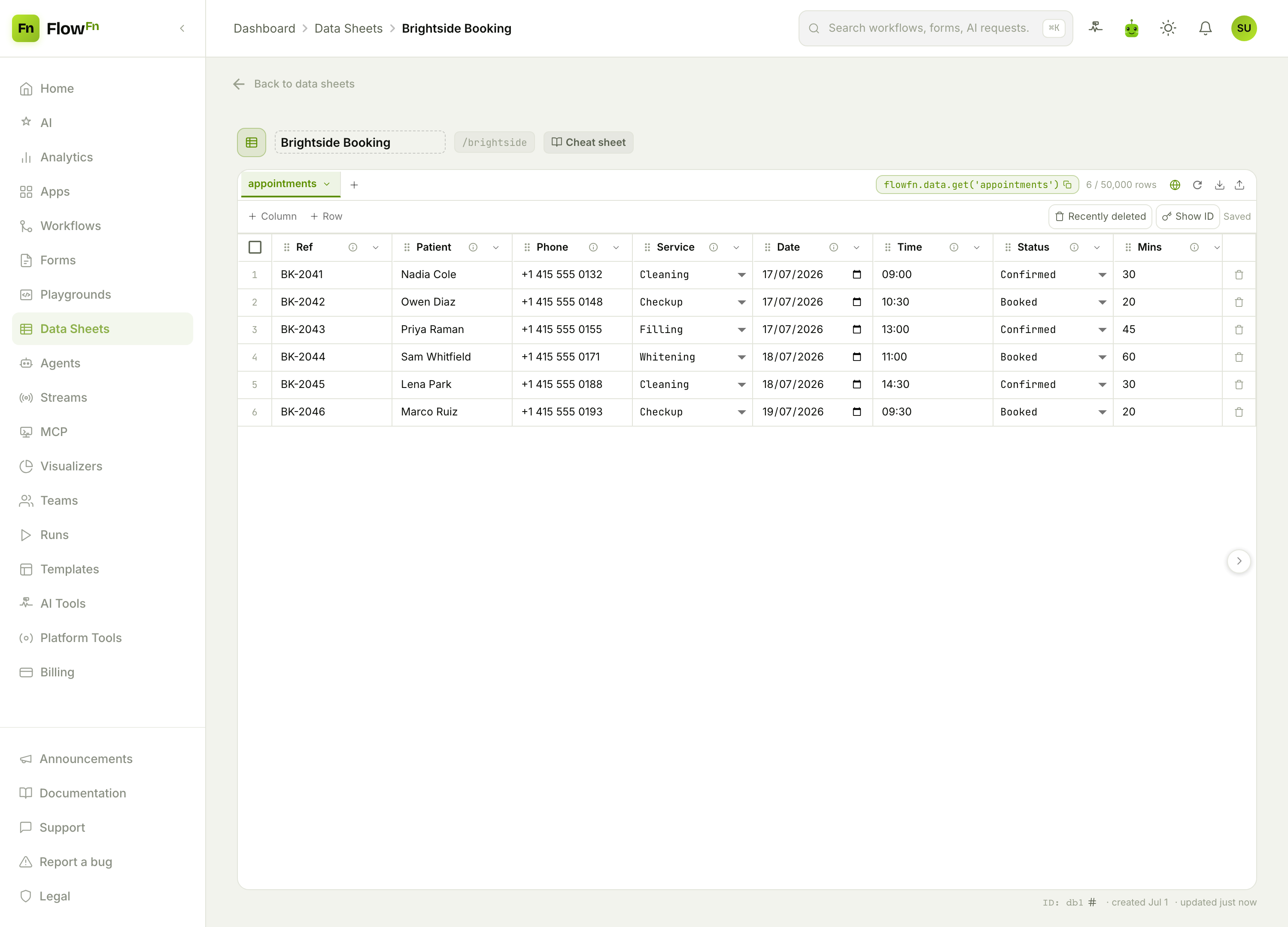
The typed columns are what make the rest work: date and time schedule the reminder, status is a select the whole system shares, duration is a number you can average, and reminder_sent is a boolean the reminder job flips so nobody gets texted twice.
Step 3 — The day-before reminder
Add a second Workflow on a schedule (say, every morning at 8am). It reads tomorrow's appointments from the sheet, texts each client a reminder through the same Twilio tool, and flips reminder_sent to true. That single automation is the one that actually cuts no-shows — and you never touch it again.
Step 4 — The schedule board
Have a Visualizer fed from your workflows — the booking workflow pushes each appointment into it — and you get a front-desk board:
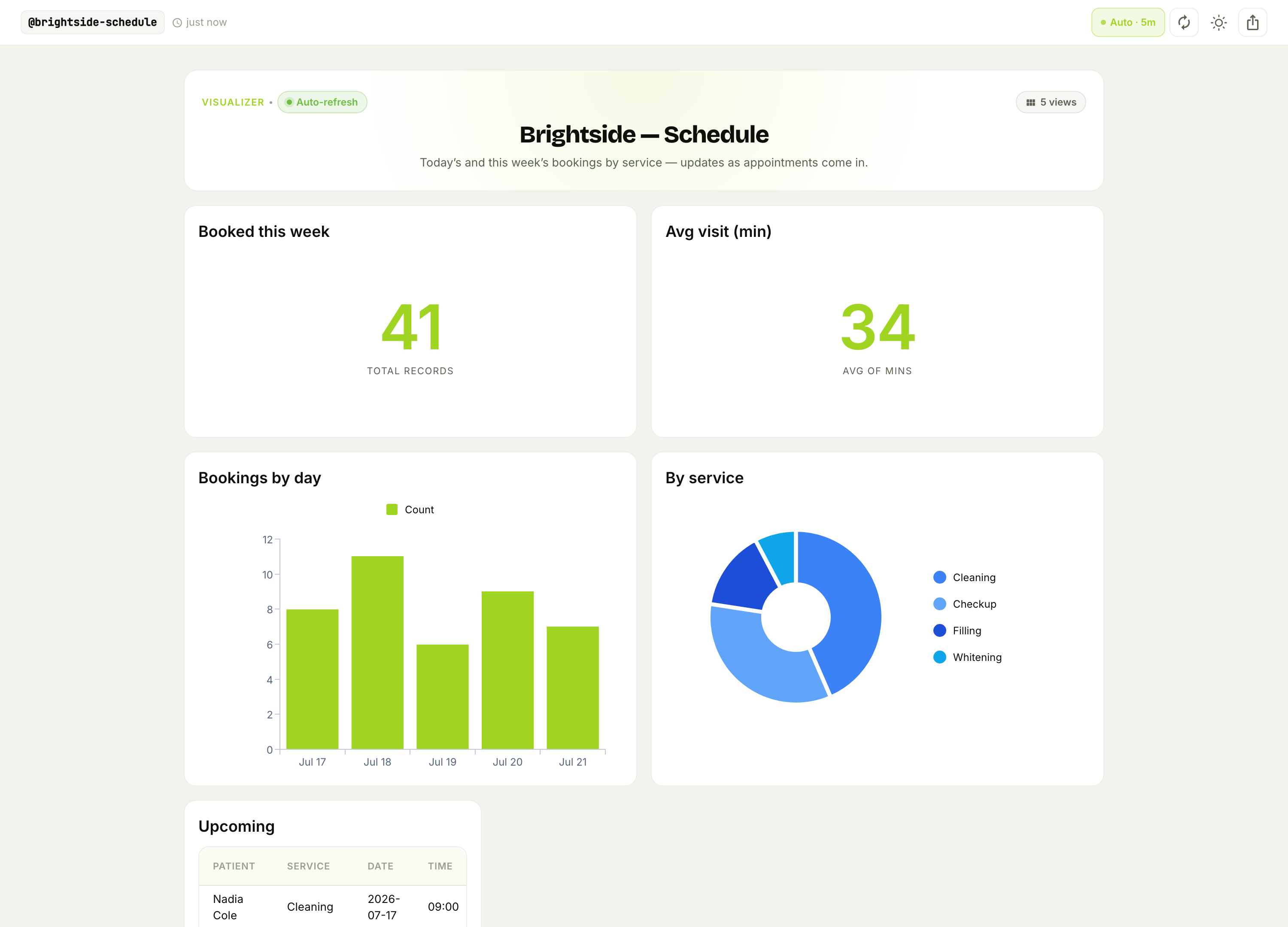
Booked this week, average visit length, volume by day, and the service mix — refreshing on its own. The team sees the day at a glance instead of scrolling a calendar, and you can spot a slow afternoon in time to fill it.
Why this beats a booking SaaS
- It's your calendar and your data. The
appointmentssheet is yours to query, export, or feed into billing — no per-seat booking subscription. - The reminder is the ROI. A day-before text is the single cheapest way to cut no-shows, and here it's one scheduled workflow.
- Every piece is yours to change. Add a deposit step, a cancellation link, or a second reminder — it's a workflow, not a locked-down product.
Wrap-up
An appointment system is a booking page → a confirm workflow → an appointments Data Sheet → a scheduled reminder → a schedule board. The workflow does the confirming, the schedule does the reminding, and the dashboard keeps the front desk oriented — all without a booking SaaS.
Start with the booking form and the confirm workflow; even just "let clients book themselves and get a text back" is a real upgrade over the phone. Then add the day-before reminder and watch the no-shows drop. Let your calendar fill itself.