This is a recipe — each part is its own FlowFn feature, wired together into a working store:
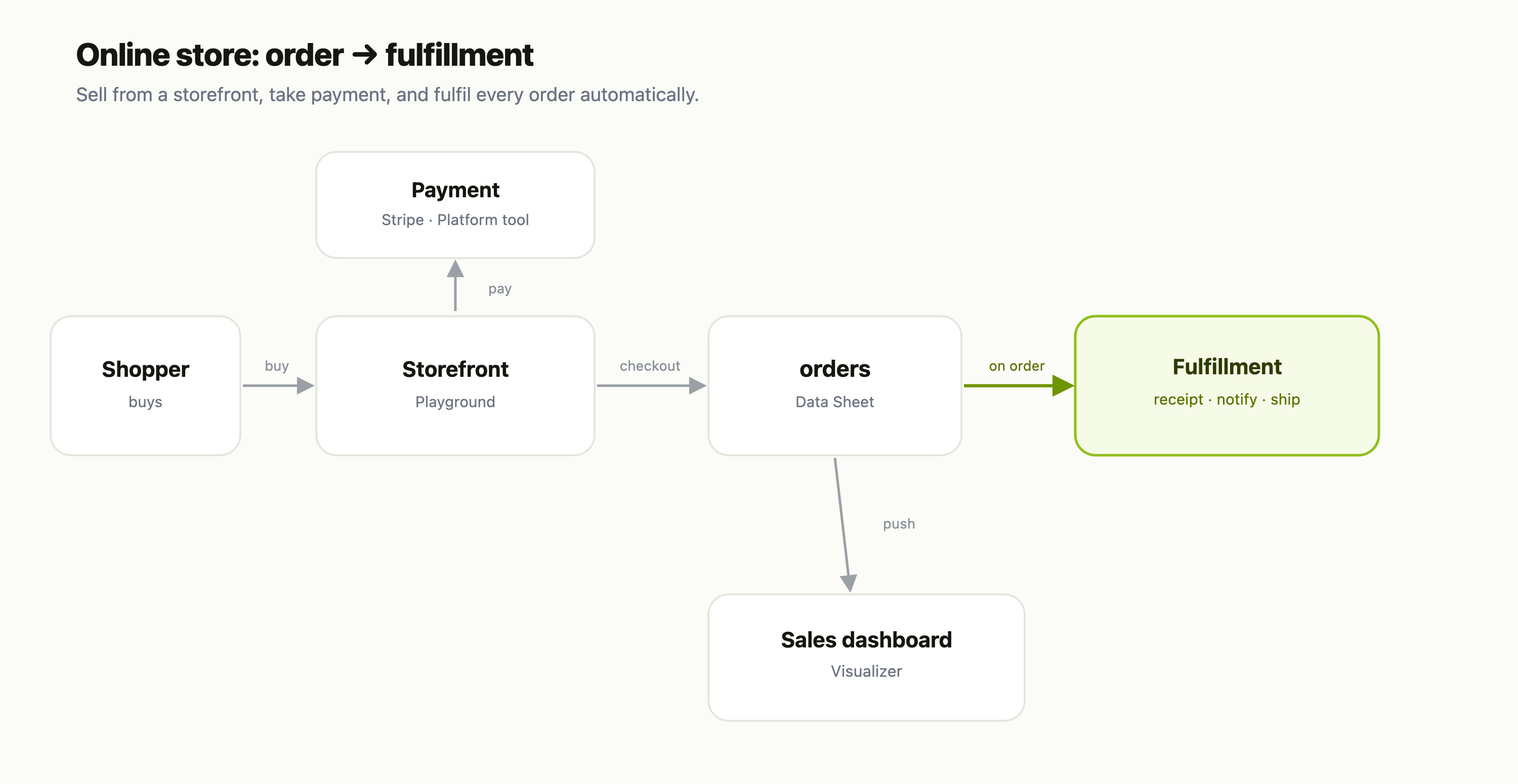
| Piece | FlowFn feature |
|---|---|
| Storefront | a Playground |
| Checkout / payment | a Stripe Platform Tool |
| The order book | a Data Sheet |
| Fulfillment | a Workflow |
| Sales reporting | a Visualizer |
Let's build it.
Step 1 — The storefront
Build your shop as a Playground — products, a cart, a checkout button — and host it on your subdomain or custom domain. It's your storefront, your design, no theme marketplace.
Step 2 — Take the money
Wire checkout to a Stripe Platform Tool. The shopper pays, Stripe confirms, and only a paid order moves forward. Payment stays with Stripe — you're never touching card data — while the order itself lands in your own database.
Step 3 — Record every order
Each paid checkout writes a row to the orders Data Sheet — customer, items, total, and a status that starts at Paid:
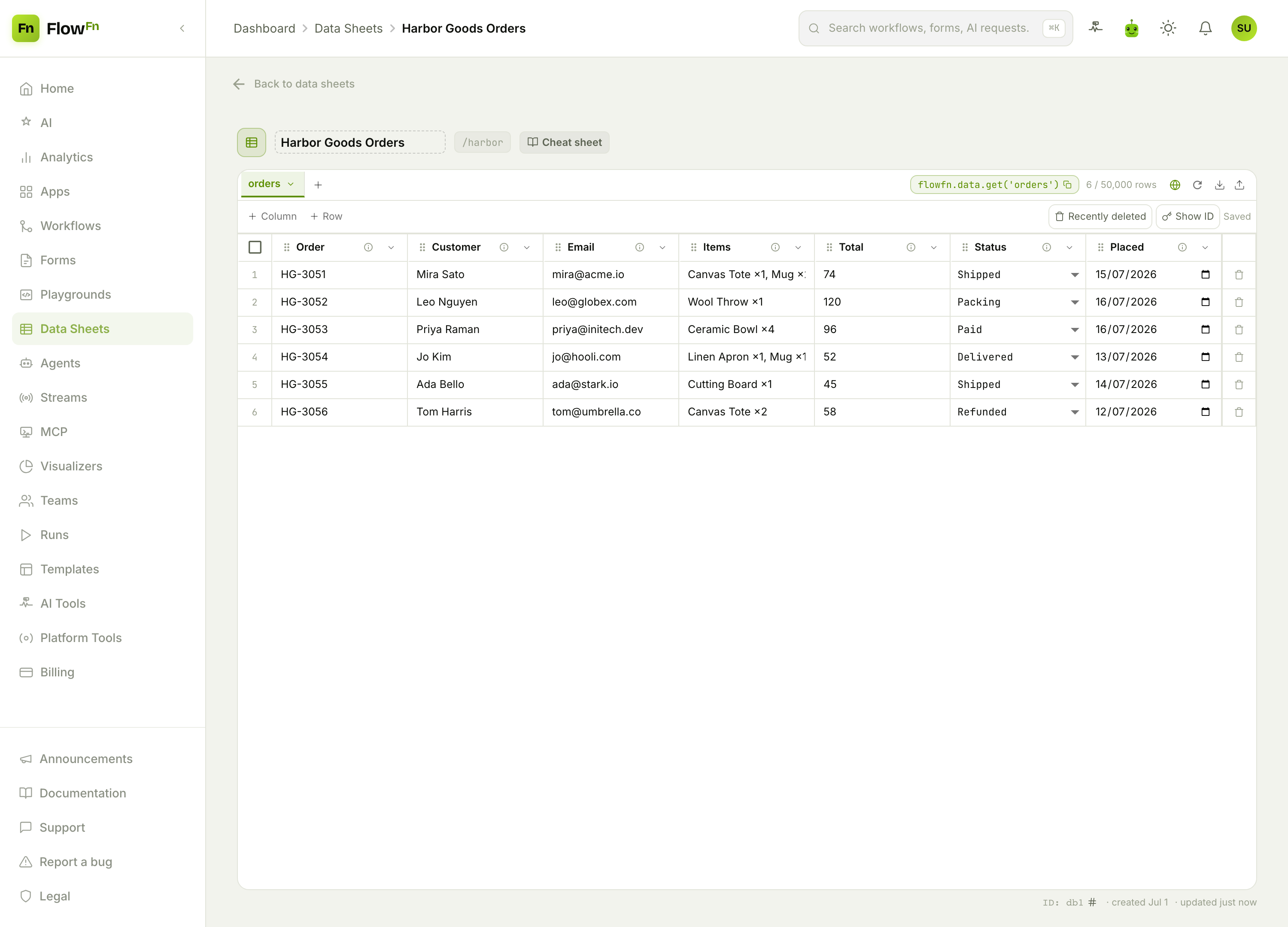
total is a number you can sum into revenue, and status is a select (Paid → Packing → Shipped → Delivered) that drives the whole fulfillment flow. This sheet is your single source of truth for what's been sold.
Step 4 — Fulfil it automatically
A paid checkout kicks off the fulfillment Workflow — fire it straight from the Stripe webhook (or from the storefront at checkout), the same event that writes the order row:
- Email the receipt to the customer.
- Notify the warehouse — post to Slack or create a pick-and-pack task.
- Advance the status as the order moves, so Packing → Shipped → Delivered is tracked without anyone updating a spreadsheet by hand.
The order goes from "paid" to "on its way" with no one re-keying anything.
Step 5 — Watch the sales
Have the fulfillment workflow also feed a Visualizer, and you get a shop dashboard:
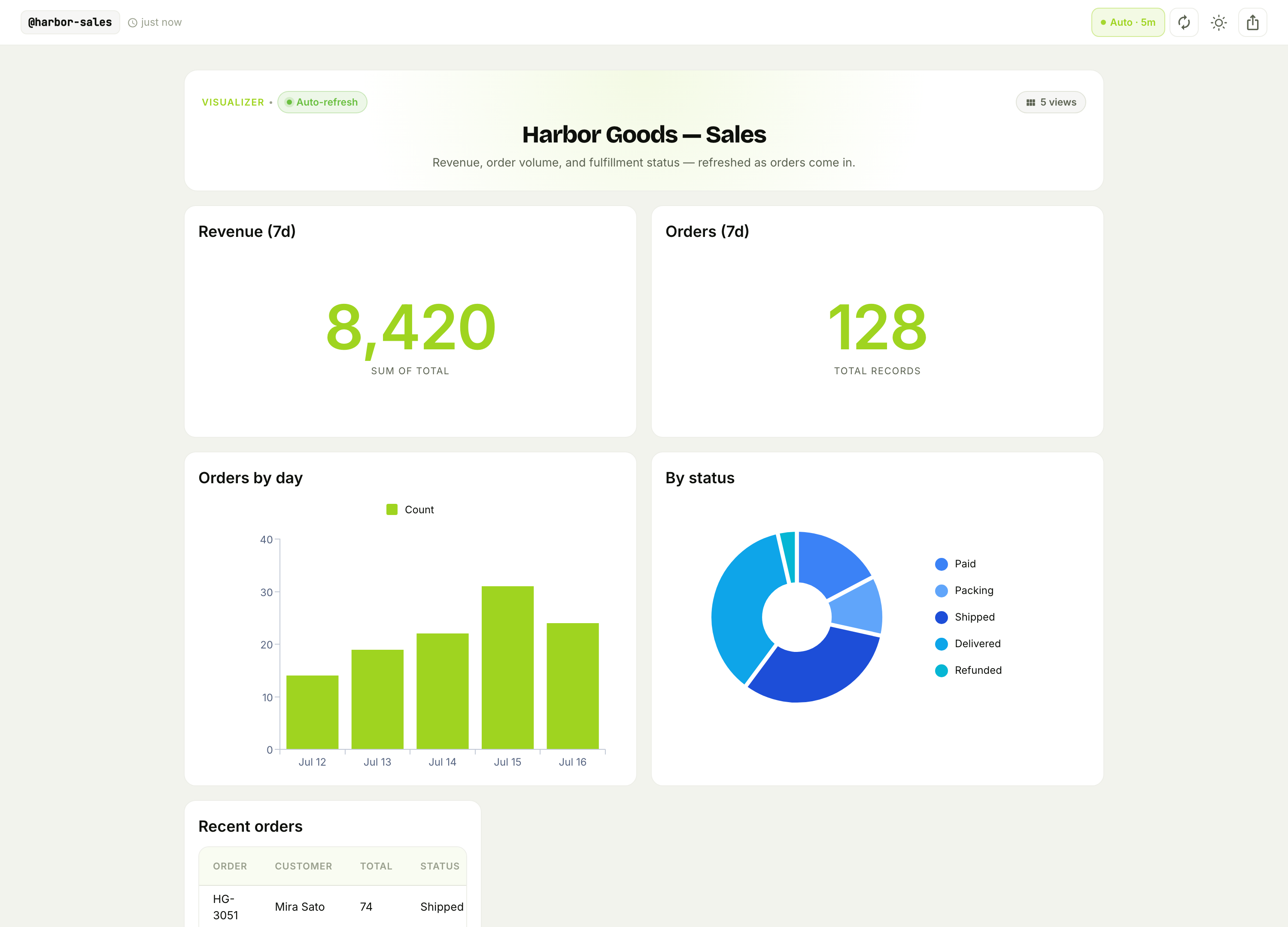
Revenue and order count for the week, orders by day, and how many are still sitting in Packing versus already Delivered. It's the view that tells you whether you're keeping up with fulfillment — at a glance, refreshing on its own.
Why this beats a hosted store platform
- No per-sale platform tax. Stripe takes its cut; FlowFn doesn't take a slice of every order on top.
- Your order data is yours. The
orderssheet is queryable and exportable — feed it into accounting, restock alerts, or a loyalty workflow. - Fulfillment is automation, not a chore. The receipt, the warehouse ping, and the status updates all happen on their own.
Wrap-up
An online store is a storefront Playground → a Stripe checkout → an orders Data Sheet → a fulfillment Workflow → a sales dashboard. Stripe handles the money, the sheet is the order book, and the workflow does the packing-slip busywork — no hosted-store subscription skimming every sale.
Start with a few products, a Stripe checkout, and the orders sheet; even that replaces a DM-and-invoice hustle. Then add the fulfillment workflow and the dashboard. Sell it, get paid, and let the shipping paperwork run itself.