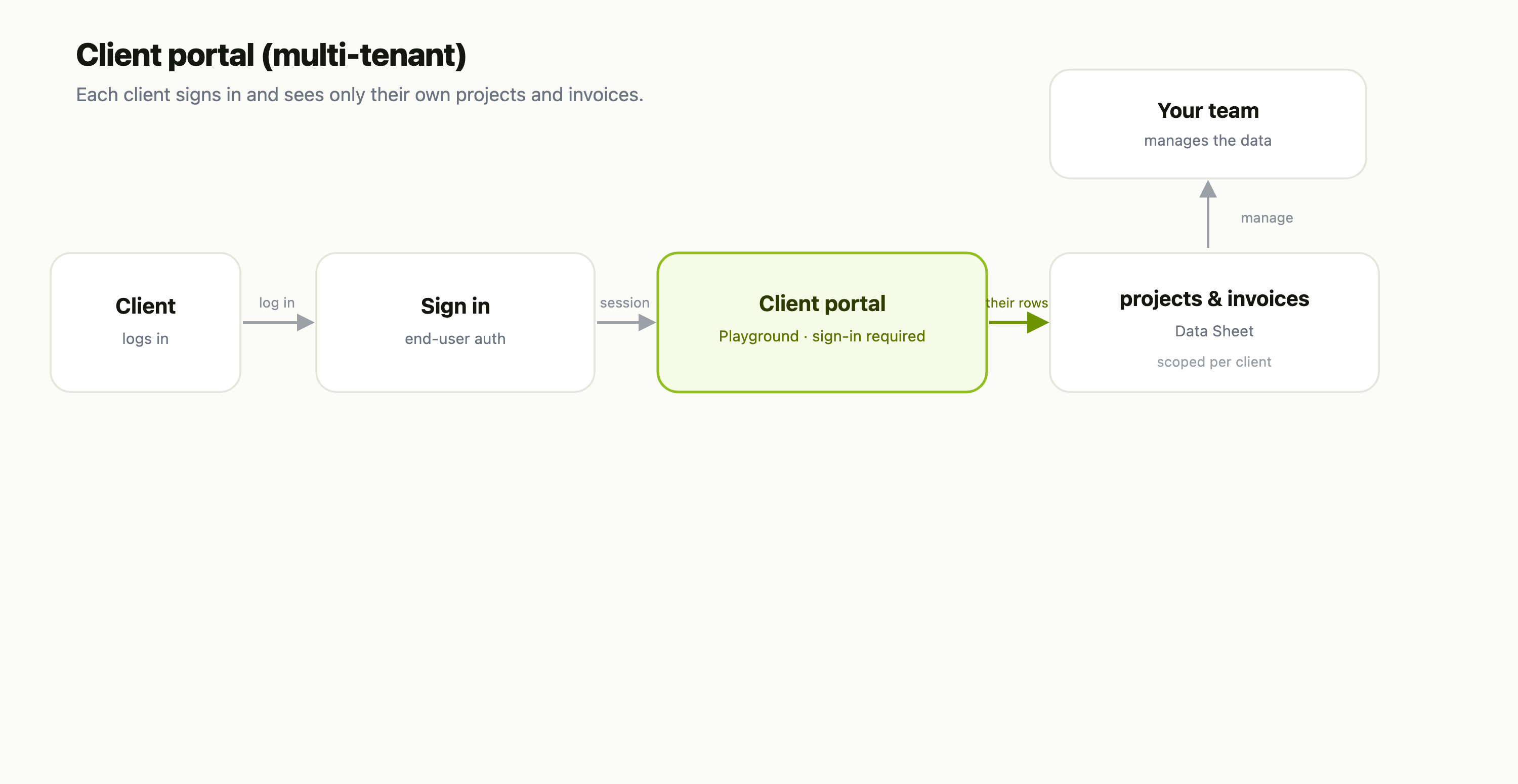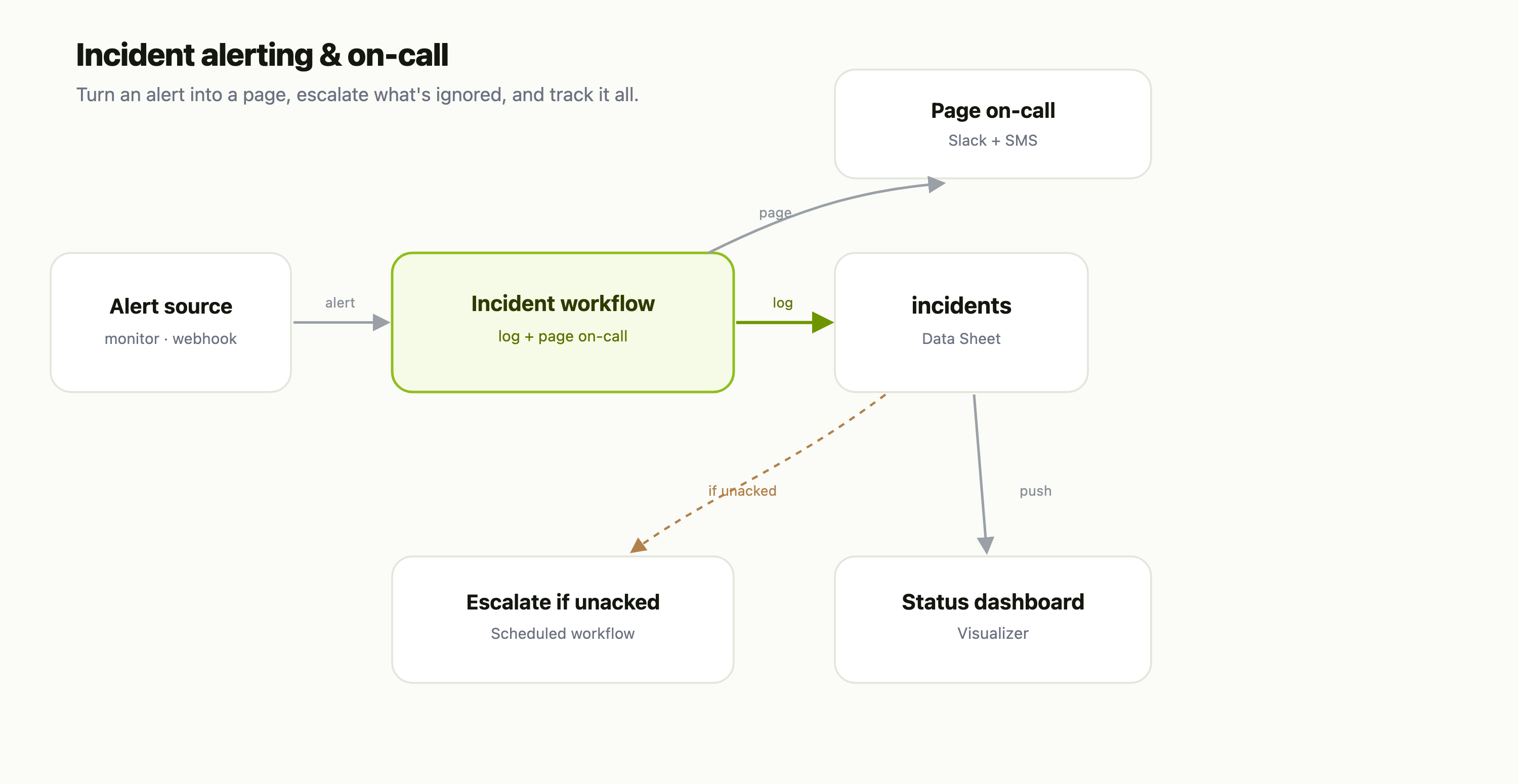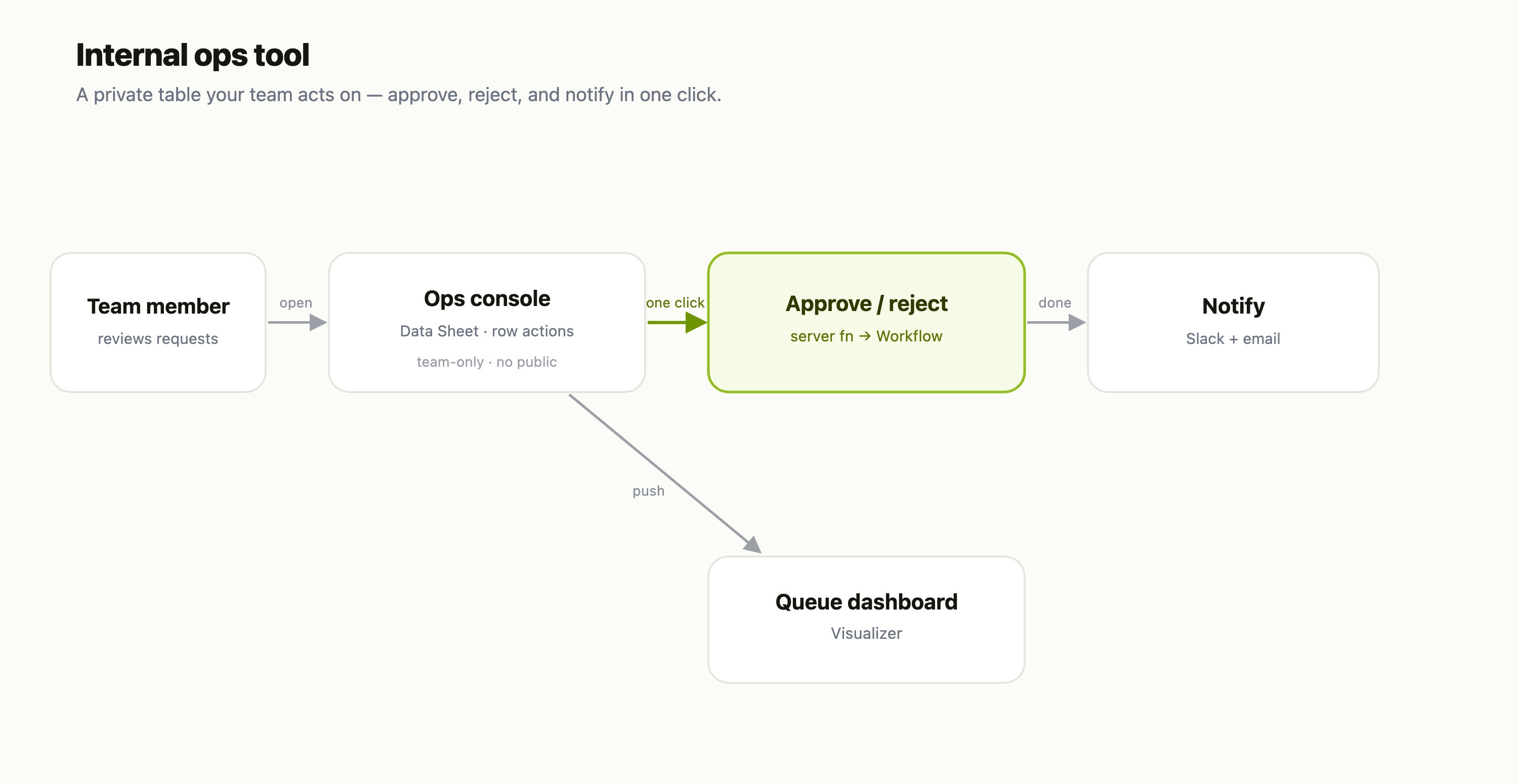
A template is a prebuilt artifact you can clone with one click. FlowFn ships a curated gallery of them across six kinds — workflows, playgrounds, forms, visualizers, agents, and streams — and using one drops a fully-formed draft into an App of your choosing, ready to edit. Here's the gallery:
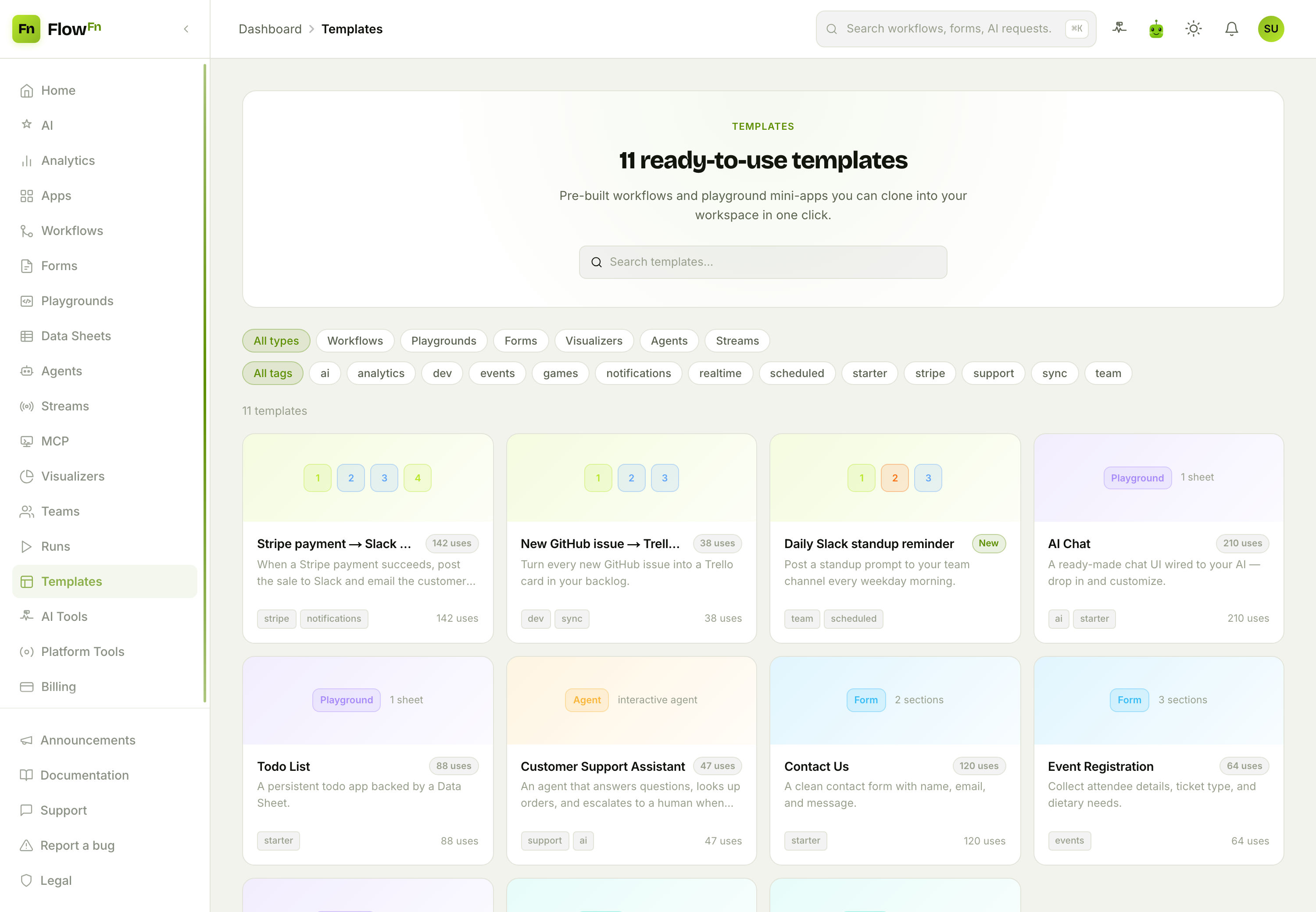
Hundreds of ready-to-use templates, filterable by type (Workflows, Playgrounds, Forms, …), by tag (ai, realtime, starter, stripe…), or by search. Each card previews what's inside — a workflow shows its steps, a playground shows how many sheets it seeds, a form shows its sections — plus how many times it's been used.
Step 1 — Find one
Filter to the kind you need and skim the cards. A workflow card shows a little map of its steps; a playground shows a type badge and a one-liner ("1 sheet"); the usage badge tells you what's popular (or flags it New). Click any card to see exactly what you'd be cloning:
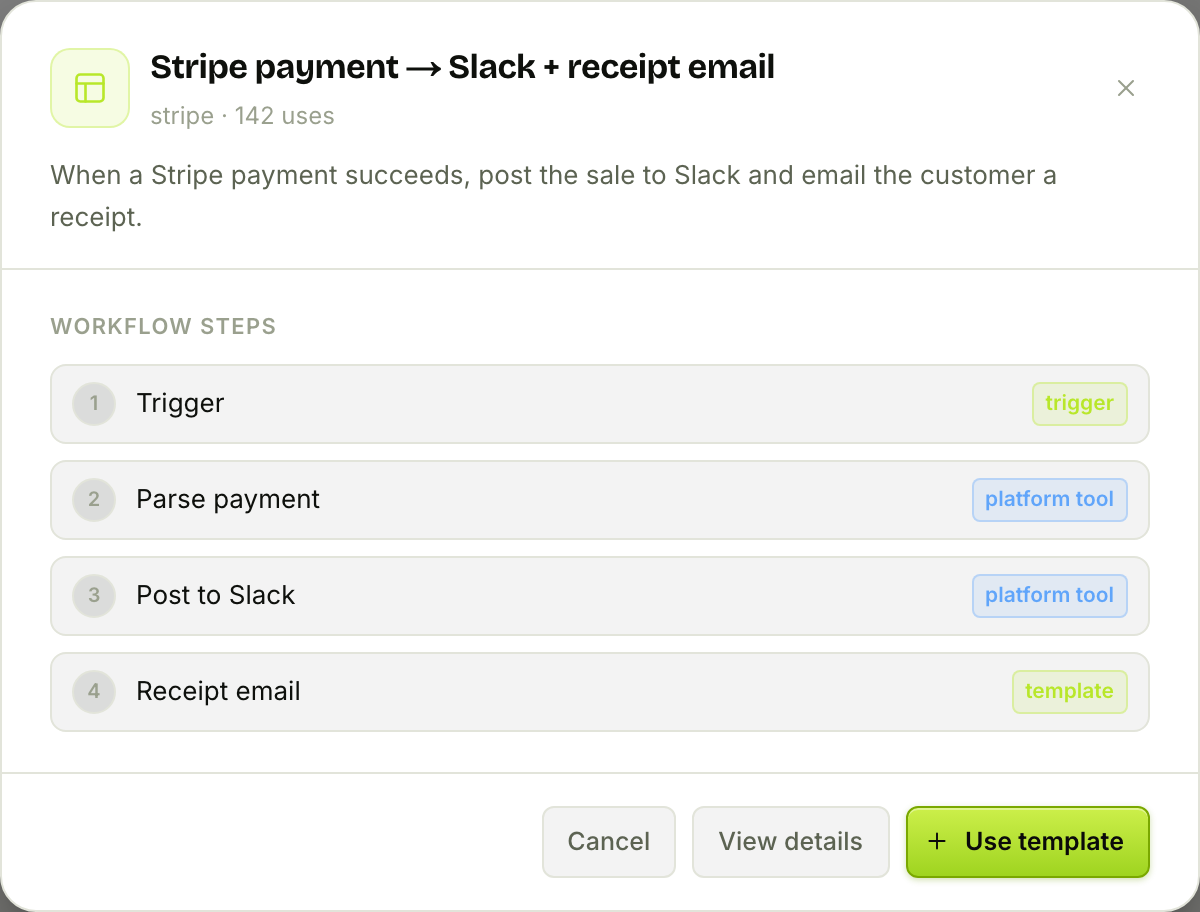
The Stripe payment → Slack + receipt email template lays out its whole shape — a webhook trigger, then parse the payment, post to Slack, send a receipt. No surprises: you can read the entire workflow before you commit to it. (For a bigger look, View details opens a full page with a live preview.)
Step 2 — Use it
Hit Use template and you pick one thing: the destination App it lands in (plus a slug, for playgrounds/forms/visualizers, since those get a public URL). FlowFn then clones the template into that App as a draft and drops you straight into the editor.
A few things to expect, because a clone isn't a carbon copy:
- It's a draft, and nothing runs until you turn it on. You review and tweak first — connections, variables, and triggers are all yours to set.
- Secrets and assets don't travel. Webhook secrets and per-function codes are freshly minted; uploaded images become placeholders. So a cloned template usually has a "reconnect your Slack" or "re-upload your logo" step — which is exactly right, since those are yours, not the template's.
From there it's a normal workflow, playground, form, or agent — you edit it like anything you built from scratch, except you started 80% of the way there.
Good to know
- Templates are curated, not user-made. The gallery is a vetted, growing set (authored by FlowFn), not a place to publish your own — so what you clone is known-good.
- Browsing is free on every plan. The gallery says so right on the detail page. Any plan limits only apply when you instantiate — a cloned agent still counts against your agent quota, a cloned playground against your playground quota, and so on.
- Two galleries exist. The one in your dashboard (this post) clones into your workspace; there's also a public marketing gallery you can browse without signing in.
Wrap-up
Templates turn "how do I even start this?" into "clone, then customize." Browse the gallery, read a template's steps or contents before you take it, pick the App it lands in, and you get a working draft in the editor — secrets and assets left for you to wire up, nothing live until you say so. It's the fastest way from an idea to something that runs.
Next time you're about to build a common thing from scratch, check Templates first — odds are a working version is one click away. Next, we'll bring other people into the picture with Teams & roles. Start from something that works, and finish sooner.