This is a recipe — each part is its own FlowFn feature, wired together into a multi-tenant portal:
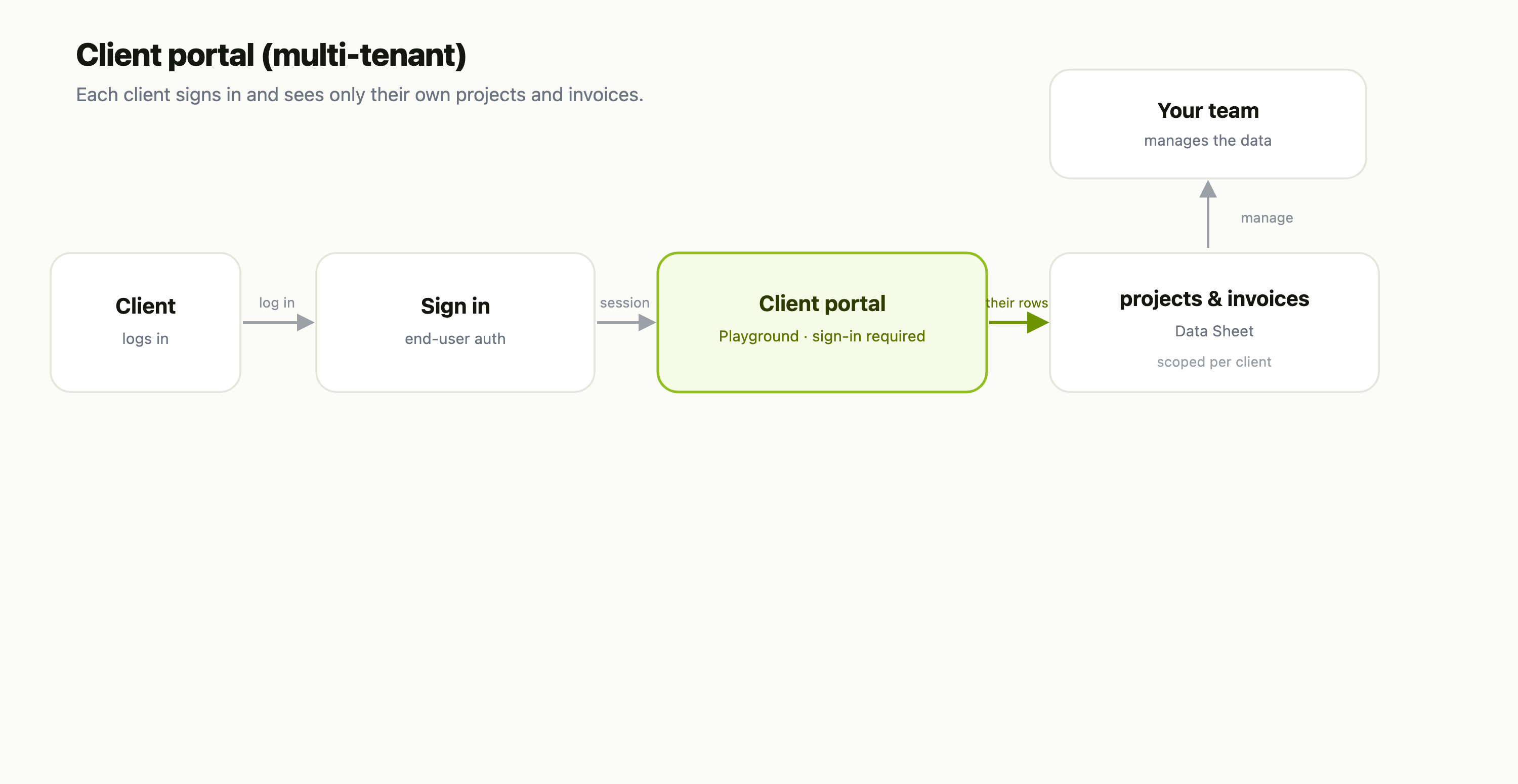
| Piece | FlowFn feature |
|---|---|
| The portal UI | a Playground |
| Client sign-in | end-user auth |
| Projects & invoices | a Data Sheet |
| Per-client data | server code + flowfn.userId |
| Your side | your Team & roles |
Let's build it.
Step 1 — The data behind it
A Data Sheet holds every client's projects and invoices — one row per project, tagged with the client it belongs to, plus status, owner, invoice, and amount. Your team manages this in the dashboard like any table.
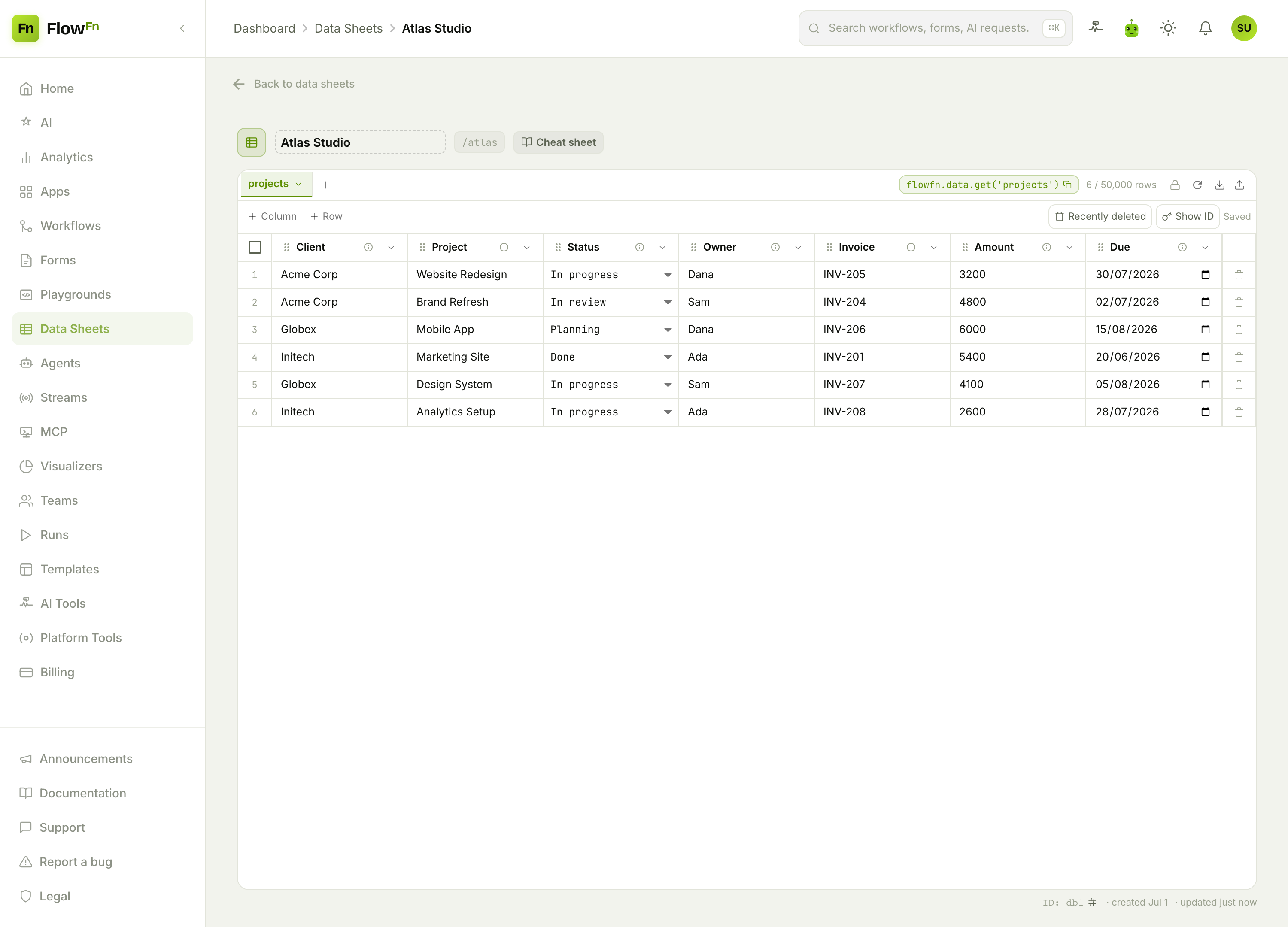
This is the multi-tenant part: all clients live in one sheet, tagged by client. The portal's job is to show each signed-in client only the rows that are theirs.
Step 2 — Let clients sign in
Turn on end-user auth on the Playground. Your clients get their own accounts — separate from your FlowFn team login — stored in a users sheet with hashed passwords. Mark the portal page require sign-in, and an unauthenticated visitor is sent to a login page instead of seeing anything.
Step 3 — Scope the data to the logged-in client
This is the multi-tenant magic, and it's one line of intent: in the portal's server code, use flowfn.userId to look up who's signed in and return only that client's rows. A visitor can never see another client's projects, because the server never sends them. No row-level ACL framework — just "fetch where client = the current user."
Step 4 — Make it feel like theirs
Design the portal as a real product page — a greeting, project cards with progress, an invoices table:
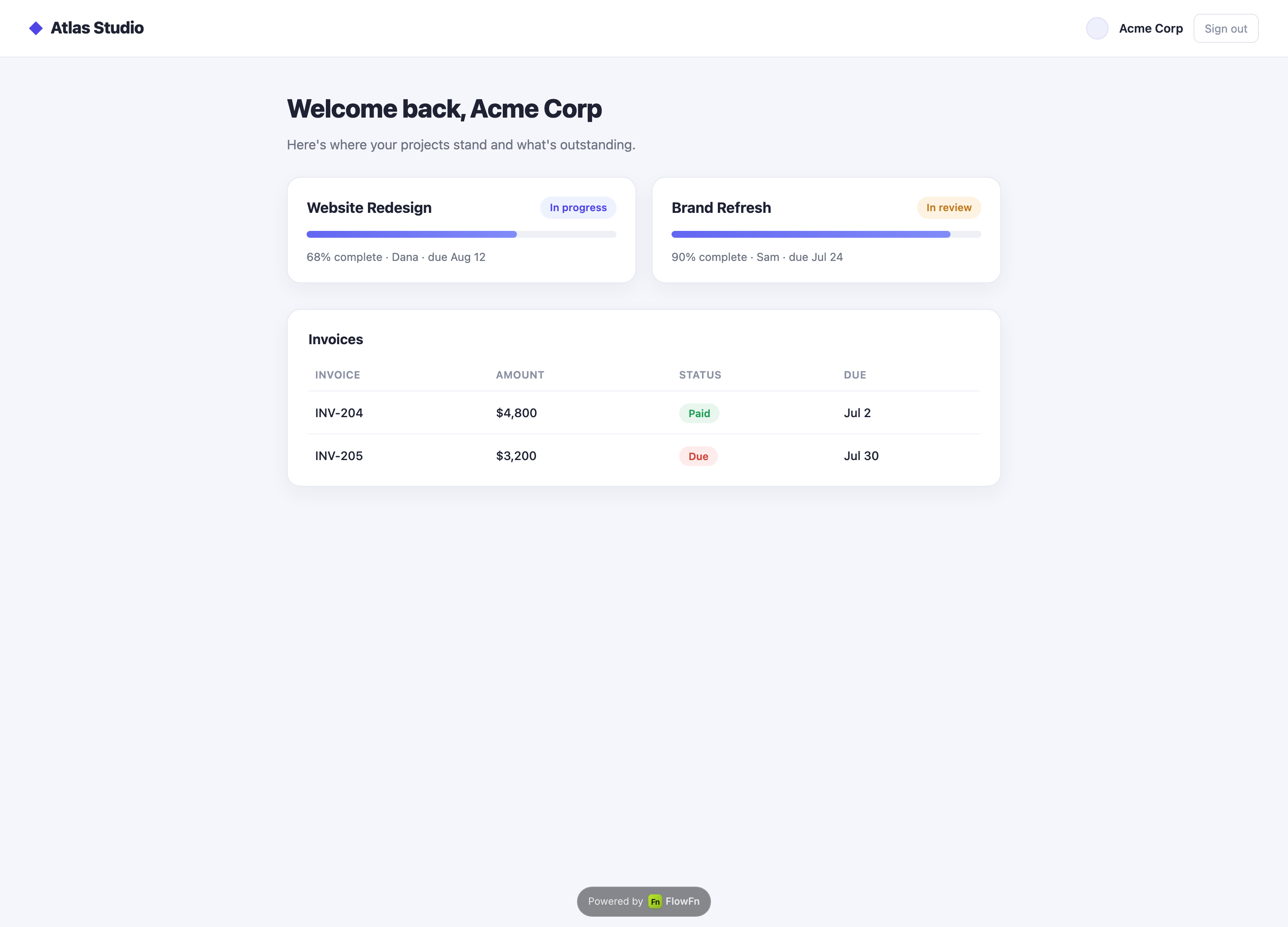
Because it's a Playground, the portal is fully yours to brand and lay out — this is what Acme Corp sees after signing in, and every other client sees the same page filled with their data. Host it on your subdomain or a custom domain and it's a portal your clients will actually use.
Why this beats a portal product
- Multi-tenant, without the engineering. End-user auth plus
flowfn.userIdgives you per-client isolation — no custom auth service, no row-level ACL library. - It's a real product surface. The portal is a Playground you design pixel-by-pixel and serve on your own domain — not a locked-in template.
- One source of truth. Projects and invoices live in a Data Sheet your team already manages; the portal is just a scoped window onto it.
Wrap-up
A client portal is a projects Data Sheet → a Playground with end-user auth → server code that scopes to flowfn.userId → your branded portal page. The sheet is the shared truth, sign-in identifies the client, and one scoping rule guarantees each client sees only their own — real multi-tenancy without a portal subscription.
Start with the projects sheet and a login-gated page that greets the user by name; even that proves the auth loop. Then add the per-client query and design the page. Give every client their own front door — and only their own data behind it.
That wraps our real-world use-case series — ten recipes from a support desk to this portal, each one built by combining the same handful of FlowFn features. The pattern never changes: a Form or Playground to collect, a Data Sheet to store, a Workflow or Agent to act, and a Visualizer to see. Pick the one closest to what you're building and start there.