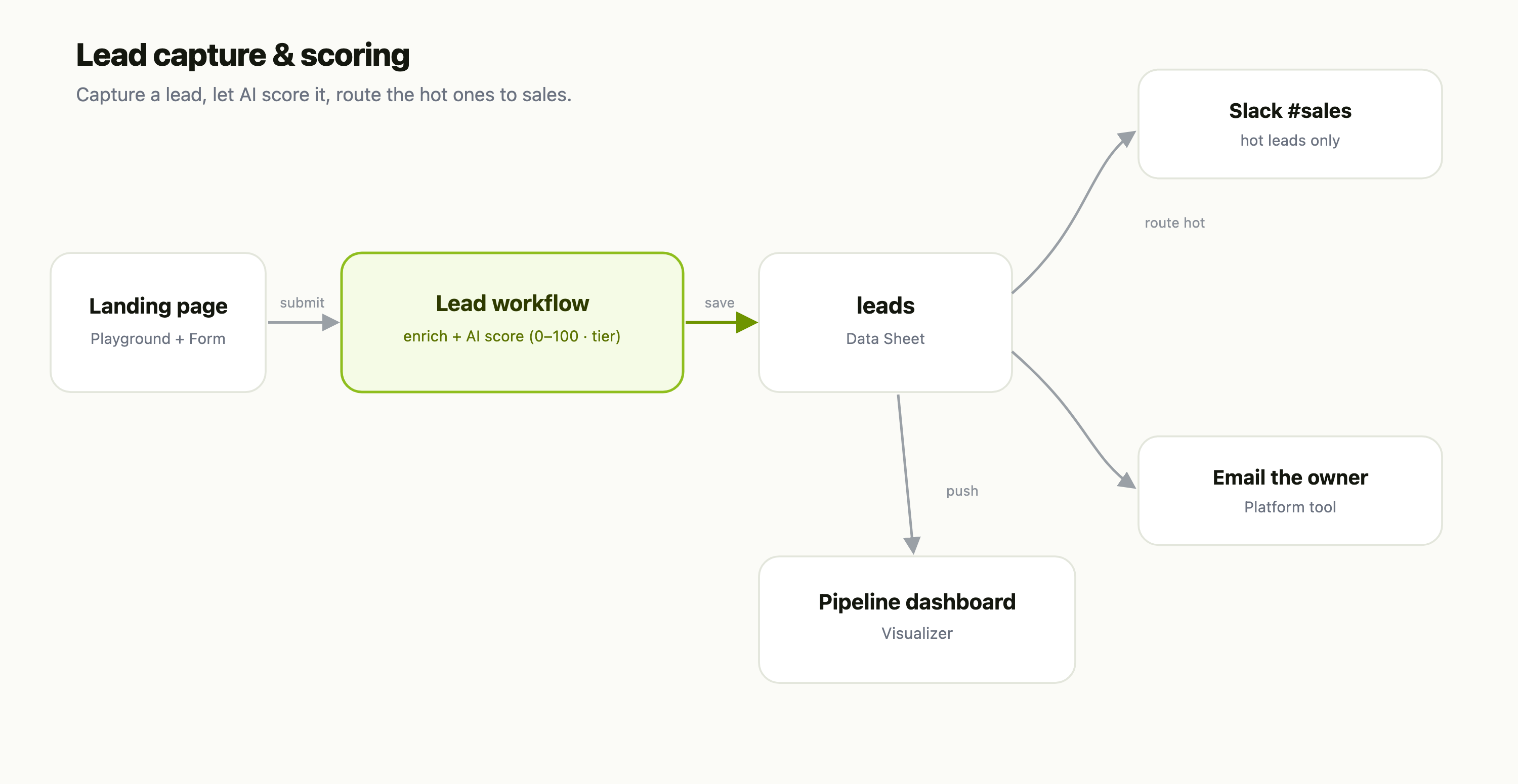
This is a recipe — each part is its own FlowFn feature, wired together into a working mini-CRM:
| Piece | FlowFn feature |
|---|---|
| Landing page + capture | a Playground + a Form |
| Enrich + score | a Workflow with an AI step |
| The lead store | a Data Sheet |
| Route the hot ones | Slack + email Platform Tools |
| Pipeline reporting | a Visualizer |
Let's build it.
Step 1 — Capture
A Playground landing page with a Form — name, work email, company, "what are you looking for?" Publish it on your subdomain (or embed it on your marketing site). Every submission kicks off the pipeline.
Step 2 — Score with AI (the good part)
The form's submission triggers a Workflow, and this is where the leverage is. The workflow:
- Enriches the lead (dedupe, infer company size from the email domain, tag the source).
- Scores it with an AI step — feed the model the lead's details and your ideal-customer profile, and get back a 0–100 score and a tier (Hot / Warm / Cold). Because it's a prompt, you tune "what makes a good lead" in plain English, not a rules engine.
- Writes the scored lead to the
leadsData Sheet — and, in the same run, pushes a copy into the pipeline Visualizer (a Data Visualizer step) so the dashboard stays current.
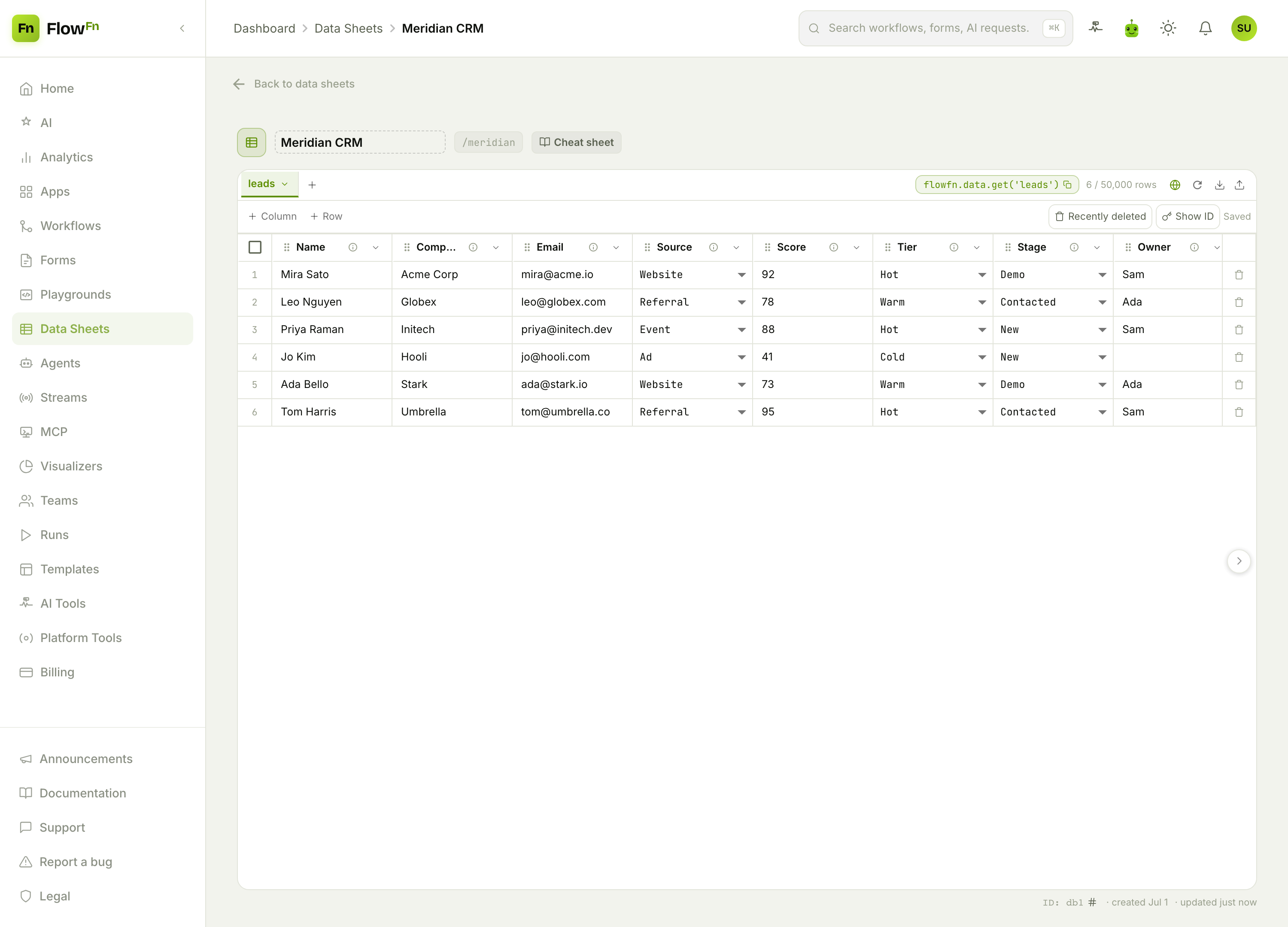
The typed columns matter: score is a number you can average and sort, tier and stage are selects the whole pipeline shares, and owner assigns the rep.
Step 3 — Route the hot ones
Still in the same workflow, a condition branches on the tier: Hot → post to #sales in Slack and email the assigned owner immediately; everything else just sits in the sheet for the nurture track. A rep sees the best lead within seconds of it landing — not next Monday.
Step 4 — See the pipeline
Because that workflow also feeds a Visualizer, you get a pipeline view that keeps itself current:
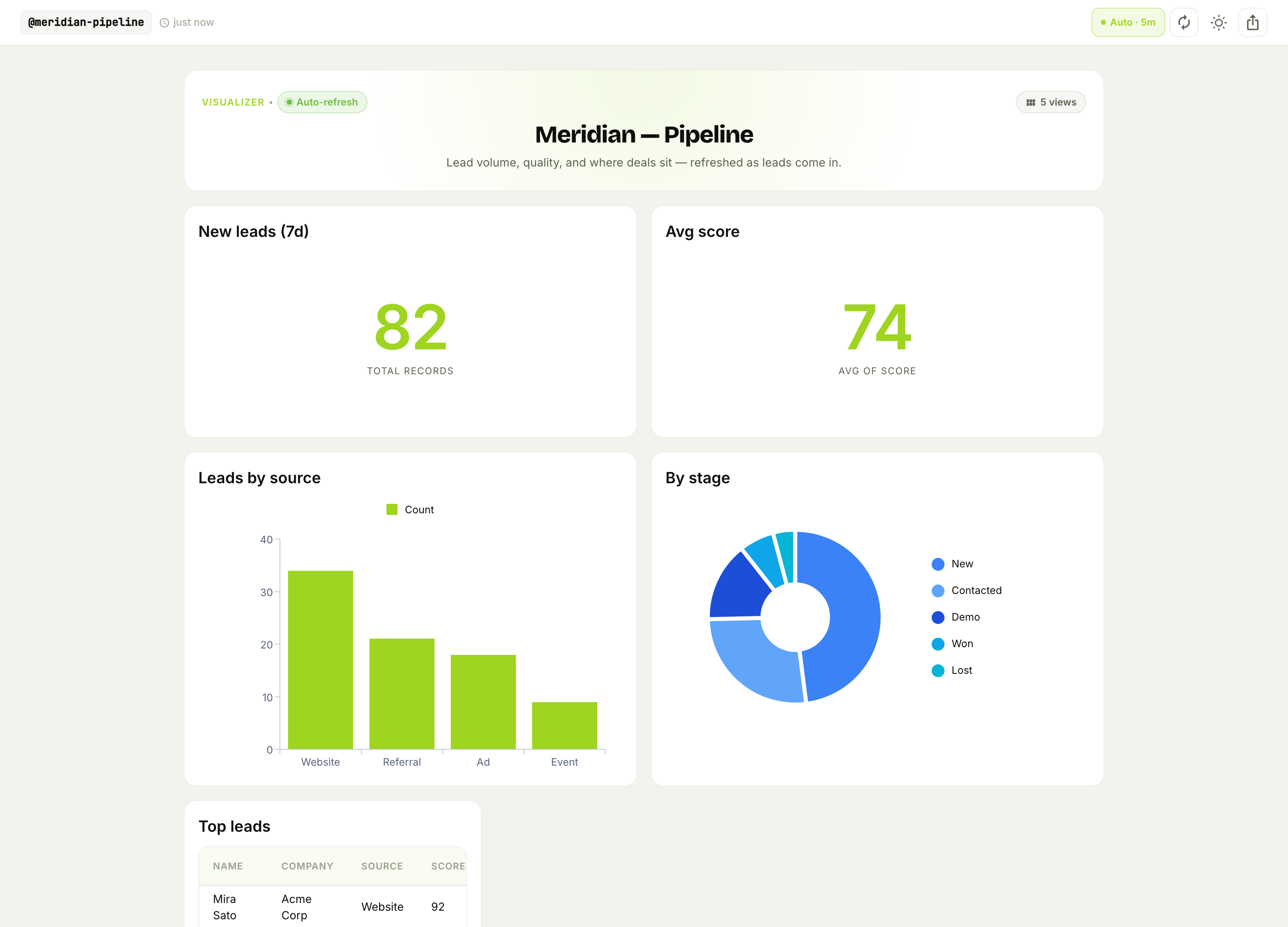
New leads this week, average score (a proxy for lead quality), volume by source, and where deals sit by stage — refreshing on its own. Now "which channel sends good leads?" and "how full is the pipeline?" are a glance, not a spreadsheet export.
Why this beats a spreadsheet (or a heavy CRM)
- Scoring is a prompt, not a rules matrix. You describe your ideal customer in English and adjust it anytime — no admin, no formula columns.
- Speed-to-lead is automatic. The hot lead reaches a rep the moment it's scored, which is the single biggest driver of conversion.
- It's your data, your rules. The
leadssheet is yours to query, export, or feed into other workflows — no per-seat CRM tax.
Wrap-up
A lead-scoring pipeline is a capture form → an AI-scoring workflow → a leads Data Sheet → routing + a dashboard. The AI does the judgment call (how good is this lead?), the workflow does the routing (get the hot ones to a human fast), and the dashboard keeps everyone honest about pipeline health — all without a CRM subscription.
Start with the landing form and the scoring workflow; even just "score every lead 0–100 and Slack me the 80+" is a real upgrade over an inbox. Then add the dashboard and the nurture branch. Score every lead the second it lands, and never let a good one go cold again.