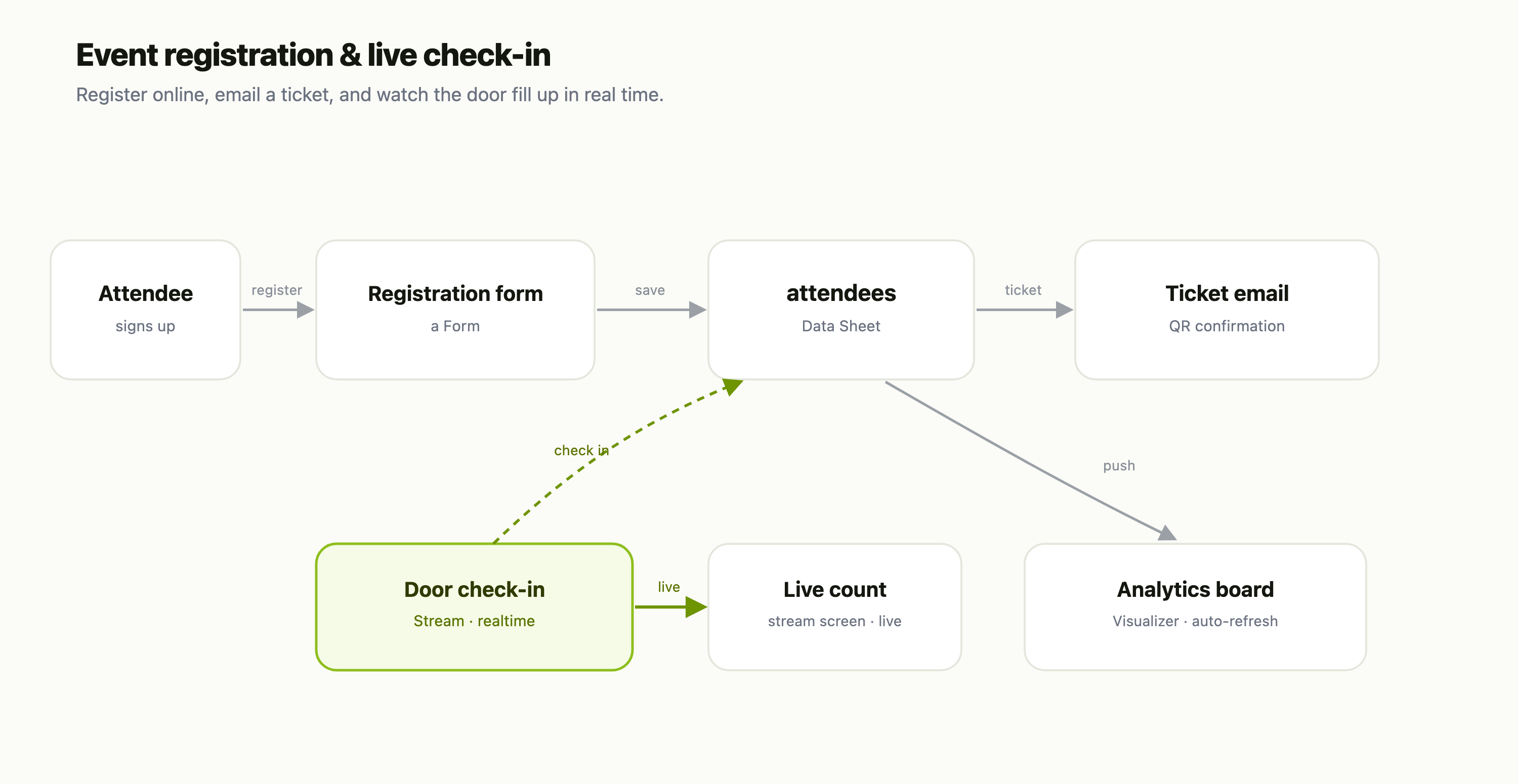
This is a recipe — each part is its own FlowFn feature, wired together into a working event system:
| Piece | FlowFn feature |
|---|---|
| Registration | a Form |
| The attendee list | a Data Sheet |
| Confirmation + ticket | an email Platform Tool |
| Realtime check-in | a Stream |
| The live count | a stream-connected screen (a Playground) |
| The analytics board | a Visualizer |
Let's build it.
Step 1 — Take registrations
A Form collects the essentials — name, email, ticket type — and every submission lands in the attendees Data Sheet. Publish it on your event subdomain and share the link; no signup wall, no third-party ticketing fee.
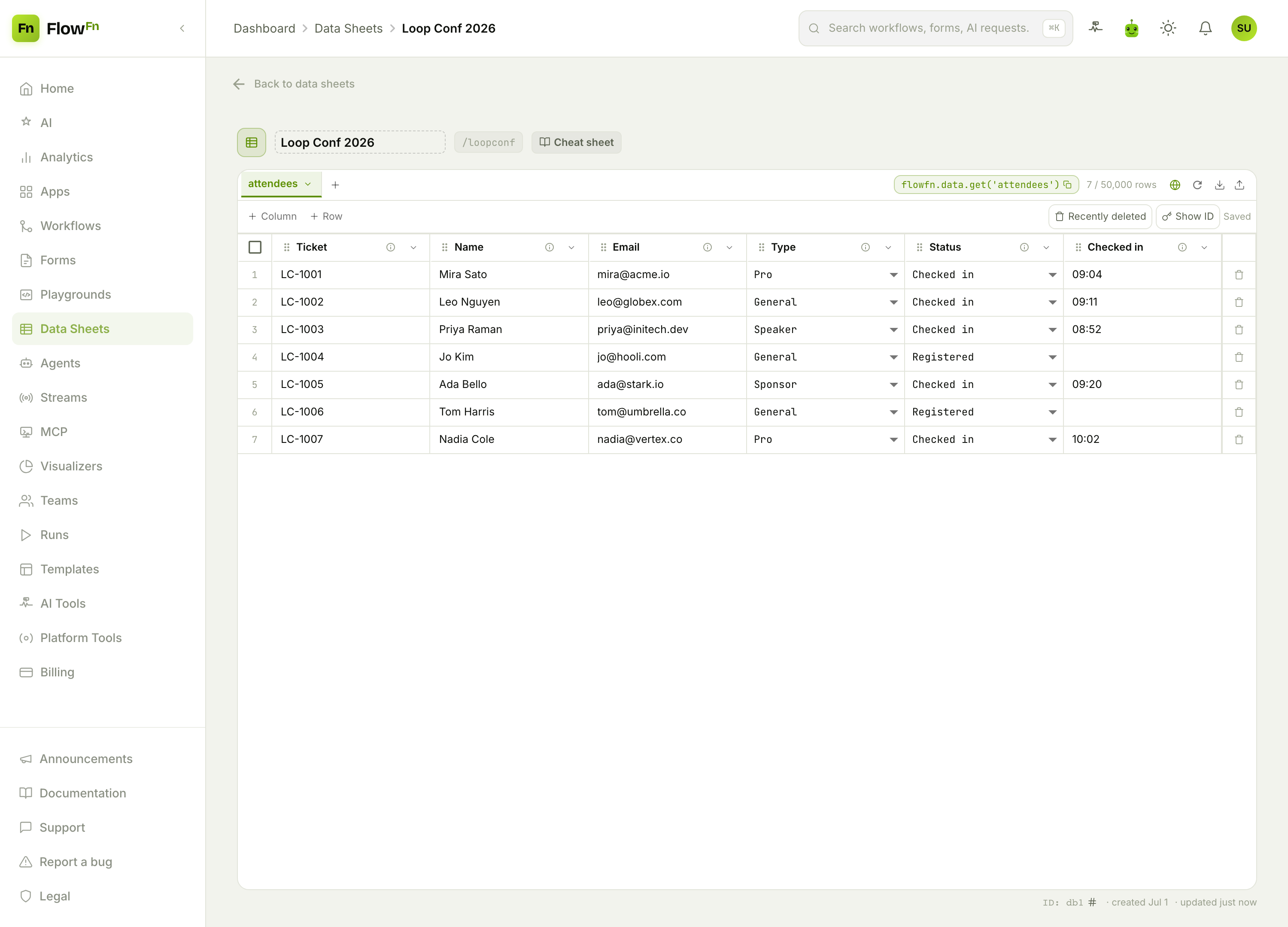
The status select (Registered / Checked in / No-show) is the field the whole system pivots on, and ticket_type lets you slice the crowd later. Each row is a ticket.
Step 2 — Email the ticket
On submission, a Platform Tool emails a confirmation with a QR code that encodes the ticket ID. That QR is what turns a slow, name-spelling line into a one-second scan at the door.
Step 3 — Check people in, in real time
This is the part that makes an event feel run. A scan at the door publishes to a Stream — FlowFn's realtime layer — which fires a binding that flips the attendee's status to Checked in, and pushes the event to every stream-connected screen at once. A small display bound to that channel shows the running count with no refreshing and no polling: it moves the instant someone arrives.
Step 4 — Watch the room fill
Two views work together. The live count — 143 of 210 in the room — is that stream-connected screen from Step 3, to the second. For the analytics — arrivals by hour, checked-in versus registered, the ticket-type mix — add a Visualizer, fed by a workflow that pushes each check-in into it:
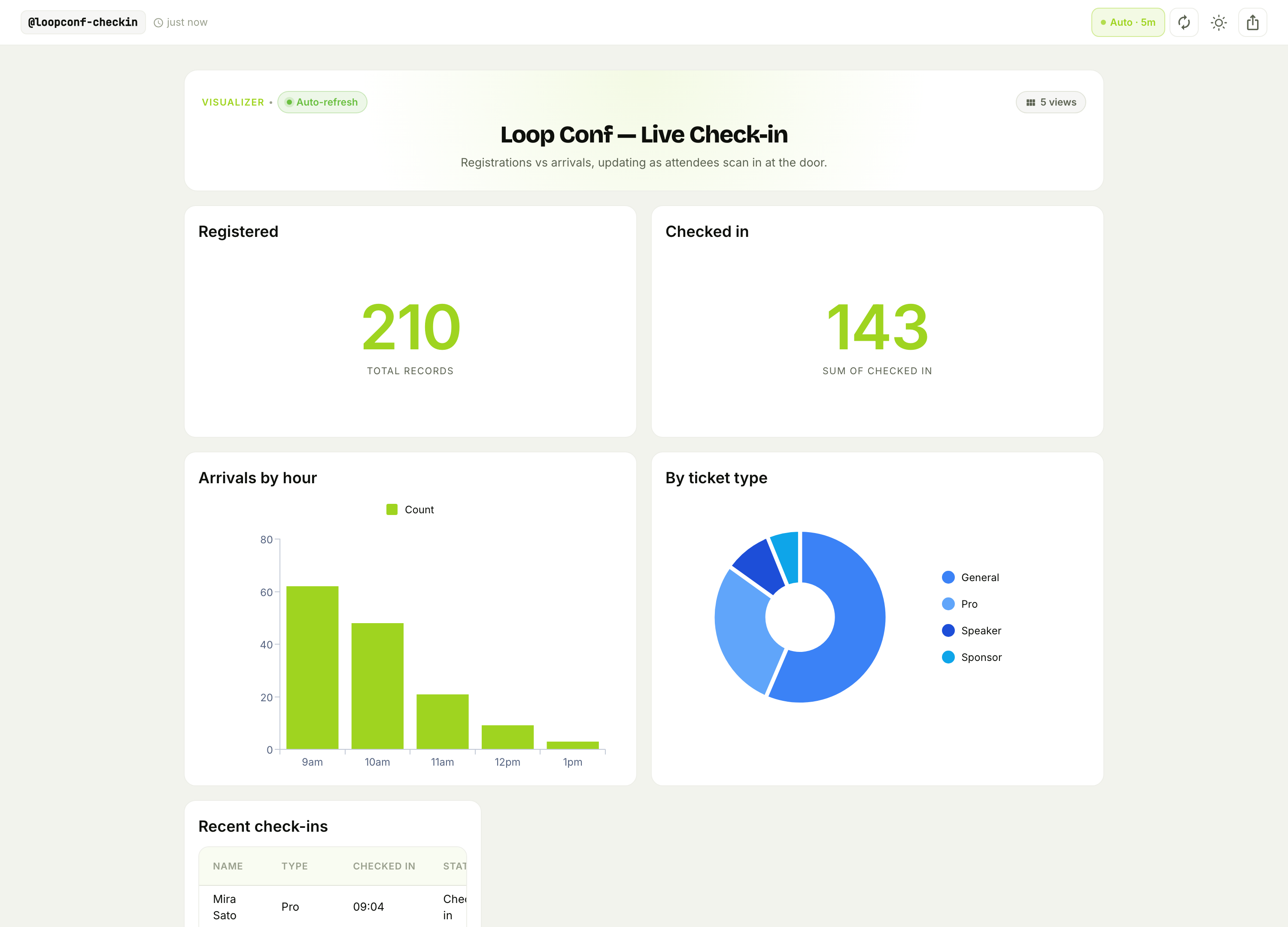
Arrivals by hour let you staff the door for the rush, and the ticket-type mix shows who's actually turning up. A Visualizer auto-refreshes on a timer (every few minutes), so it's the shape-of-the-morning board next to the by-the-second counter — not the live count itself.
Why this beats an events SaaS
- You own the attendee list. It's a Data Sheet you can export, email, or feed into next year's invite — not data locked in a ticketing platform.
- Check-in is genuinely live. The Stream pushes each scan to every screen instantly, which is exactly what the front desk needs on a busy morning.
- It flexes to your event. Add a waitlist, a badge-printing step, or session-level check-ins — each is one more form, sheet, or workflow.
Wrap-up
An event system is a registration Form → an attendees Data Sheet → a QR ticket email → a realtime check-in Stream → a live count + an auto-refreshing board. The form fills the list, the QR gets people in fast, and the Stream keeps the count honest to the second — no ticketing SaaS taking a cut of every seat.
Start with the form and the attendee list; even just "register online and email a ticket" replaces a spreadsheet and a reply-all thread. Then wire the door scan to a Stream and put the board on a screen. Watch your room fill in real time.