
The FlowFn blog
Product updates, hands-on guides, and automation playbooks from the team building FlowFn.
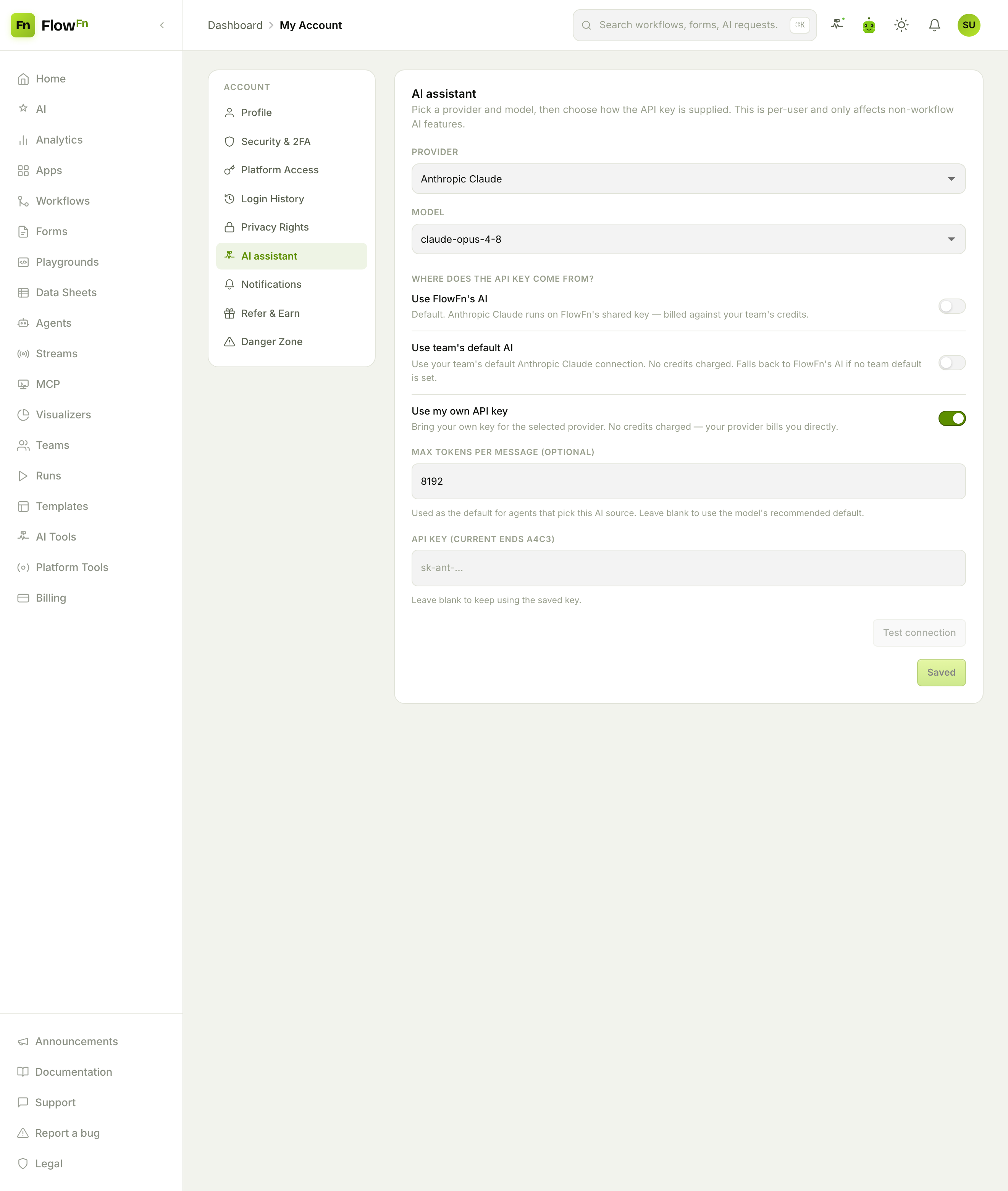
Your AI, Your Key — BYOK & Model Governance in FlowFn
FlowFn's AI features run on a model — the AI chat, the agent, the "generate with AI" buttons. By default that's FlowFn's shared key, billed against your credits. But you can also point them at your own OpenAI, Anthropic, Gemini, or Grok key, so your provider bills you directly and your usage isn't metered. And on the plan side, admins can govern which models run on the shared key. This is where you choose the AI, and who pays for it.
FlowFn Team · 16 Jul 2026 · 4 min read
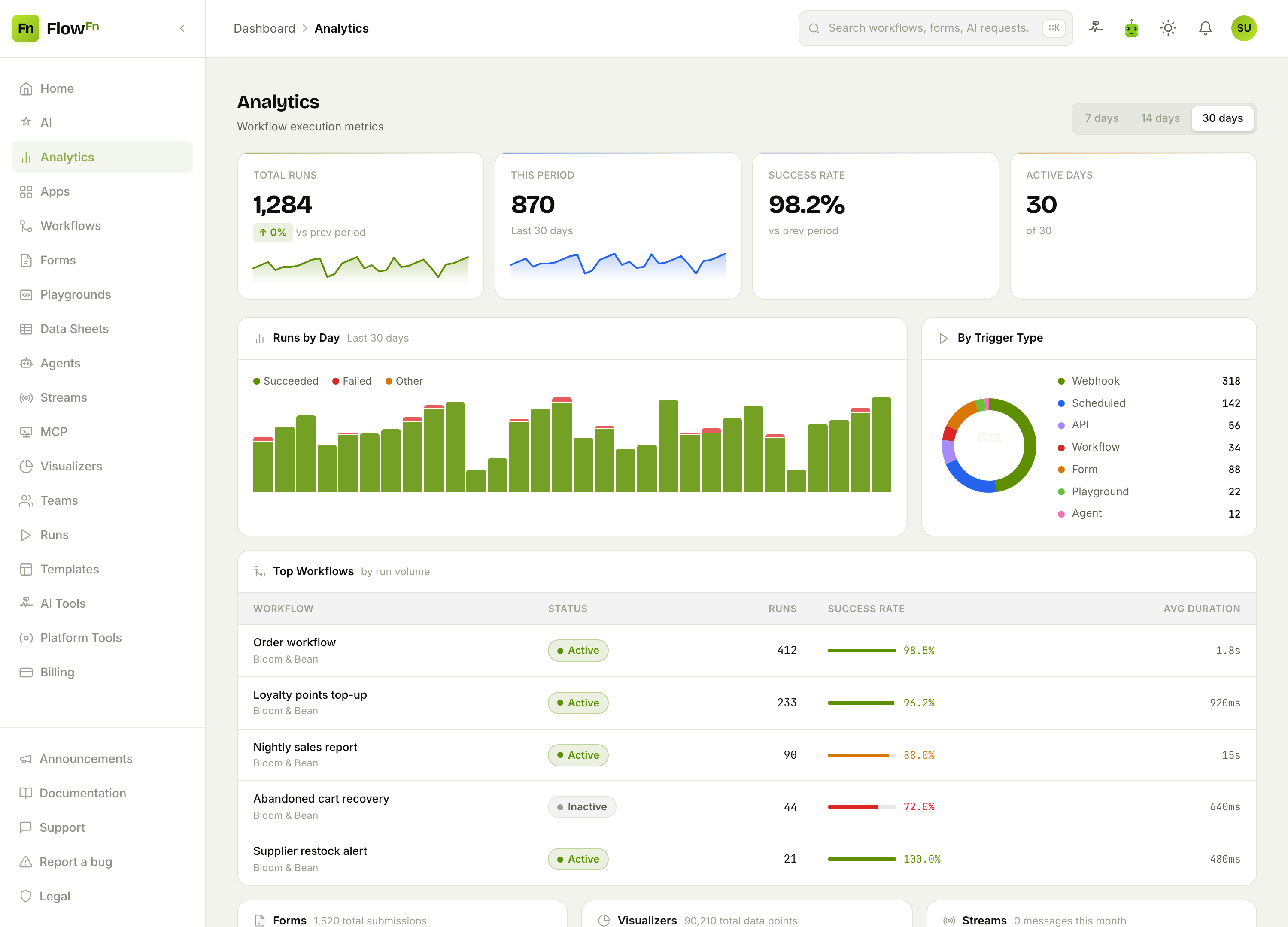
Measure What Matters — A Guide to FlowFn Analytics
You've built workflows, forms, agents, and a dashboard or two. Are they actually running? Succeeding? Which ones carry the load? FlowFn's Analytics page answers those at a glance — run volume over time, success rates, what's triggering your automation, and a live inventory of everything you've built. No setup, no query language; it's just there.
FlowFn Team · 16 Jul 2026 · 3 min read
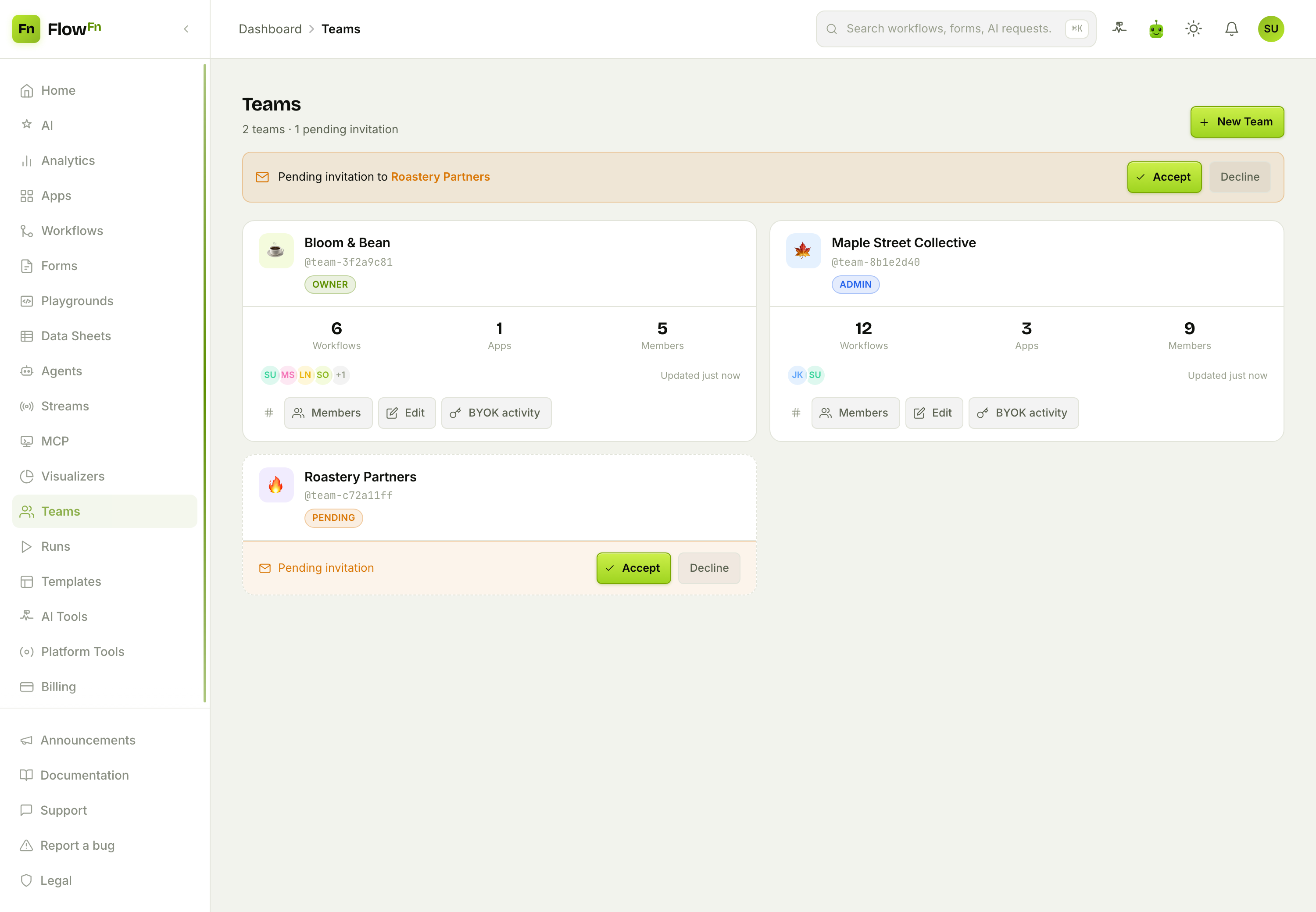
Work Together — A Guide to FlowFn Teams & Roles
Building alone is fine until it isn't. The moment a second person needs to touch your workflows — a developer to build, a colleague to review, an accountant to handle billing — you need Teams. A FlowFn team owns your apps and artifacts, and roles decide who can do what: who builds, who manages, who just watches. Bring people in without handing them the keys to everything.
FlowFn Team · 16 Jul 2026 · 4 min read
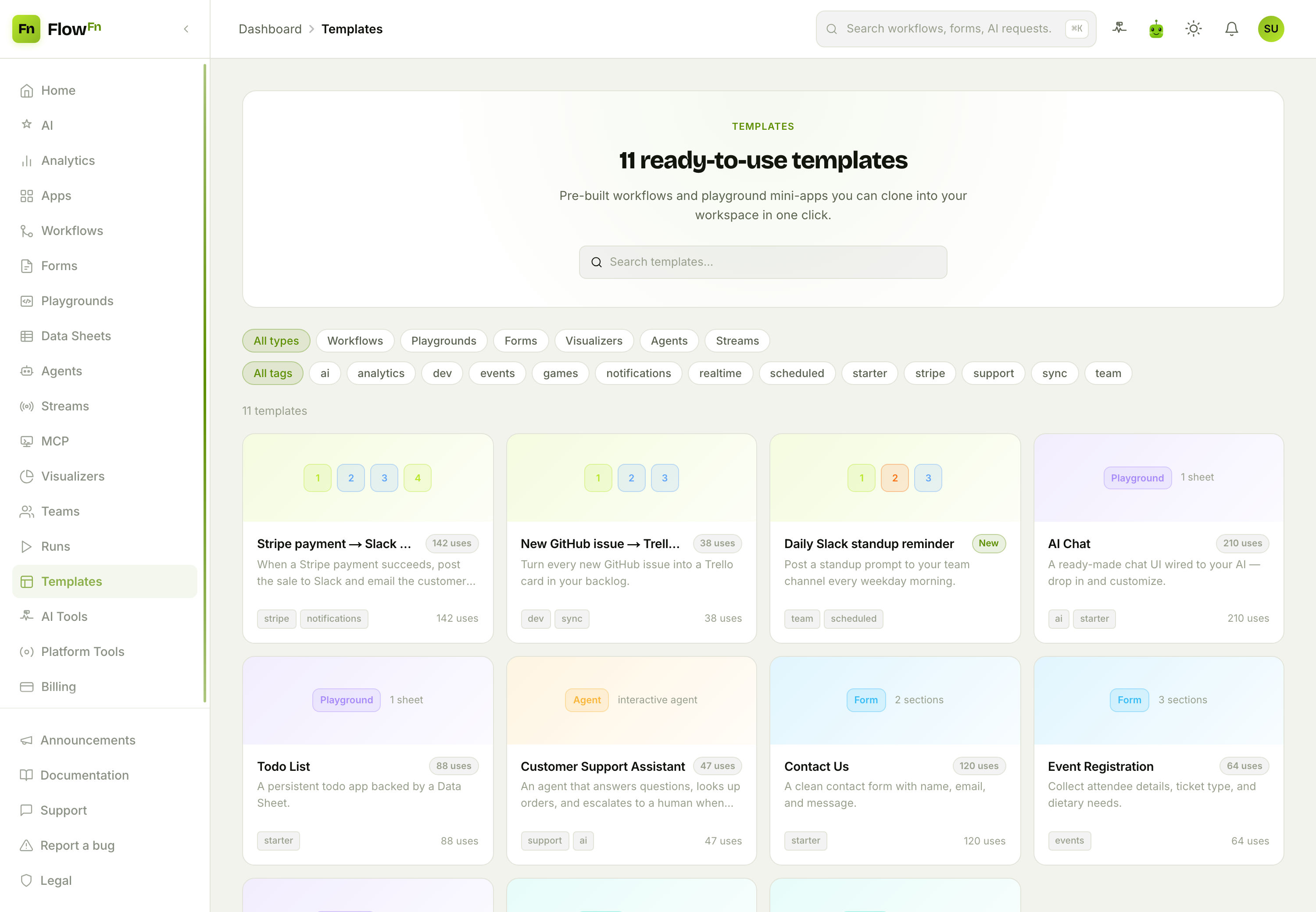
Start Faster — A Guide to FlowFn Templates
The blank canvas is the enemy of shipping. Most things you'd build in FlowFn — a "payment succeeded → Slack + receipt" workflow, an AI chat mini-app, a contact form, a sales dashboard — have been built a thousand times before. Templates let you clone a working example straight into your workspace, then make it yours. Start from something that already runs, not from nothing.
FlowFn Team · 16 Jul 2026 · 3 min read
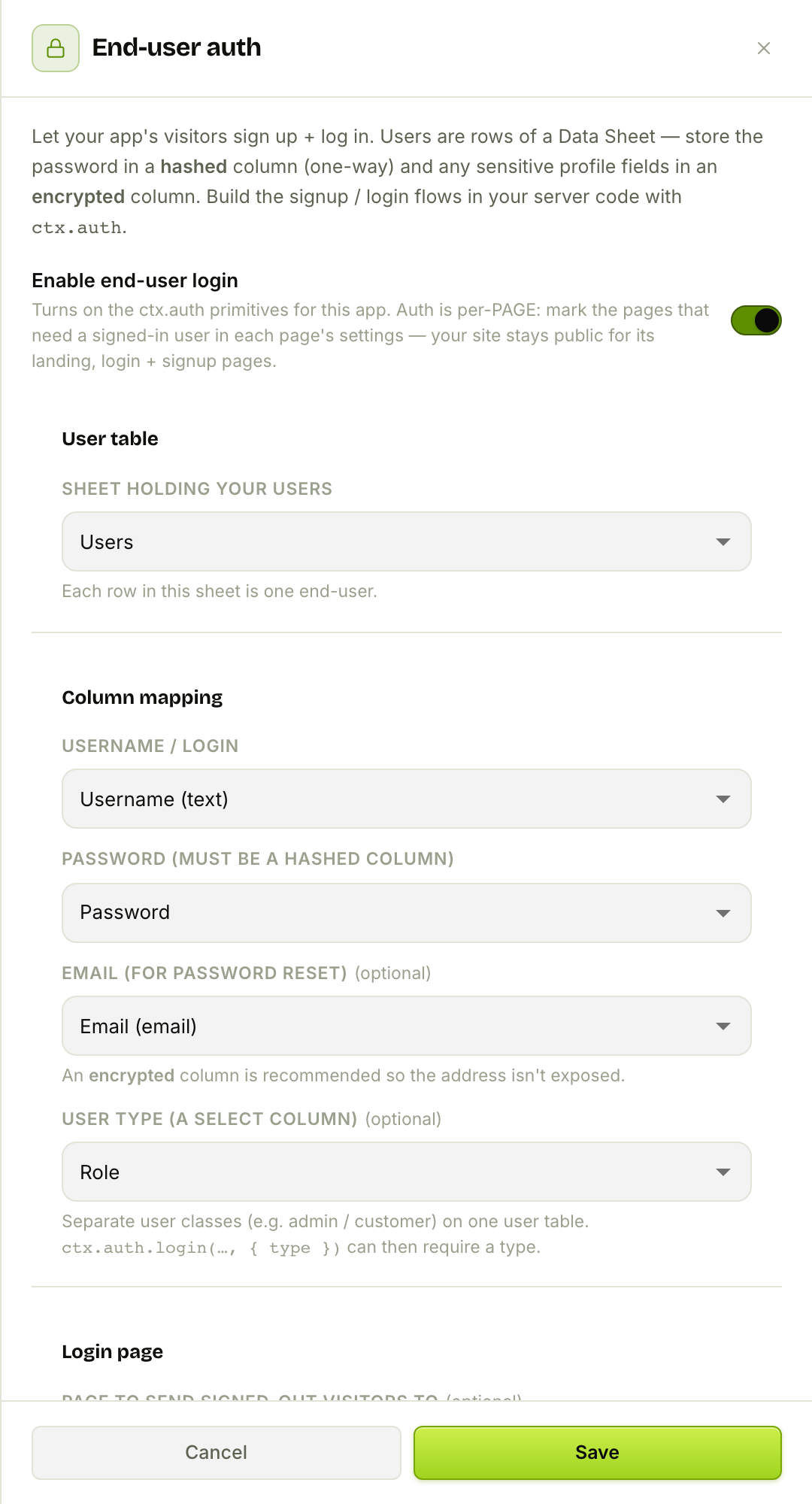
Let Your Visitors Sign In — End-User Auth in FlowFn
Your app has users — not FlowFn accounts, but your customers: café members with a loyalty balance, a client portal's clients, a community's members. FlowFn's end-user auth lets those visitors sign up and log in to your published site, with their accounts stored as rows in a Data Sheet, passwords hashed, and pages gated behind a login — no separate auth service to run.
FlowFn Team · 16 Jul 2026 · 4 min read
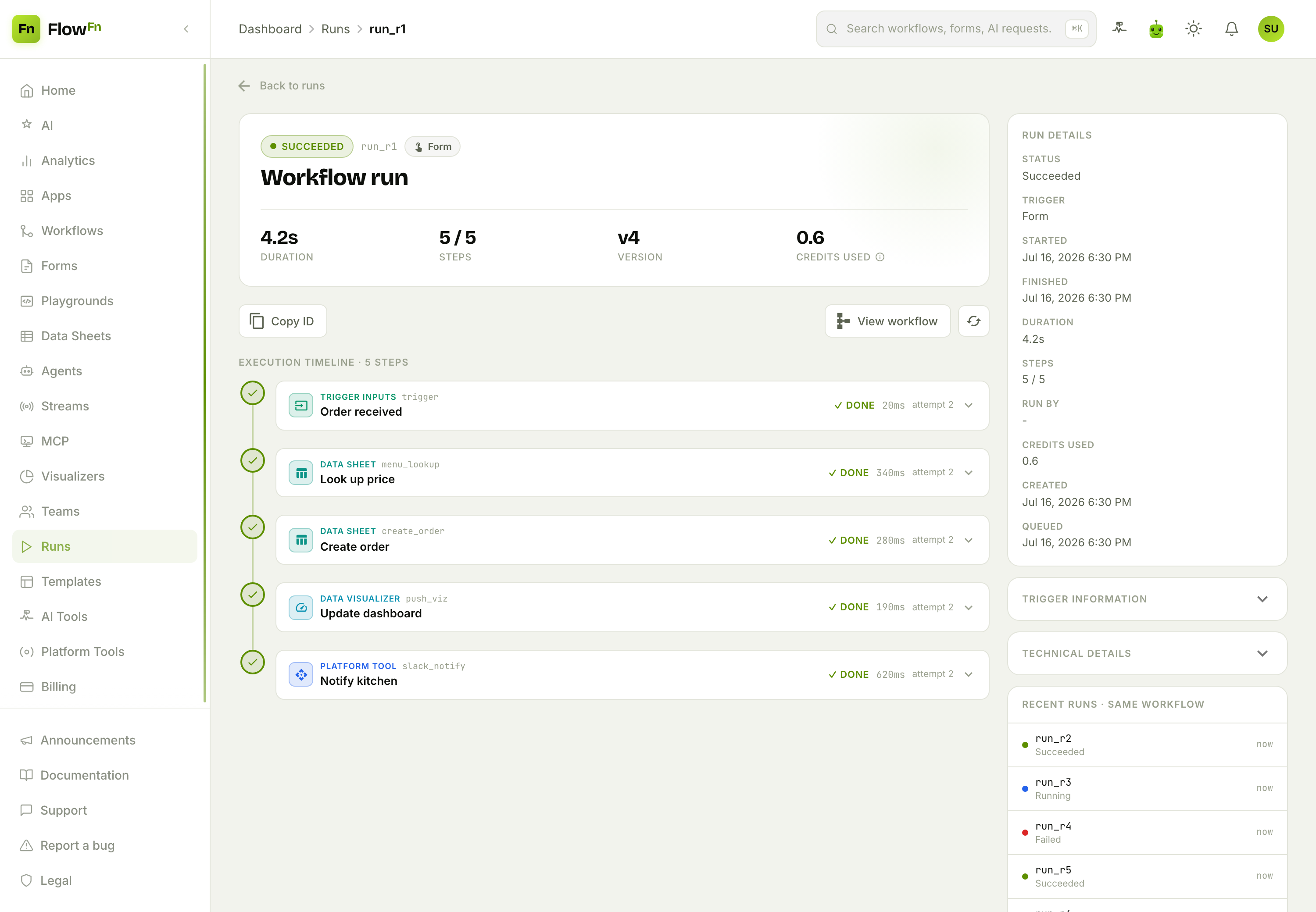
See Everything Your App Did — A Guide to FlowFn Runs
Automation you can't observe is automation you can't trust. Every time a workflow fires or an agent answers, FlowFn records a Run — a complete, replayable trace of what happened: every step, its inputs and outputs, its logs, its timing, and its cost. When something works you can prove it; when something breaks you can see exactly where. This is the flight recorder for everything you build.
FlowFn Team · 16 Jul 2026 · 4 min read
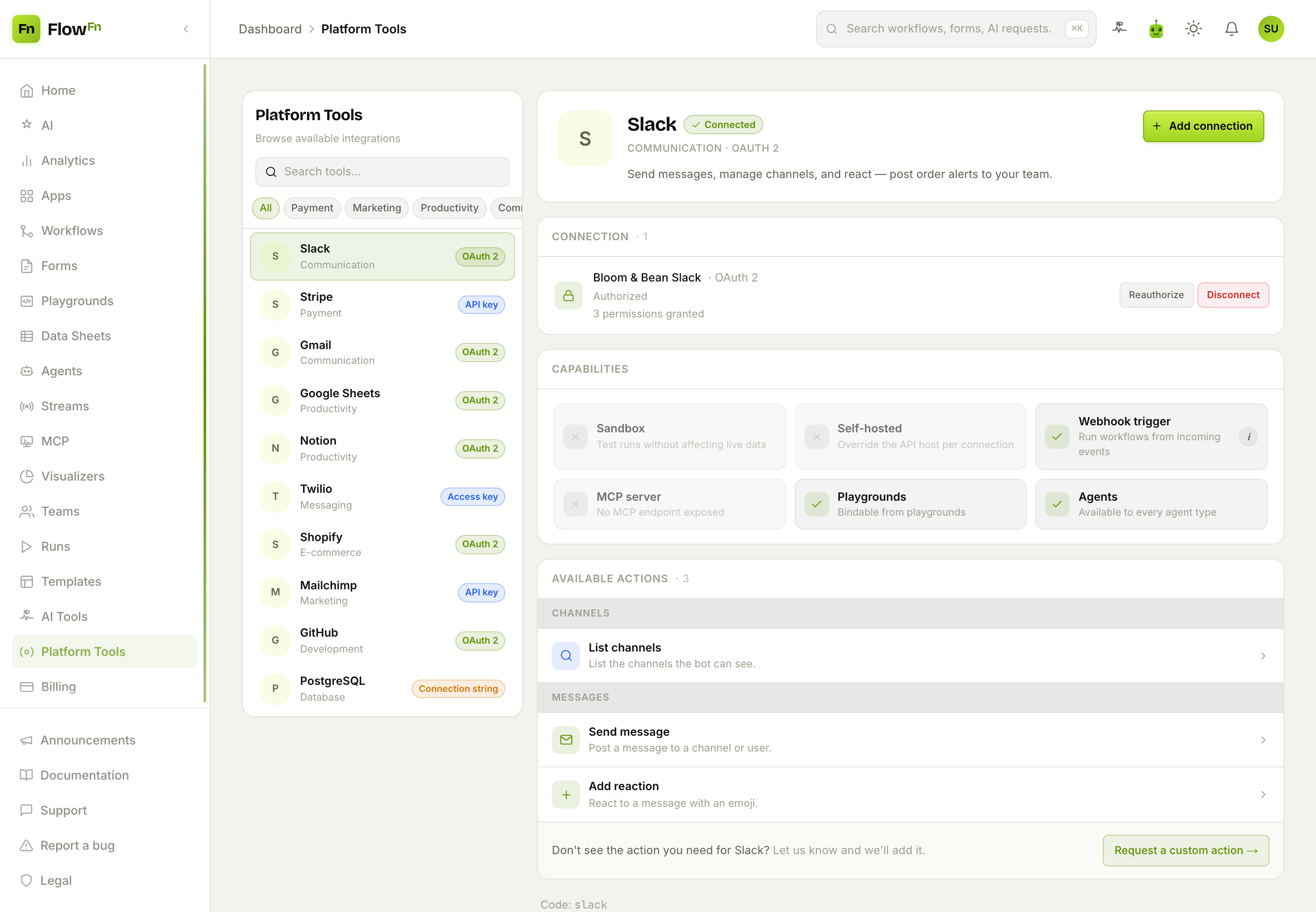
Connect Anything — A Guide to FlowFn Platform Tools
Your app rarely lives alone. It needs to post to Slack, charge a card in Stripe, append a row to Google Sheets, send an SMS, open a GitHub issue. Platform Tools is FlowFn's catalog of those connections — over a hundred integrations you authenticate once and then call from any workflow, agent, or MCP server. Connect the outside world once; use it everywhere.
FlowFn Team · 16 Jul 2026 · 4 min read
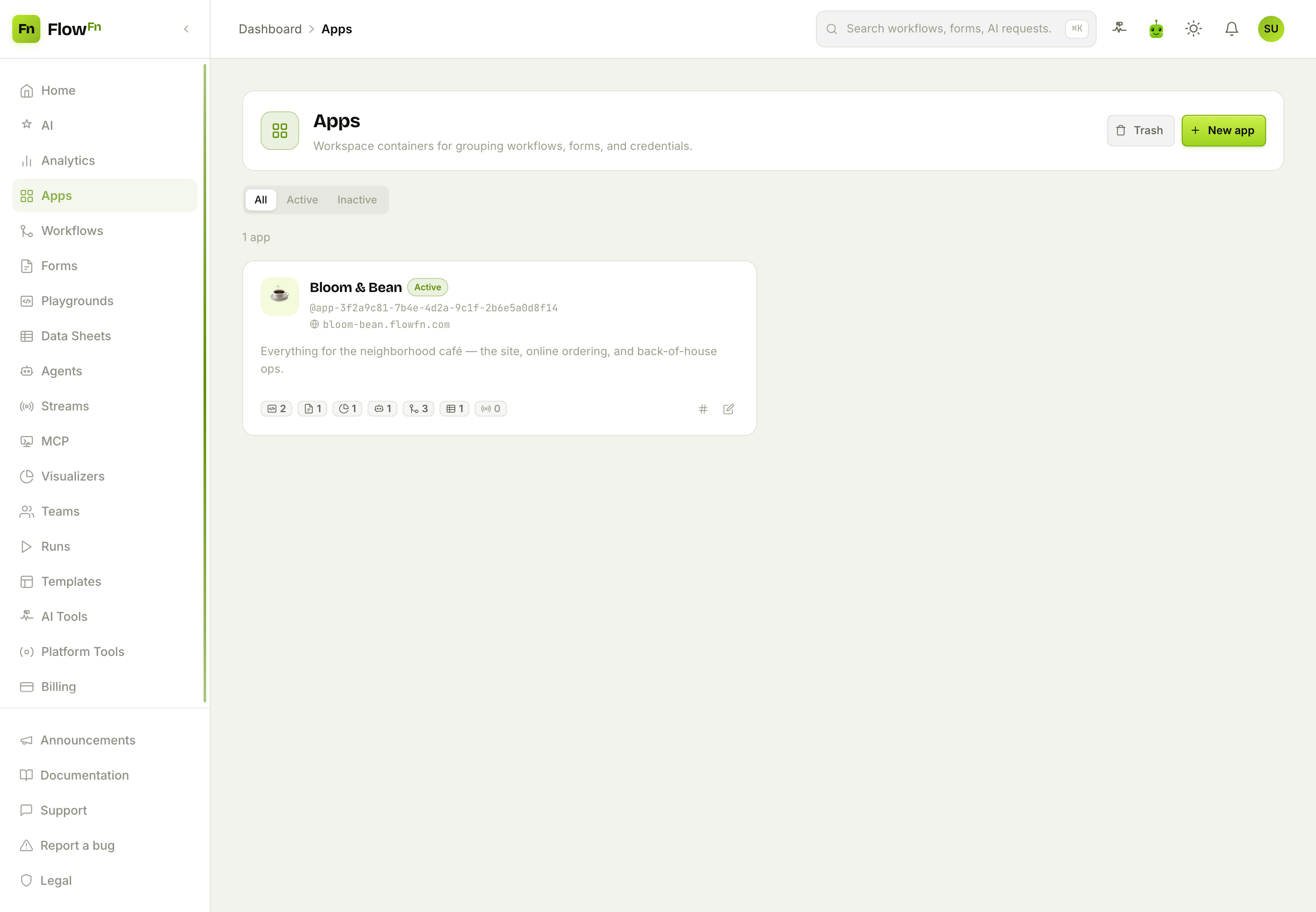
Your App, Your Domain — A Guide to FlowFn Apps
Everything you build in FlowFn — workflows, forms, playgrounds, data sheets, agents, streams, visualizers, MCP servers — lives inside an App. It's the container that groups them, the identity that puts them on a real domain with automatic HTTPS, and the vault that holds the credentials and environment variables they share. This is the piece that turns a pile of artifacts into a product with an address.
FlowFn Team · 16 Jul 2026 · 5 min read
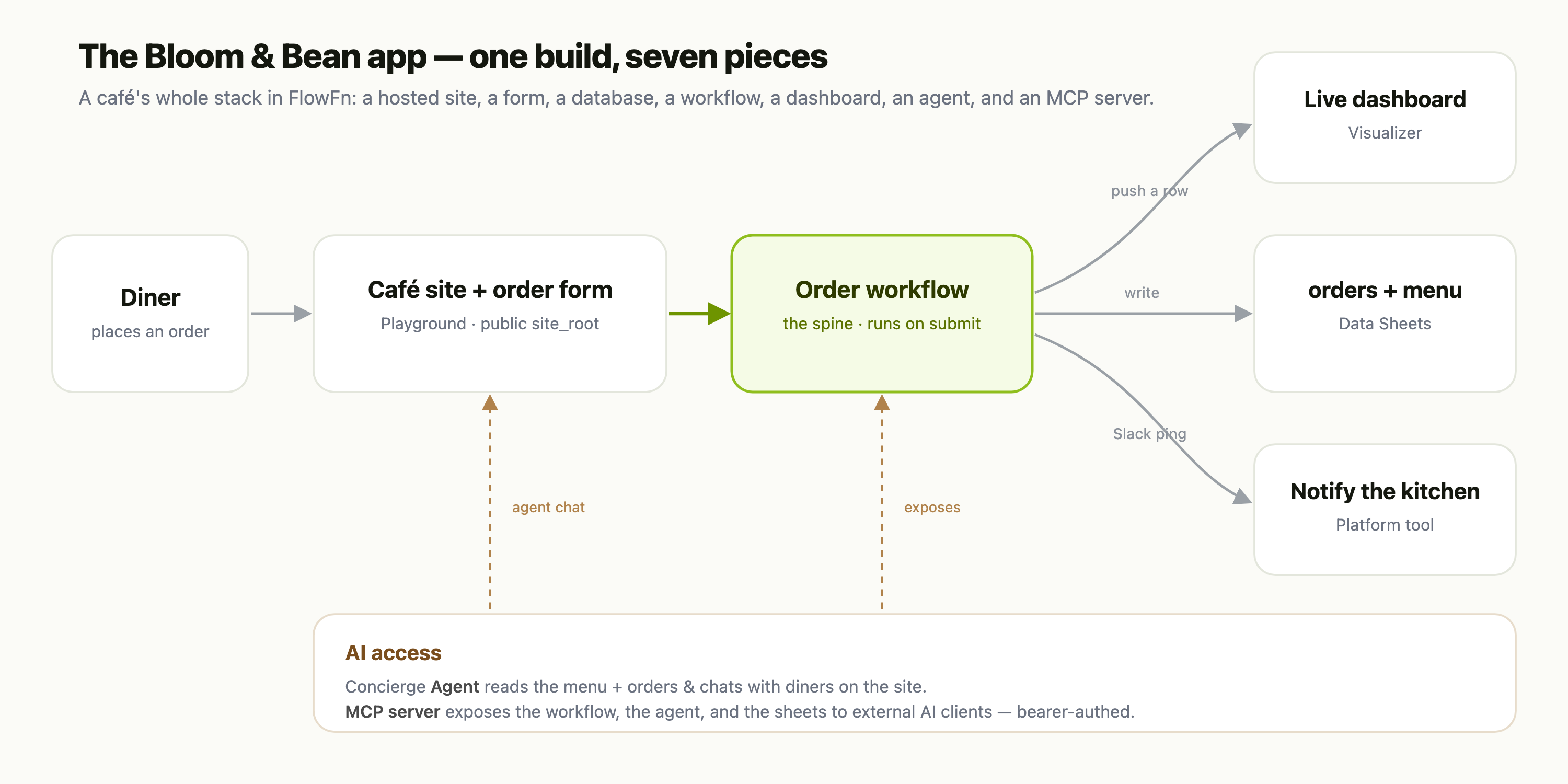
Build a Complete App in a Weekend with FlowFn
Six tutorials, six features — a database, a hosted site, a form, a workflow, a dashboard, an AI agent, and an MCP server. On their own they're building blocks. Put them together and they're a real, running business app. This is the capstone: we take everything from the series and assemble the whole Bloom & Bean café — front to back, no servers, no database ops, no deploy — in a single weekend.
FlowFn Team · 15 Jul 2026 · 6 min read
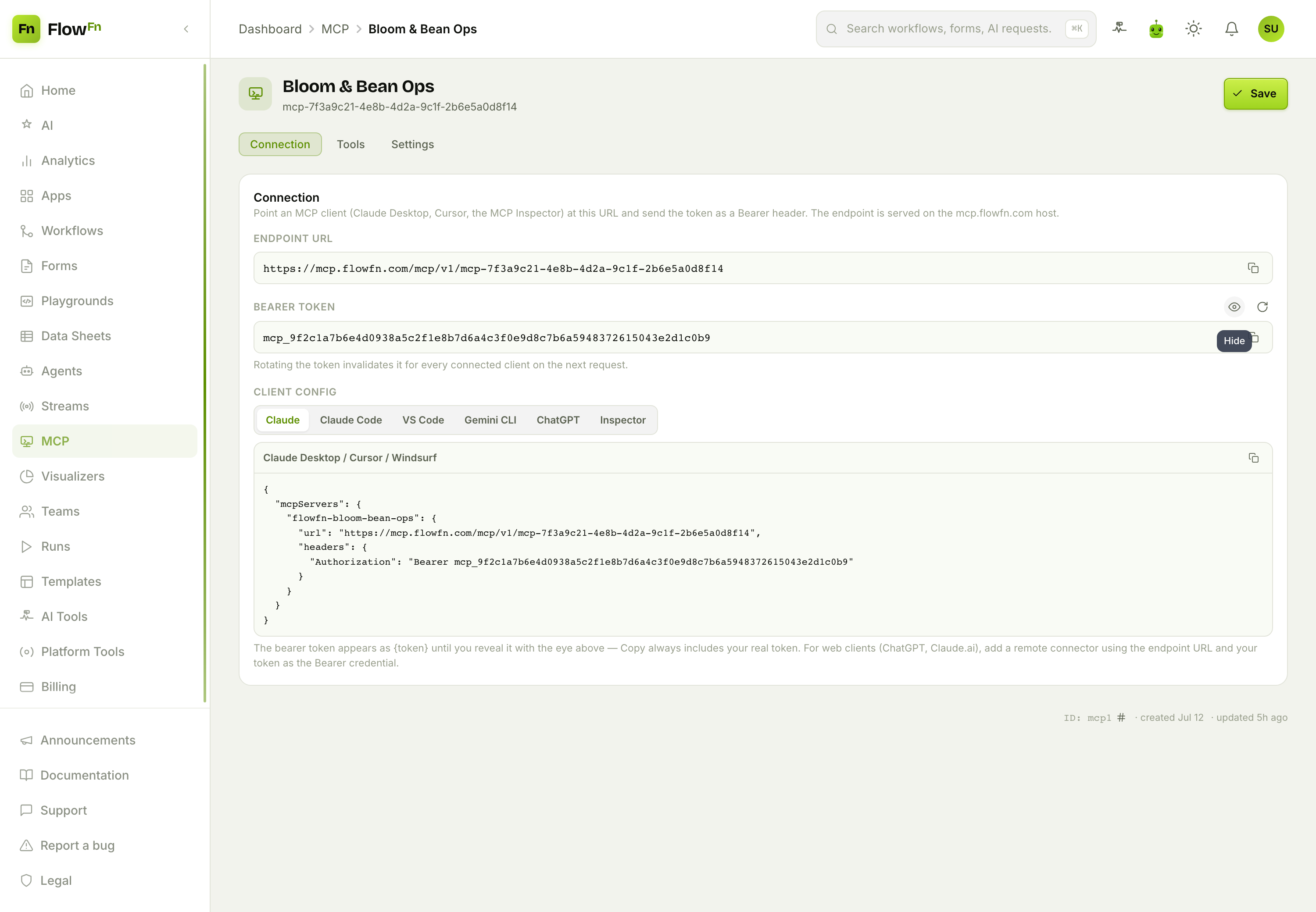
Give AI Clients a Safe Toolset: Host an MCP Server with FlowFn
Your app already knows how to look up an order, run a workflow, and answer a question. What if Claude Desktop, Cursor, or any MCP-capable assistant could call those abilities directly — but only the ones you allow, behind a token you can rotate, billed to you? FlowFn's MCP feature turns any App into a hosted Model Context Protocol server: attach the workflows, agents, data sheets, and tools you want to expose, hand out a bearer token, and an external AI can use your app as a toolset.
FlowFn Team · 15 Jul 2026 · 7 min read
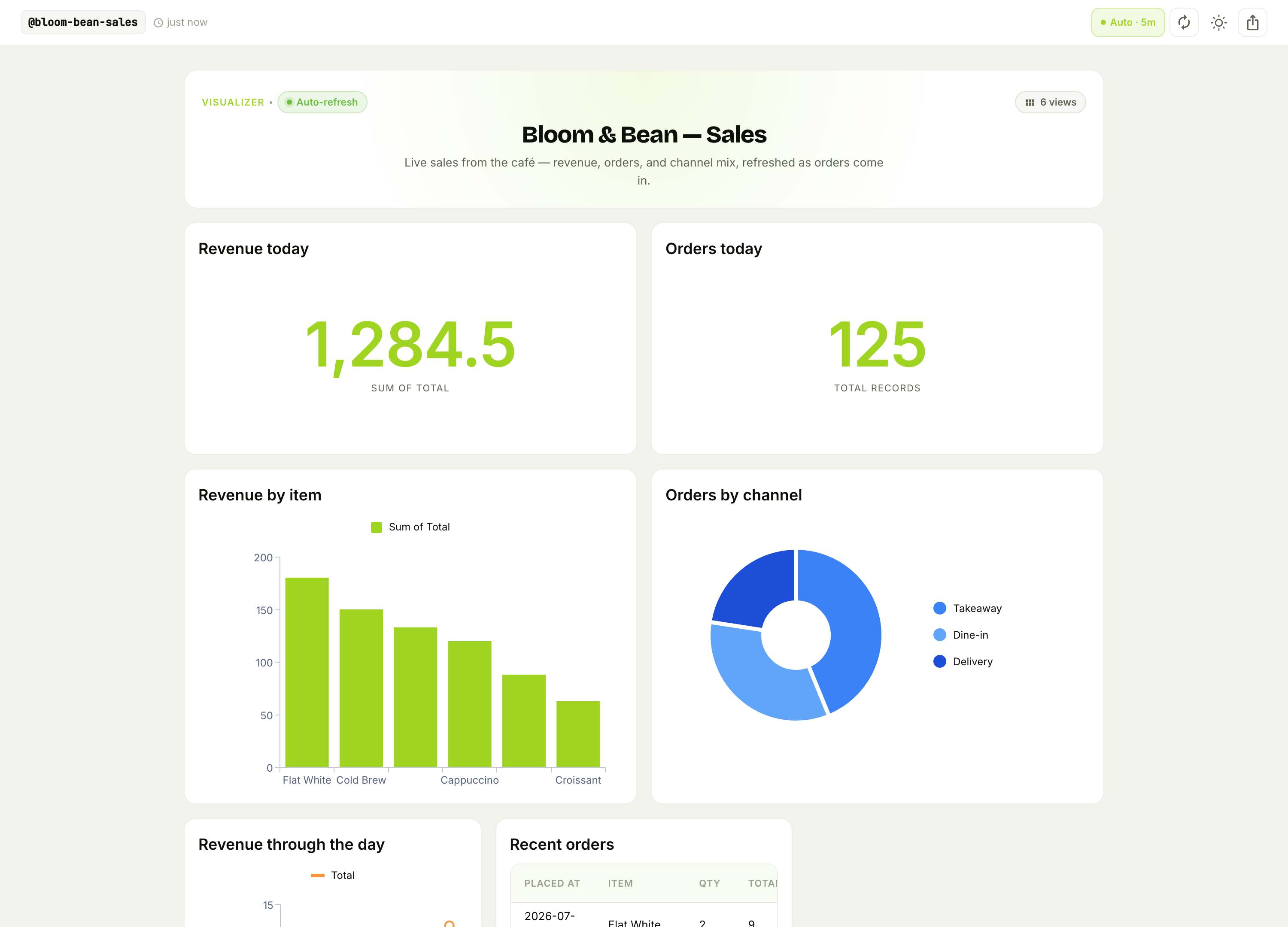
Build a Live Dashboard with FlowFn Visualizers — No SQL, No BI Tool
You've got data flowing through your app — orders, signups, sensor readings, run outcomes. Turning it into a dashboard usually means a BI tool, a warehouse connection, and someone who speaks SQL. FlowFn Visualizers skips all of that: define a few typed fields, drop in the chart types you want, and point a workflow at it. You get a public, embeddable, auto-refreshing dashboard with real charts — and zero query language.
FlowFn Team · 15 Jul 2026 · 7 min read
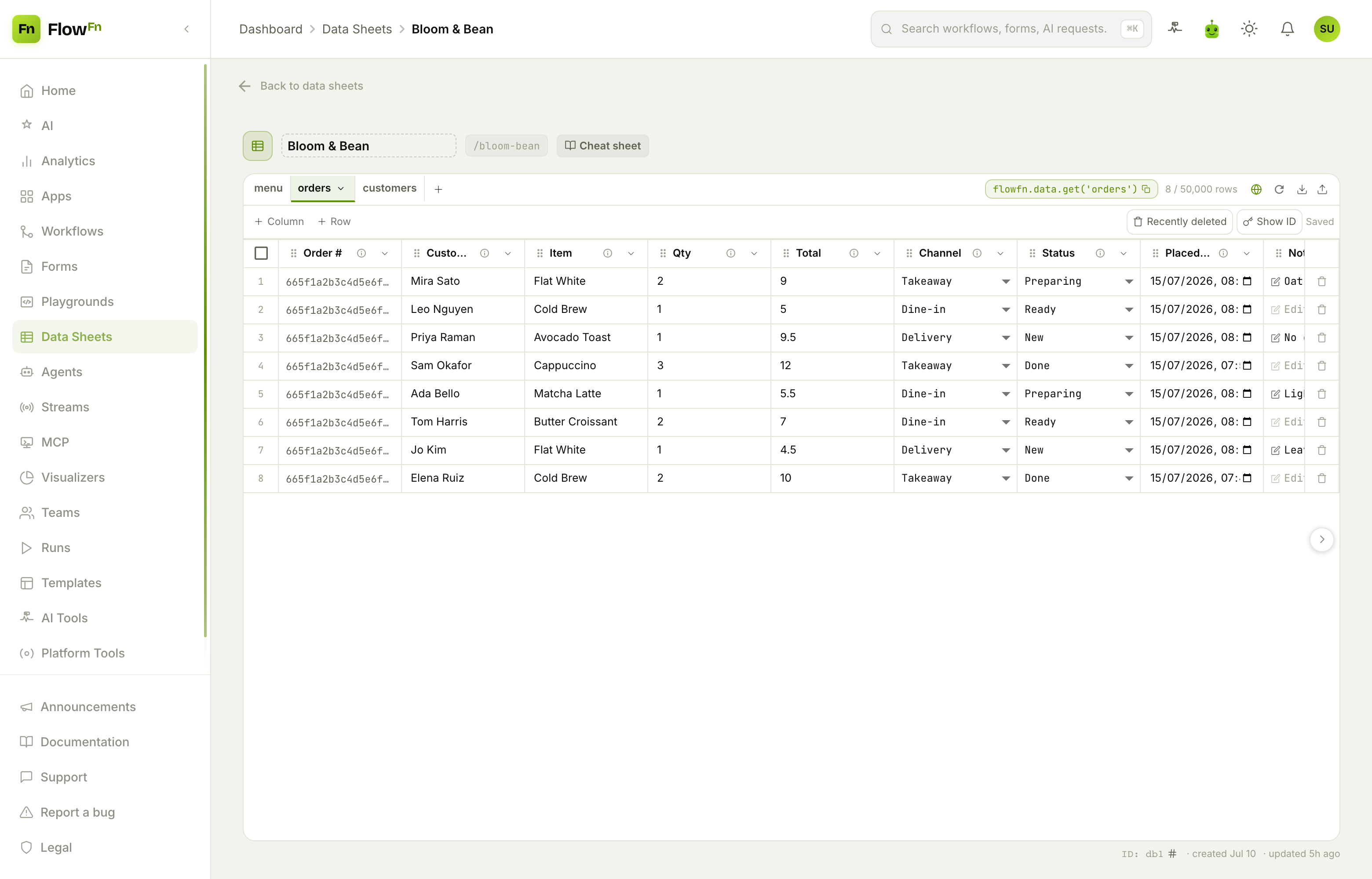
Your App's Database, Without the Server — a Guide to FlowFn Data Sheets
Every app needs somewhere to keep its data. Usually that means standing up Postgres, wiring an ORM, writing migrations, and building an admin panel before you've stored a single row. FlowFn Data Sheets collapses all of that into one design-time object: a real database with a spreadsheet-style editor, twenty typed column kinds, a query API your code can call, and public-write opt-ins — scoped to your App, with no server to run.
FlowFn Team · 15 Jul 2026 · 10 min read